[](https://modrinth.com/plugin/enhancedechest)
[](https://hangar.papermc.io/Nighter/EnhancedEchest)
[](https://openvdra.github.io/EnhancedEchest/)
## Custom Ender Chests
* **Multiple sizes:** each chest can hold 9, 18, 27, 36, 45 or 54 slots.
* **Vanilla feel:** Same vanilla ender chest block. Right-click or run `/ec` to open it.
* **Size by Rank:** Set the base size per rank with the [`enhancedechest.default_size.`](https://openvdra.github.io/EnhancedEchest/docs/access/permission-chests#default-size-permission) permission.
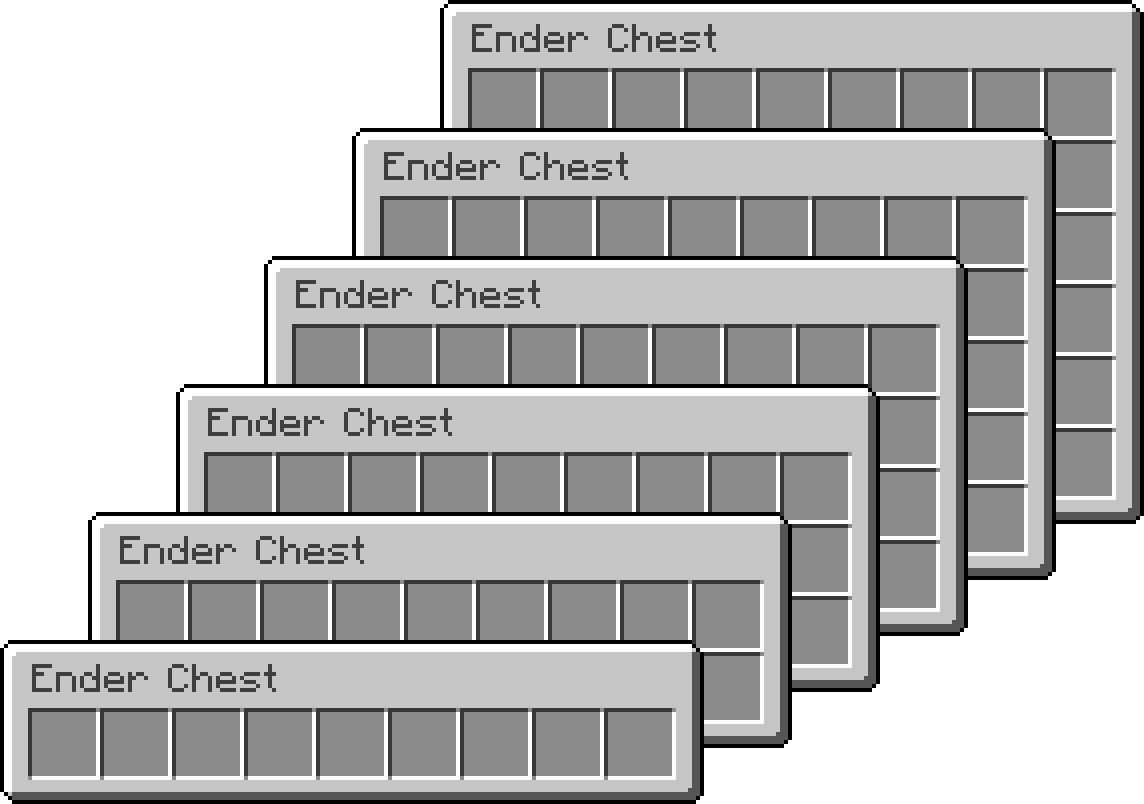
## Multiple Chests
Each player can owns one or several, with their own names and icons, managed from an in-game menu
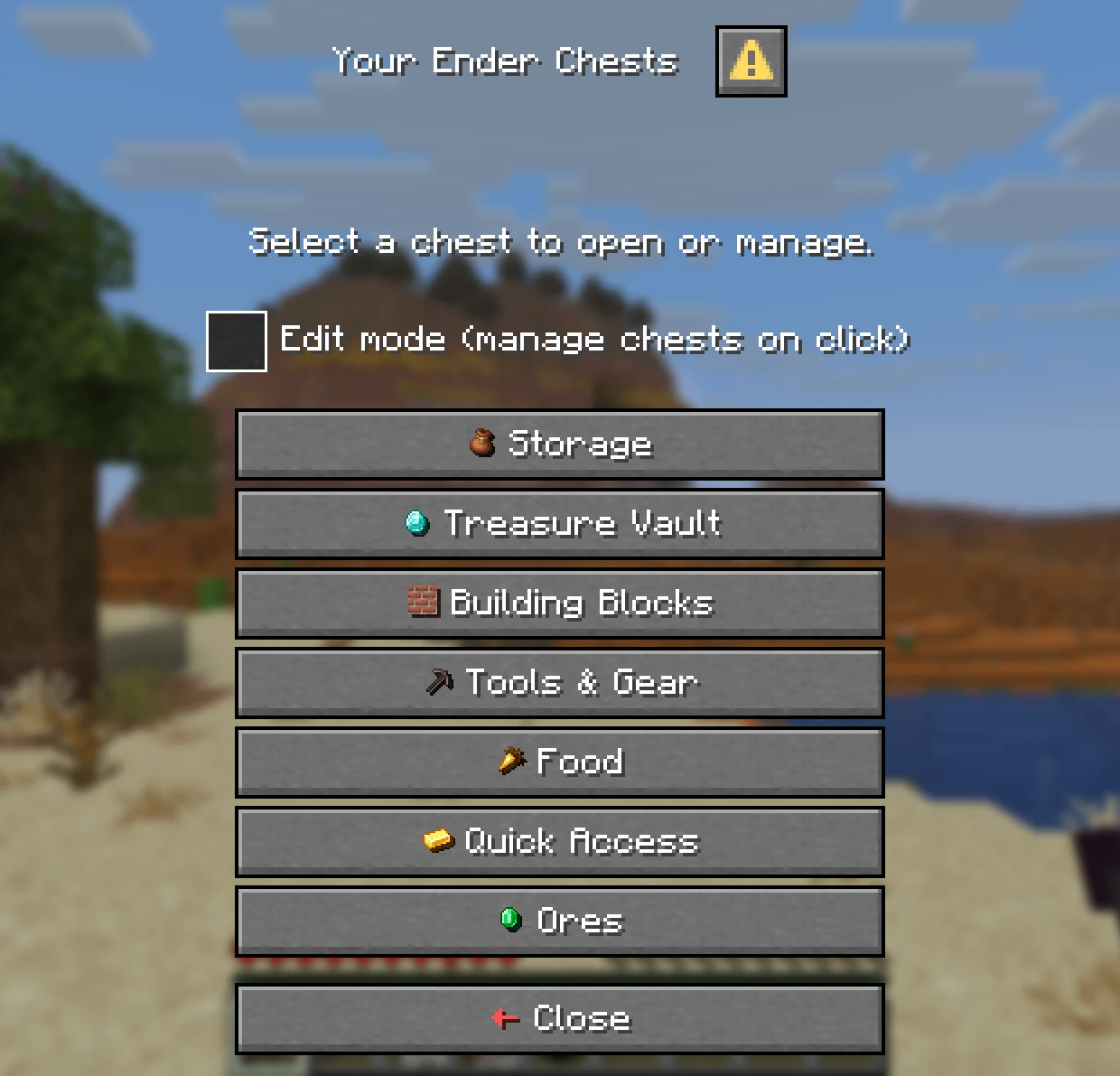
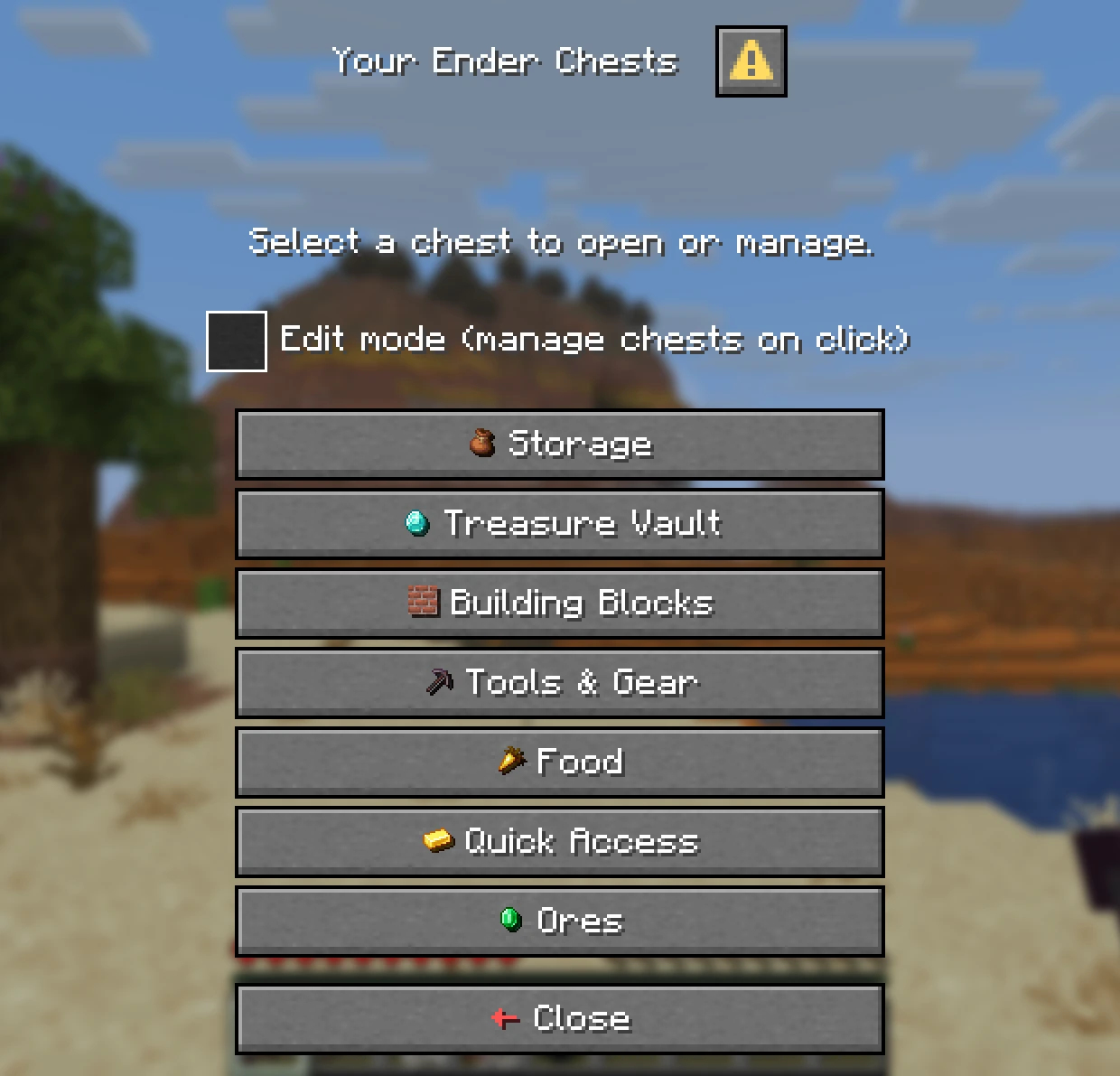
* **Chest List:** `/eclist`, or shift and right-click an ender chest, lists every chest a player owns.
* **Main Chest:** Players pick the one `/ec` opens. A new chest never becomes main on its own.
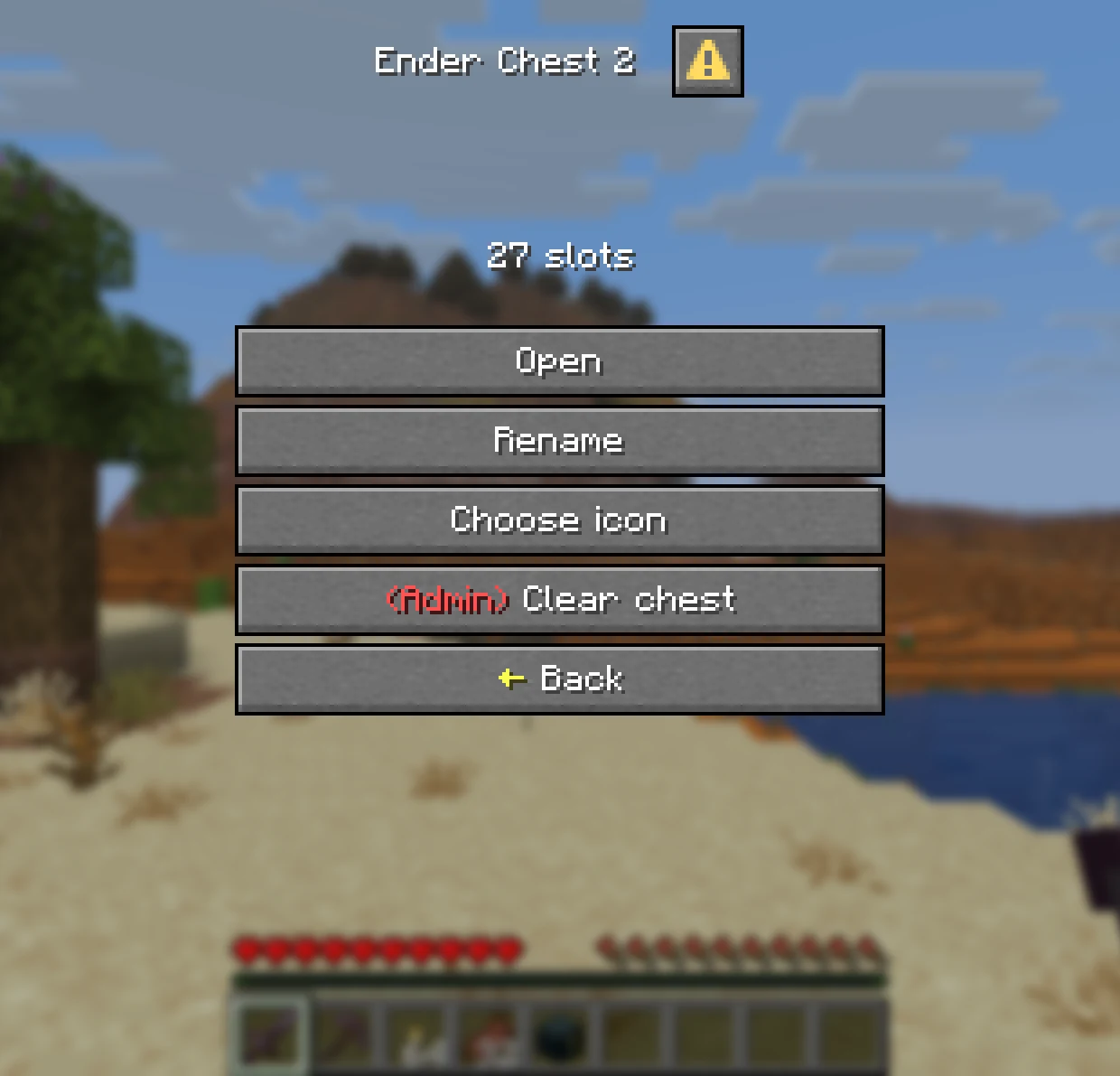
* **Edit Mode:** Tick it to manage a chest on click instead of opening it.
| Chest List |
Managing a Chest |
 |
 |
## Names and Icons
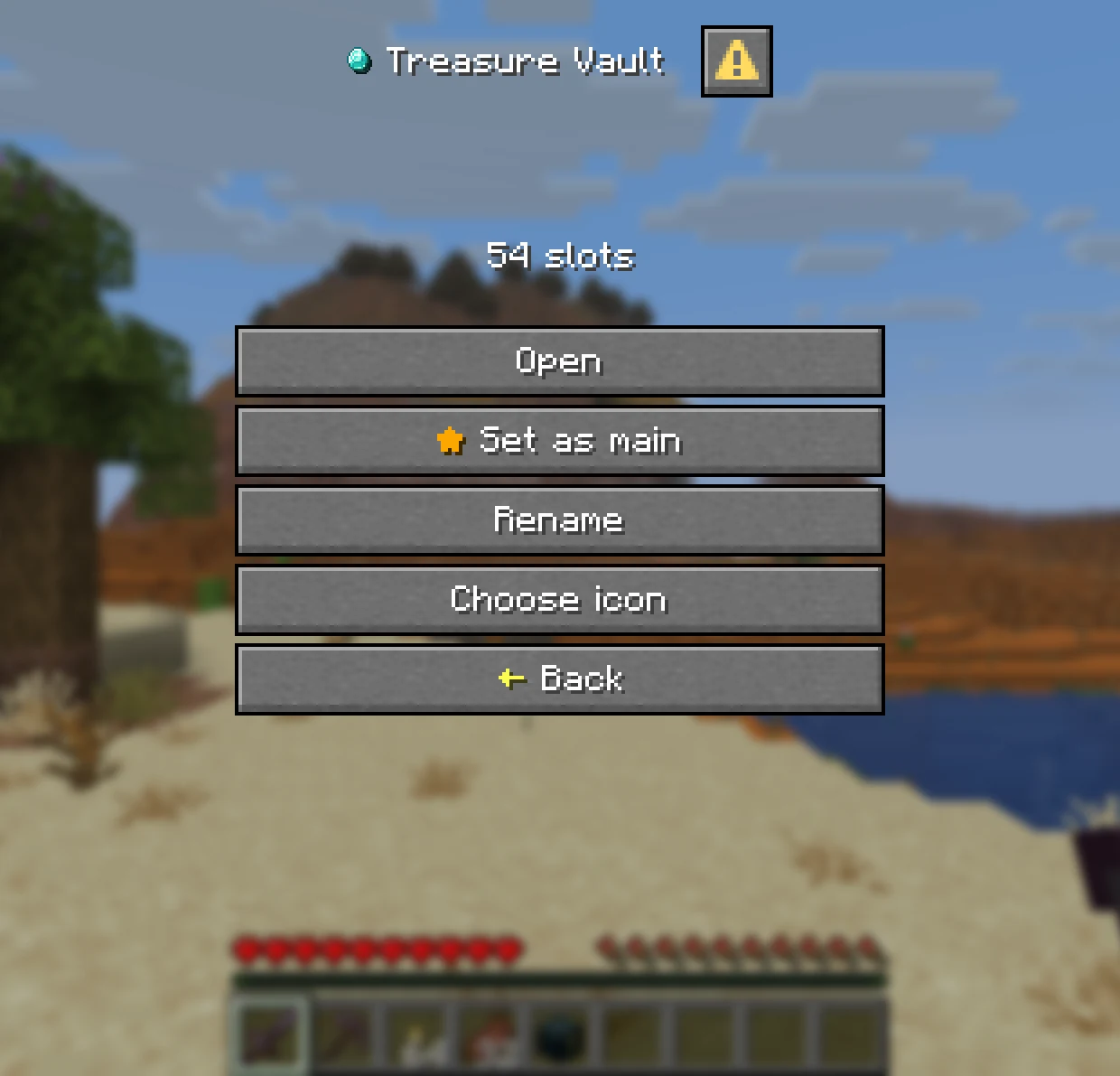
* **Rename:** Give each chest its own name, with optional colours. It becomes the inventory title.
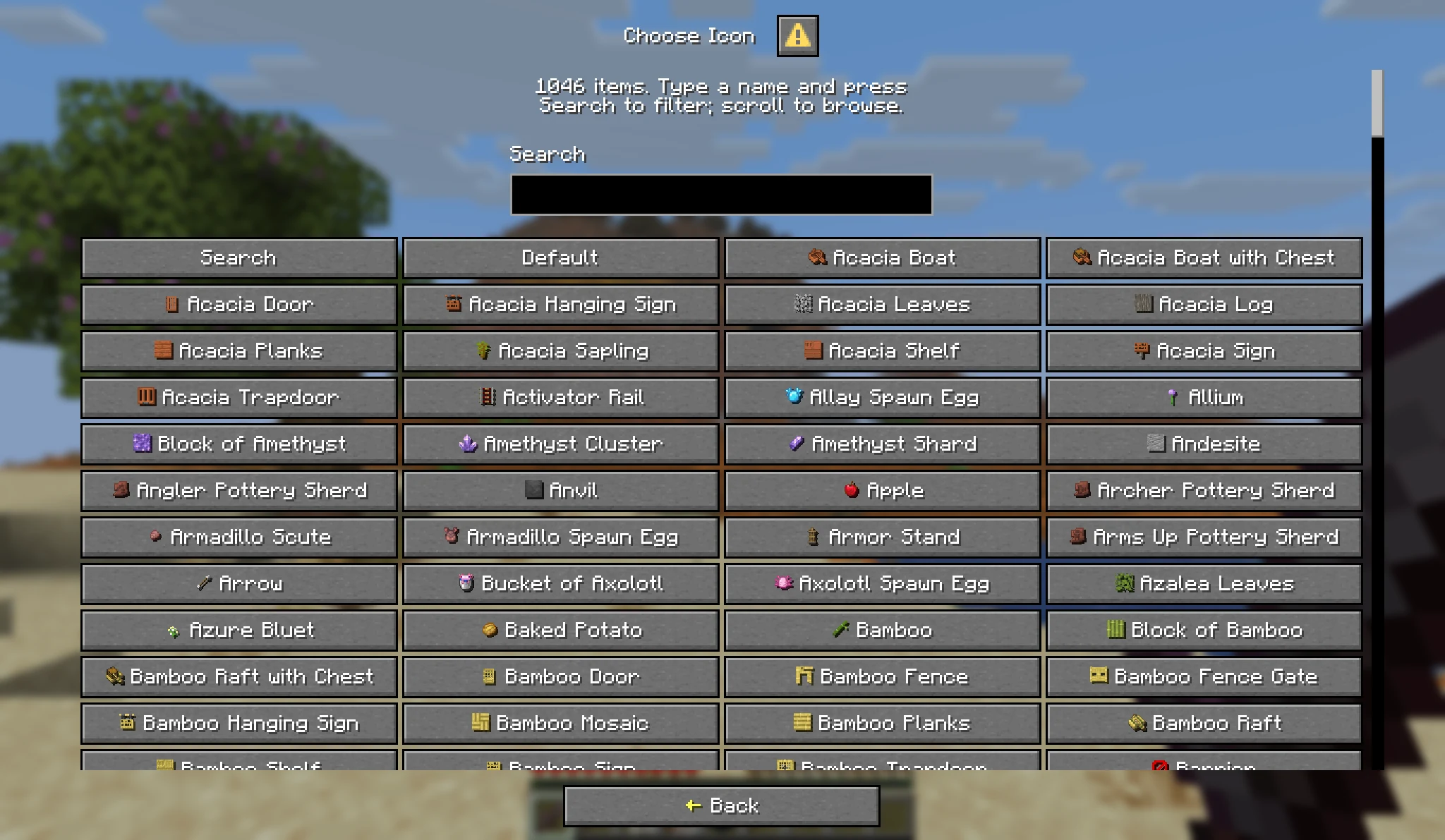
* **Choose an Icon:** Pick from over a thousand items, with a search box.
* **Server Toggles:** Rename, icons and sorting can each be switched off in `config.yml`.
| Chests with Icons |
Choose an Icon |
 |
 |
## Admin Tools
* **Manage Any Player:** Add, resize and delete chests with `/ee add`, `/ee resize` and `/ee delete`, online or offline.
* **Temporary Chests:** Give a chest that expires, such as `/ee add Steve 27 1 7d`.
* **View and Edit:** `/ee view ` opens the same menu the owner sees. Admins can look, edit, or clear the chest, each by permission.
* **Safe Shrinking:** Items that no longer fit after a resize or a lost rank move to a temporary chest instead of vanishing.
## Activity Log
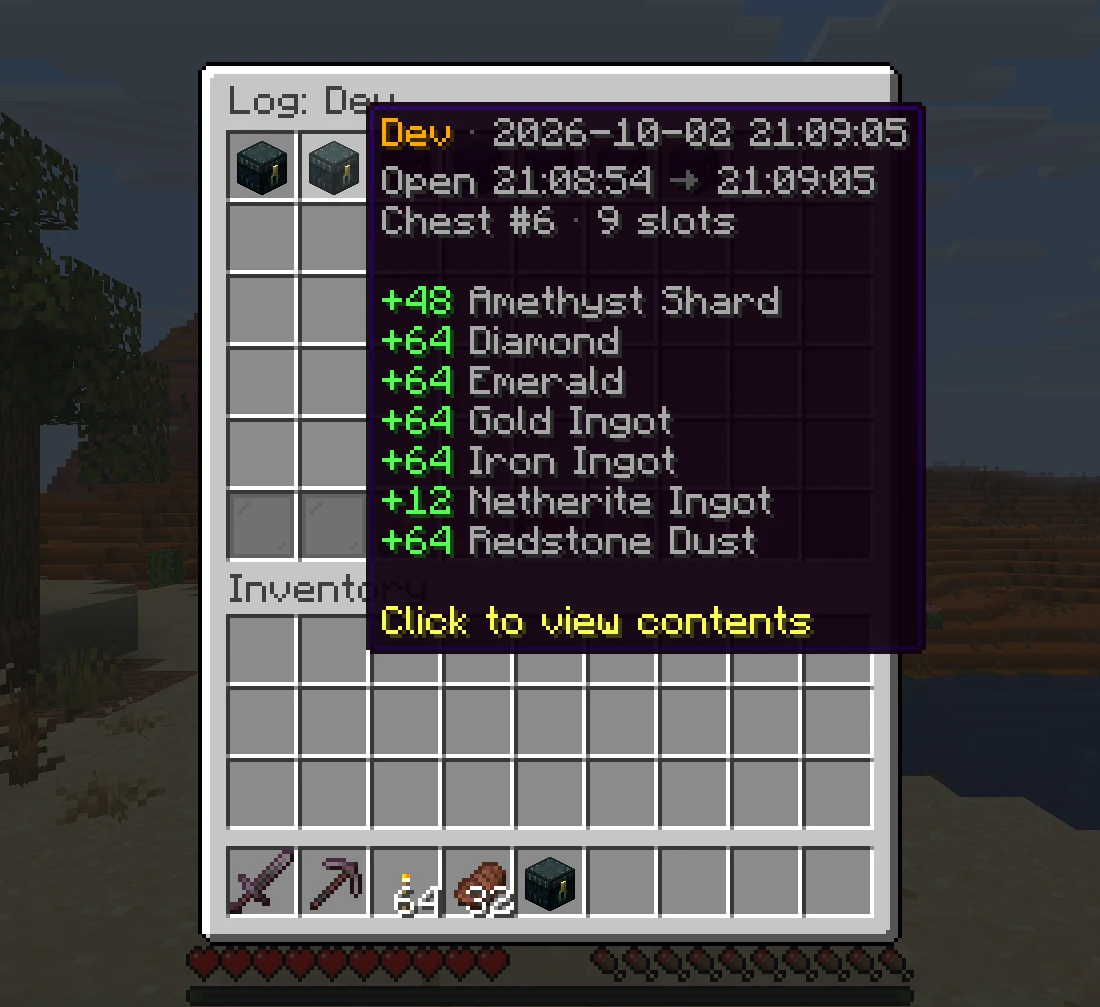
* **Who Took What:** Every visit that added or took items is recorded with the player, the time and the changes.
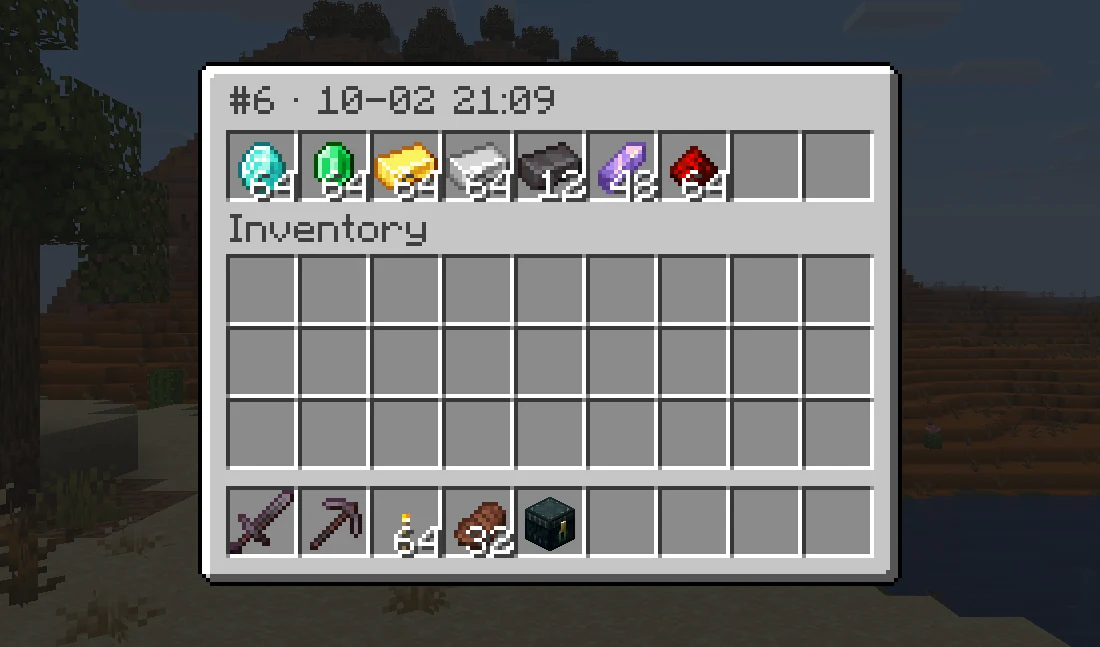
* **Look Back:** Click a visit to see exactly what the chest held when it closed.
* **In Game:** Read it with `/ee log `. Off by default, turn it on in `config.yml`.
| One Visit |
The Chest at That Moment |
 |
 |
## Storage and Migration
* **Any Database:**

SQLite out of the box, or

MySQL, MariaDB and

PostgreSQL. Saving runs in the background.
* **Several Servers:** Share one database between servers, kept in sync with [Redis](https://openvdra.github.io/EnhancedEchest/docs/database/cross-server).
* **Import:** Bring vanilla ender chests over when players join, and import from **AxVaults**, **PlayerVaultsX** and **CustomEnderChest** with one command.
## Commands, Permissions and Config
Commands, click to expand
| Command | Permission | Description |
| :--- | :--- | :--- |
| `/ec` | `enhancedechest.command.open` | Open the main chest, or the list with several |
| `/ec `, `/ec #` | `enhancedechest.command.open` | Open one chest directly |
| `/eclist` | `enhancedechest.command.open` | Open the chest list |
| `/ee add [count] [duration]` | `enhancedechest.admin.add` | Give chests, optionally temporary |
| `/ee resize ` | `enhancedechest.admin.resize` | Resize a chest |
| `/ee delete [force]` | `enhancedechest.admin.delete` | Delete the newest chests |
| `/ee view [list\|index]` | `enhancedechest.admin.view` | View or edit a player's chest, also `/endersee` |
| `/ee log ` | `enhancedechest.admin.log` | Open a player's activity log |
| `/ee transfer <#index\|name\|all>` | `enhancedechest.admin.transfer` | Move chests to another account |
| `/ee import` | `enhancedechest.admin.import` | Copy data from another database |
| `/ee migrate ` | `enhancedechest.admin.migrate` | Import from vanilla, AxVaults, PlayerVaultsX or CustomEnderChest |
| `/ee reload` | `enhancedechest.admin.reload` | Reload config and language files |
Permissions, click to expand
Every node defaults to `op`. Right-clicking an ender chest needs no permission.
| Permission | Description |
| :--- | :--- |
| `enhancedechest.command.open` | Use `/ec` and `/eclist`, and set a main chest |
| `enhancedechest.default_size.` | Size of the player's first chest, for example `enhancedechest.default_size.54`. The largest one held applies |
| `enhancedechest.additional_amount..slot.` | Extra chests by rank, for example `enhancedechest.additional_amount.2.slot.54` gives two 54-slot chests. Nodes stack |
| `enhancedechest.admin.add` | `/ee add` |
| `enhancedechest.admin.resize` | `/ee resize` |
| `enhancedechest.admin.delete` | `/ee delete` |
| `enhancedechest.admin.view` | `/ee view` and `/endersee`, look only |
| `enhancedechest.admin.edit` | With `admin.view`, move items in another player's chest |
| `enhancedechest.admin.clear` | Show the **Clear chest** button in `/ee view` |
| `enhancedechest.admin.log` | `/ee log` |
| `enhancedechest.admin.transfer` | `/ee transfer` |
| `enhancedechest.admin.import` | `/ee import` |
| `enhancedechest.admin.migrate` | `/ee migrate` |
| `enhancedechest.admin.reload` | `/ee reload` |
| `enhancedechest.admin.*` | Every admin node, if the permission plugin supports wildcards |
More detail on the [permissions page](https://openvdra.github.io/EnhancedEchest/docs/access/permissions).
Default config.yml, click to expand
```yaml
# EnhancedEchest configuration
# Full guide: https://openvdra.github.io/EnhancedEchest/docs/configuration/
# Most settings apply on /ee reload. Ones marked NEED RESTART need a full server restart.
# Time format, wherever a setting takes one: 20s, 5m, 1h, 7d, or combined like 1d_2h_30m.
# Units: s m h d w mo y.
# Language folder under language/. Bundled: en_US, vi_VN.
language: en_US
# Show each player their own Minecraft client language. Only languages that exist as a folder under
# language/ can be shown; en_US and vi_VN ship with the plugin, and you can add your own folder for
# any other language. Every other client language gets the one set above.
language-auto-detect: true
enderchest:
# Size of a player's first chest. One of: 9, 18, 27, 36, 45, 54.
default-size: 54
# Chest list style: dialog (full menu) or inventory (click to open only, 28 chests per page).
# Inventory has no rename, set main, icon or sort buttons; those exist only in the dialog menu.
# Players on Minecraft older than 1.21.6 always get inventory, their game can't show the dialog.
chest-list-menu: dialog
# Shift + right-click an ender chest opens the chest list instead of a chest.
shift-click-list: true
# Global switches for the buttons in the chest Edit mode menu.
features:
rename: true
icon: true
# Merge identical items into full stacks and reorder the chest. Off by default.
sort: false
# Smallest gap between two sorts by the same player. 0s disables it.
sort-cooldown: 10s
# Words banned from custom chest names. Case-insensitive, matched anywhere in the name.
rename-blacklist:
- server
- admin
- staff
- owner
# Allow colour codes and MiniMessage in chest names. Clickable tags are always stripped.
rename-colors: true
commands:
# Which offline players are offered while you type a name in /ee view, /ee add and the other admin
# commands. Only players who were online within this long are listed, so the list stays short on a
# server with a long history. Use 'all' to list every player the plugin knows (not recommended on large servers).
# This only affects the suggestion list: typing a full name always works, however long ago they left.
suggest-offline-within: 30d
temp-enderchest:
# Items from a shrunk, deleted or expired chest go to a temporary chest players can empty.
expiry: 7d
# How often to scan for expired chests.
check-interval: 5m
# Move a temporary chest's items into a new chest of at least the same size, automatically.
auto-reclaim: true
# Tell the player when that move happens, so they know where their items went.
reclaim-notify:
enabled: true
sound:
enabled: true
key: minecraft:entity.player.levelup
# Sound when someone tries to put items into a take-only temporary chest.
deny-sound:
enabled: true
key: minecraft:entity.villager.no
# Remind players at login that a temporary chest is waiting.
join-notify:
enabled: true
sound:
enabled: true
key: minecraft:block.note_block.pling
database:
# NEED RESTART: every setting here except autosave-interval.
# Backend: sqlite | mysql | mariadb | postgres
type: sqlite
# Prefix for this plugin's tables. Letters, digits and underscore. Existing tables are renamed
# automatically if you change it.
table-prefix: echest_
# How often unsaved changes are written to the database. Minimum 30s.
autosave-interval: 3m
# SQLite: path relative to the plugin folder.
sqlite-file: enderchests.db
# Remote backends. Default port: 3306 for MySQL/MariaDB, 5432 for Postgres.
host: localhost
port: 3306
database: enhancedechest
username: root
password: ""
# disable (no encryption) | require (encrypted, certificate not checked) |
# verify-full (encrypted and verified; the only mode safe against a man-in-the-middle).
ssl: disable
pool-size: 10
cross-server:
# NEED RESTART: every setting here.
# Let several servers share one database, so chests follow players between them. Needs a
# mysql/mariadb/postgres database shared by every server, plus a reachable Redis. Redis stores no
# chest data, it only decides which server currently owns a player. SQLite cannot be shared.
enabled: false
# A name unique to this server. Leave empty to generate one each startup. Never reuse a name.
server-id: ""
redis:
host: localhost
port: 6379
password: ""
# TLS with full certificate and hostname verification. Self-signed certificates must be imported.
ssl: false
database: 0
# Only change this if one Redis server serves several separate networks.
key-prefix: "echest:"
backup:
# Timed copies of all chest data. SQLite only: on mysql/mariadb/postgres use your database's
# own backup tools instead.
enabled: true
# How often to back up. Examples: 30m, 6h, 1d.
interval: 6h
# How many to keep. Oldest are deleted first. 0 keeps every backup.
keep: 10
# One extra backup at server start, on top of the timer.
on-startup: false
# Folder inside plugins/EnhancedEchest/. Files are named enderchests--.db.
folder: backups
activity-log:
# Records every time a chest is opened and closed, keeping a snapshot of its contents each time in a
# separate database (log.db). View it in-game with /ee log : click an entry to see exactly
# what the chest held at that moment. Evidence for investigating theft; it does not restore items,
# use 'backup' for that.
enabled: false
# Delete log entries older than this many days.
retention-days: 15
# Also keep at most this many entries per player, deleting the oldest beyond that. Stops one very
# active player (or a bot) from filling the log.
max-entries-per-player: 2000
# How often old entries are cleaned up to the limits above.
prune-interval: 6h
# NEED RESTART: how many finished visits may wait to be saved. Only matters if the disk stalls; if it
# fills, the newest visits are skipped and the console says how many. Default suits 300-500 players.
queue-capacity: 4096
migration:
# Import a player's vanilla ender chest when they join, once per player.
# Already-online players must rejoin, or use /ee migrate vanilla .
enabled: false
```
Every setting is explained on the [configuration page](https://openvdra.github.io/EnhancedEchest/docs/configuration/).
## Version Support
| Minecraft version | Server | Java | Support status |
|---|---|---|---|
| 1.21.11 – 26.3 | Paper, Purpur, Folia | 21 | Active |
## Quick FAQ
**Does it work on Folia?**
Yes. Paper, Purpur and Folia are all supported. Spigot is not.
**Can Bedrock players use it?**
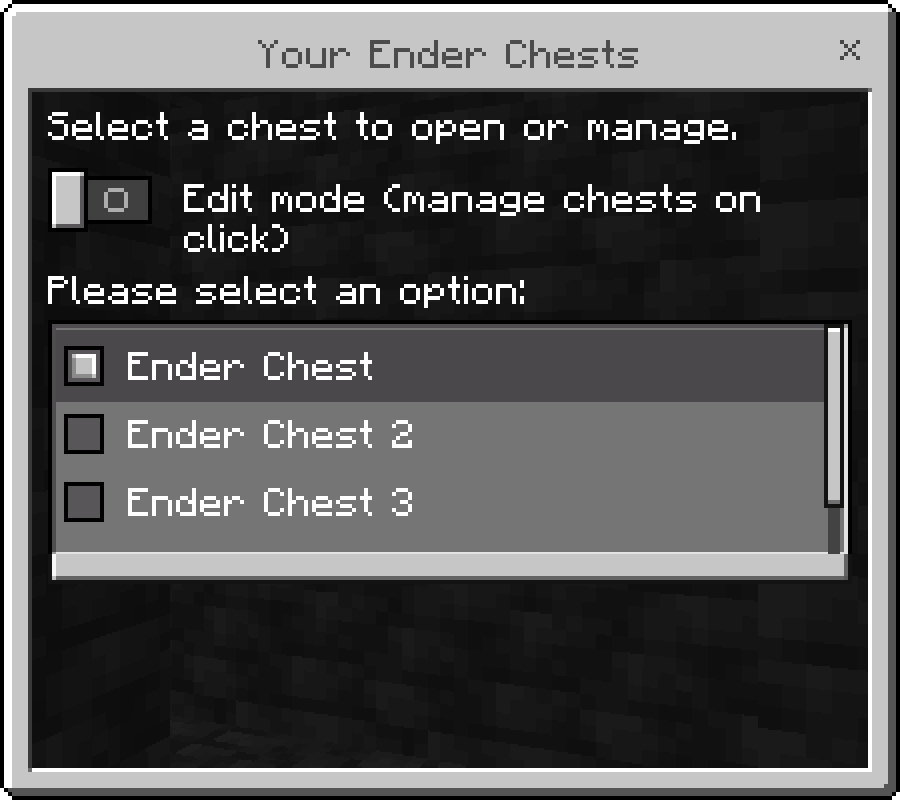
Yes. Through [Geyser](https://geysermc.org/), the menus show as Bedrock forms with no extra setup.
**Will players lose their old ender chest items?**
No. Turn on `migration` in `config.yml` and each player's vanilla ender chest is copied into their first chest when they join.
**Supported languages:**
English and Vietnamese, and each player sees their own client language. Every message can be edited with MiniMessage.
Need help or want to suggest something? Join the [Discord](http://discord.com/invite/FJN7hJKPyb).
## bStats

EnhancedEchest is a free Minecraft Java mod. Compatible with Minecraft 1.21.11, 26.1, 26.1.1, 26.1.2 and newer. Downloaded 289 times (via Hangar). Download it and open it directly in the game.
