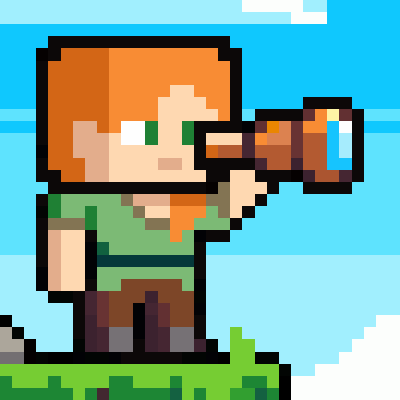

Just Zoom allows you to zoom by pressing a hotkey (Z or Y by default, depending on your keyboard, and customizable in Minecraft's Controls settings) and adjust the zoom with your mouse wheel! It feels similar to zooming with the spyglass, but you can zoom in further and don't have the black bars and spyglass overlay blocking your view!
For support, tips, and to connect with other users, join the official Discord server.
If you experience crashes or other issues, please write a bug report on GitHub!
Features
Just Zoom has some great features to improve the zoom experience!
Zoom
Just Zoom lets you zoom by pressing a hotkey and adjust the zoom factor with your mouse wheel.
By default, Just Zoom will also zoom in/out smootly, just like the spyglass, but you can disable that in its options.

Normalized Mouse Sensitivity
Just Zoom normalizes your mouse sensitivity when zooming, so it doesn't feel like the mouse is moving too fast.

Maximum Zoom
Just Zoom can zoom in further than the spyglass.

Configuration
Just Zoom has in-game options, so you can easily configure it by pressing the little spyglass button in the bottom-left side of the Pause Screen!
To customize the zoom hotkey, use Minecraft's Controls settings.
Copyright
Just Zoom Copyright © 2021-2025 Keksuccino.
Just Zoom is licensed under DSMSLv2 (DON'T SNATCH MA STUFF LICENSE V2.0).
See LICENSE.md for more information about the license.
Server Needed?
Looking to play Minecraft with friends but setting up a server is just too time-consuming?
No worries! Simply rent a pre-configured server and start playing in a snap.
Just click the image below and use code keksuccino to enjoy a 25% discount on your first month!
- Edition: Minecraft Java
- File type: .jar
- Minecraft version listed: 26.2
- How to install: Install the matching mod loader (Forge, Fabric or NeoForge) for your Minecraft version. → Download the .jar. → Put it in the .minecraft/mods folder and launch that loader profile.
- Where to get it: Opens on Modrinth — not every file is mirrored on our own servers.
Install steps are the general flow for this file type — How to install Minecraft Java mods & modpacks walks through it step by step.
- Ships as justzoom_neoforge_2.1.5_MC_26.2.jar — drop this file into the mods folder
- Download size: 64 KB
- Download link checked 27 Aug 2026 — working
These come from our own check of the pack file, not from the source page.
