ArmorHud
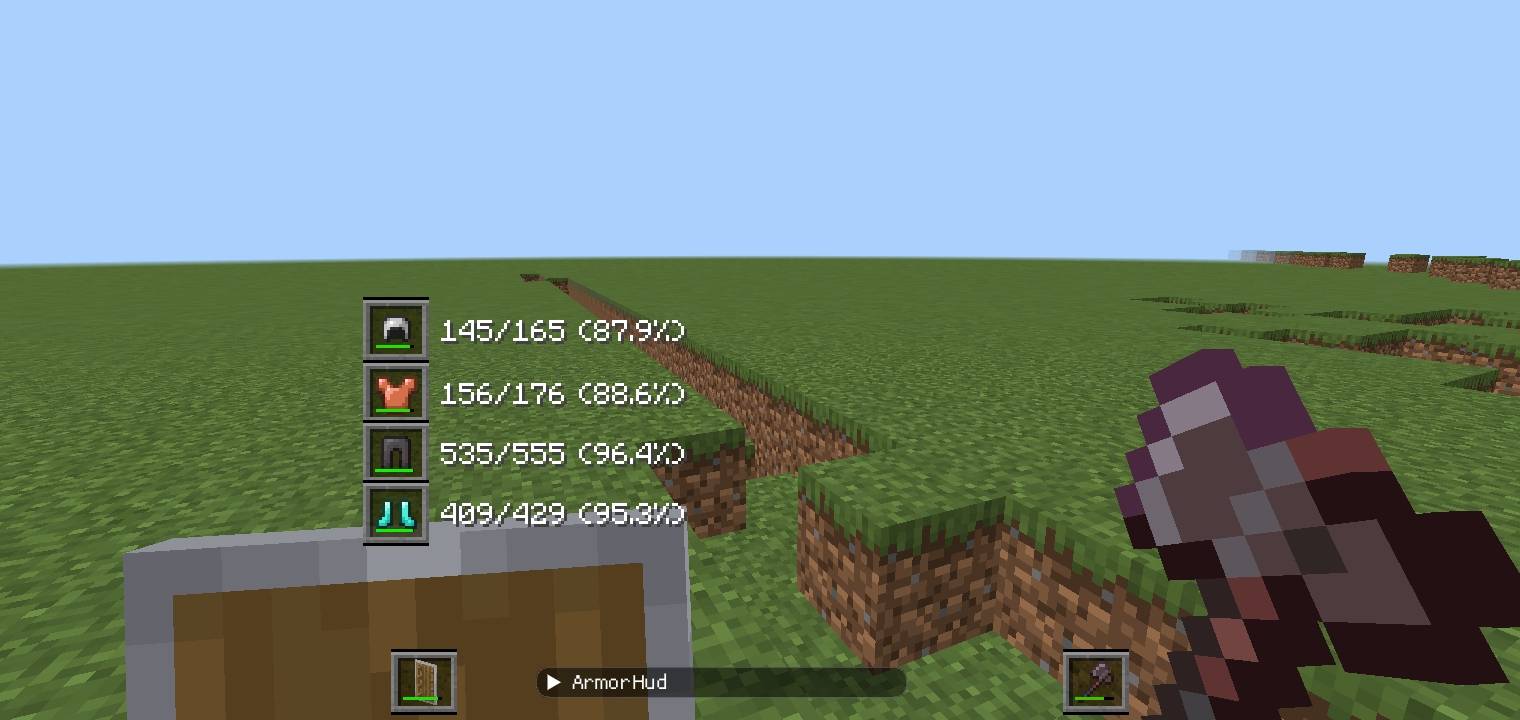
- Displays durability text and/or bars for each armor slot, as well as the offhand and mainhand slots.
- Can be configured using ImGui or the menu available in the pause screen.
- If you enable Editor Mode in ImGui, you can freely adjust and fine-tune the position of each slot.
- There is a known bug where pause screen buttons can still be clicked even after they disappear. I will fix this later.
Steps
- Install LeviLaunchroid.
- Download the
.mcpackfile. - Rename the
.mcpackfile to.levipack. - Install the mod in LeviLaunchroid and enable it.
Next feature?
Maybe an inventory HUD?
Quick facts
- Edition: Minecraft Bedrock
- File type: .mcpack or .mcaddon
- Minecraft versions listed: 26.20, 26.30
- How to install: Download the .mcpack or .mcaddon file. → Open it — Minecraft imports it. → In your world: Behavior Packs → Available → Activate, then the same under Resource Packs.
- Where to get it: Opens on CurseForge — not every file is mirrored on our own servers.
Install steps are the general flow for this file type — How to install Minecraft Bedrock addons & mods walks through it step by step.
ArmorHud is a free Minecraft Bedrock addon. Compatible with Minecraft 26.20, 26.30. Downloaded 1,611 times (via CurseForge). Download it and open it directly in the game.