Home›Java›Mods›Simple Discord RPC
Simple Discord RPC
ModsJava

Simple Discord RPC

Java mod listed for Minecraft 1.16–1.21. File opened and checked on 7 Oct 2026; downloads from the MC Java Mods app on Android.

by HypherionSA · on CurseForge

Which build do you need?

This mod ships a separate file for every mod loader and every version of the game. Pick both, then download — the wrong build installs fine and then does nothing in the game.

Mod loader

Minecraft version

⬇ Download for 1.21–1.21.11 · Fabric⬇ Download for 1.20.2–1.20.4 · Fabric⬇ Download for 1.20.1 · Fabric⬇ Download for 1.21–1.21.11 · Forge⬇ Download for 1.20.2–1.20.4 · Forge⬇ Download for 1.20.1 · Forge⬇ Download for 1.21–1.21.11 · NeoForge⬇ Download for 1.20.2–1.20.4 · NeoForge⬇ Download for 1.20.1 · NeoForge⬇ Download for 1.21–1.21.11 · Quilt⬇ Download for 1.20.2–1.20.4 · Quilt⬇ Download for 1.20.1 · Quilt
I don't know my version or loader

Open the Minecraft launcher and look at the profile you play on — it names both, like fabric-loader-1.21.4. The version also shows in the bottom-right corner of the game's main menu.
No loader in the profile name? Then it's plain Minecraft, and these mods won't run — you need Fabric or NeoForge installed first.
Simple Discord RPC — screenshot 1Simple Discord RPC — screenshot 2

Simple Discord RPC — Minecraft Java mod, screenshot 1

Simple Discord RPC — Minecraft Java mod, screenshot 2 Simple Discord RPC — Minecraft Java mod, screenshot 3 Simple Discord RPC — Minecraft Java mod, screenshot 4

Simple Discord RPC — Minecraft Java mod, screenshot 5

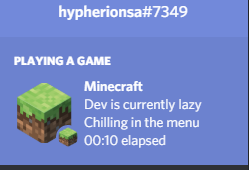
Simple Discord RPC is a simple and easy to use mod that allows you to display what you are doing in Minecraft on your Discord Status. This is useful for modpacks that want to advertise themselves, or for people who simply want a nicer way to show that they are playing Minecraft.

This mod works out of the box, but you can customize it to suit your needs. Please refer to the WIKI above for more info

Simple Discord RPC — Minecraft Java mod, screenshot 6

Hate editing config files by hand? Why not try out the simple to use, Config Editor App designed for Simple RPC. This app allows you to edit the config file step by step and even includes a Preview to show you what your Rich Presence will look like.

Simple Discord RPC — Minecraft Java mod, screenshot 7

Simple Discord RPC — Minecraft Java mod, screenshot 8 Simple Discord RPC — Minecraft Java mod, screenshot 9 Simple Discord RPC — Minecraft Java mod, screenshot 10 Simple Discord RPC — Minecraft Java mod, screenshot 11

Simple Discord RPC — Minecraft Java mod, screenshot 12

If it wasn't clear from the description, you are allowed to use this mod in your modpack. You are not allowed to Sell or rehost this mod elsewhere. All downloads should go through our Official Curseforge/Modrinth pages.

The artwork contained on this page is licensed under All Rights Reserved (by HypherionSA) and may not be re-used anywhere else, aside from our official Curse/Modrinth/Documentation pages. This license excludes the BisectHosting logo, which is licensed under their respective licenses

     

Simple Discord RPC — Minecraft Java mod, screenshot 13

Quick facts

Install steps are the general flow for this file type — How to install Minecraft Java mods & modpacks walks through it step by step.

File checked by MCModsHub

These come from our own check of the pack file, not from the source page.

📺 Java videos for Simple Discord RPC watch on YouTube ↗

How to have a Changing Minecraft Discord Status (RPC)YouTubeHow to have a Changing Minecraft Discord Status (RPC)No Text To SpeechLink Discord and Minecraft Servers Using DiscordSRVYouTubeLink Discord and Minecraft Servers Using DiscordSRVKasaiSoraRPC discord minecraft easyYouTubeRPC discord minecraft easy๖̶ζ͜͡RaidFsHow To Merge Discord With Minecraft Chat!YouTubeHow To Merge Discord With Minecraft Chat!The Redstone ArchiveDiscordSRV FULL EASY Setup | Minecraft Java PluginYouTubeDiscordSRV FULL EASY Setup | Minecraft Java PluginCivo
🎬Made a video about Simple Discord RPC? Feature it #1 here for free — put the mcmodshub.com link near the top of your description, or in a pinned comment.→

Explore more