HomeJavaModsChat Tools
Chat Tools
ModsJava

Chat Tools

by 70CentsApple · on Modrinth

Which build do you need?

This mod ships a separate file for every mod loader and every version of the game. Pick both, then download — the wrong build installs fine and then does nothing in the game.

Mod loader

Minecraft version

⬇ Download for 26.2 · Fabric⬇ Download for 26.1–26.1.2 · Fabric⬇ Download for 1.21.11 · Fabric⬇ Download for 1.21.9–1.21.10 · Fabric⬇ Download for 1.21.6–1.21.8 · Fabric⬇ Download for 1.21.5 · Fabric⬇ Download for 1.21.2–1.21.4 · Fabric⬇ Download for 1.21–1.21.1 · Fabric⬇ Download for 1.20.5–1.20.6 · Fabric⬇ Download for 1.20.2–1.20.4 · Fabric⬇ Download for 1.20.1 · Fabric⬇ Download for 26.2 · NeoForge⬇ Download for 26.1–26.1.2 · NeoForge⬇ Download for 1.21.11 · NeoForge⬇ Download for 1.21.9–1.21.10 · NeoForge⬇ Download for 1.21.6–1.21.8 · NeoForge⬇ Download for 1.21.5 · NeoForge⬇ Download for 1.21.2–1.21.4 · NeoForge⬇ Download for 1.21–1.21.1 · NeoForge⬇ Download for 1.20.5–1.20.6 · NeoForge
I don't know my version or loader
Open the Minecraft launcher and look at the profile you play on — it names both, like fabric-loader-1.21.4. The version also shows in the bottom-right corner of the game's main menu.
No loader in the profile name? Then it's plain Minecraft, and these mods won't run — you need Fabric or NeoForge installed first.
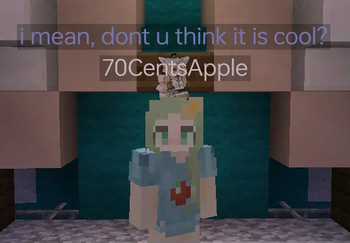
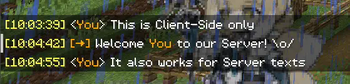
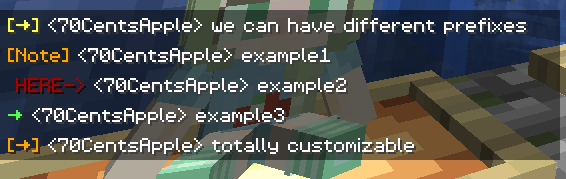
Chat Tools — screenshot 1Chat Tools — screenshot 2Chat Tools — screenshot 3Chat Tools — screenshot 4Chat Tools — screenshot 5Chat Tools — screenshot 6Chat Tools — screenshot 7Chat Tools — screenshot 8

🔖Help Needed🔖

Feel free to make a PR on Github.


📋 Overview

Chat Tools is a highly customizable Minecraft client mod that supports various features, allowing them to interoperate through commands and more.

📖 Glossary and Technical Details

🛠️ Commands

✨ Function introduction

For elaborate descriptions and examples, please see >>FAQ<<.

General Settings

These are the core settings for Chat Tools:

Notifier Settings

Various chat alert features:

Formatter Settings

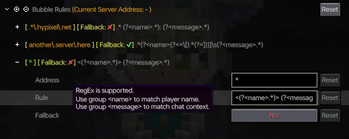
Customize your messages using specified patterns. Apply different rules for different servers. See Bubble Rules.

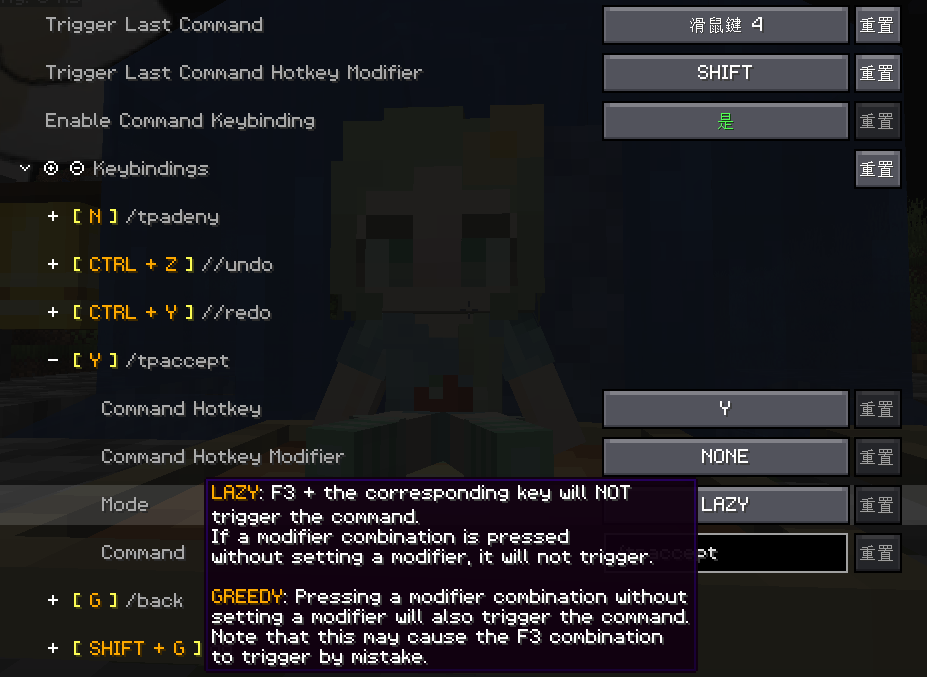
Chat Keybindings

Use hotkeys for frequently used commands:

Bubble Settings

Responder Settings

Warning: Before using this feature on a server, please check with other players and admins first!

Chat Filter Settings

Quick facts

Install steps are the general flow for this file type — How to install Minecraft Java mods & modpacks walks through it step by step.

Verified by MCModsHub

These come from our own check of the pack file, not from the source page.

Explore more