
Anytag
Java mod listed for Minecraft 1.20–1.21. Downloads from the MC Java Mods app on Android.
I don't know my version or loader
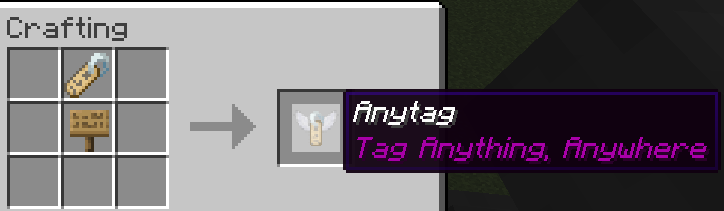
Anytag Datapack (Tag Anything, Anywhere)
Have you ever wanted to place name tags on anything? Now you can! Anytag is a Minecraft Datapack which allows players to craft a special Anytag item through a simple recipe. The item is used so any player can right-click on any block with the item in their hand, which will then place flying text where the player is pointing at and simultaneously consume itself.
Crafting
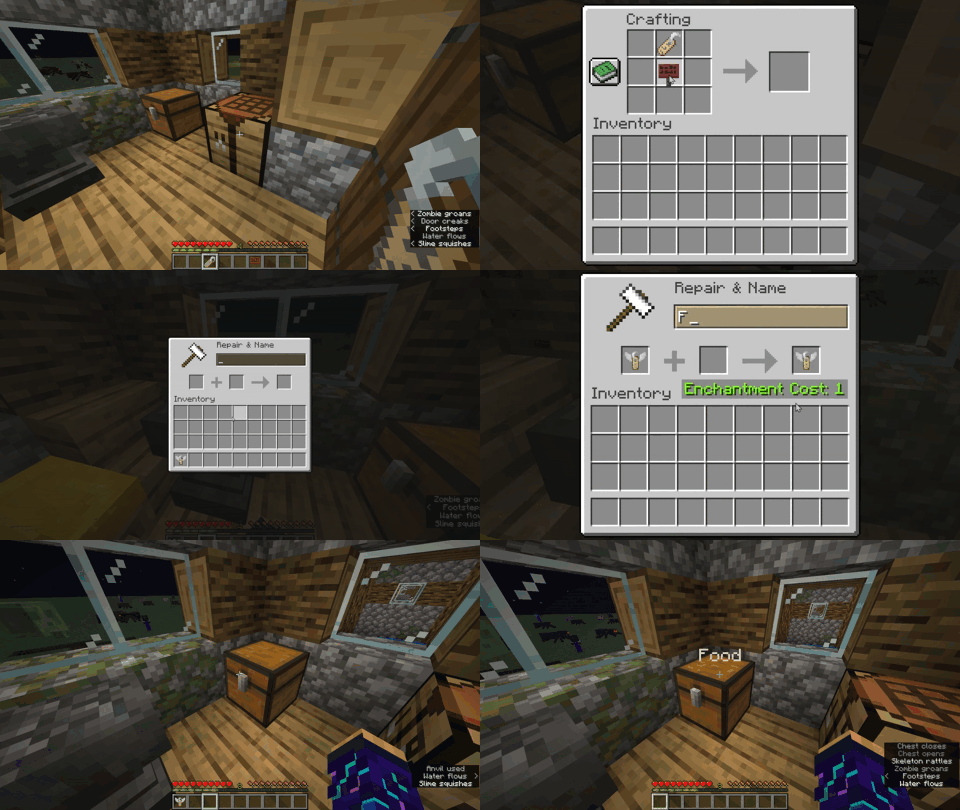
The recipe for crafting the Anytag item is simple. You just need a name tag and a sign of any kind (Dark oak sign, Oak sign, Spruce sign, etc.) and place them in this order:
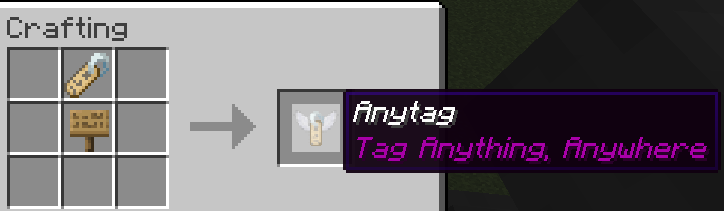
You can rename the Anytag item according to your desires.
Usage
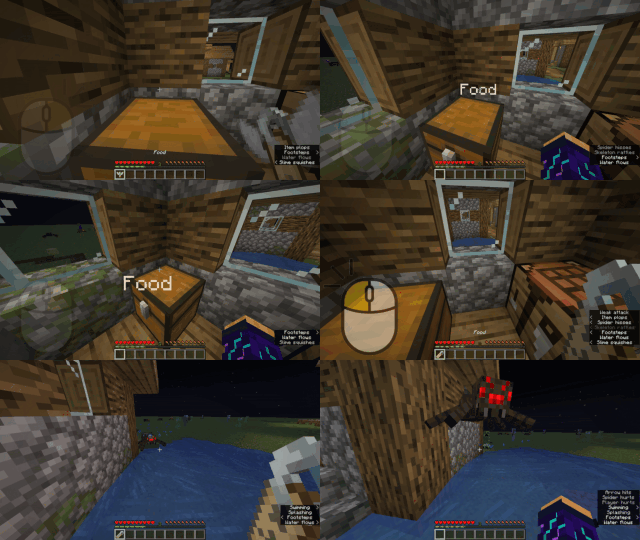
Here is a short depiction of how the Anytag item is crafted and used:
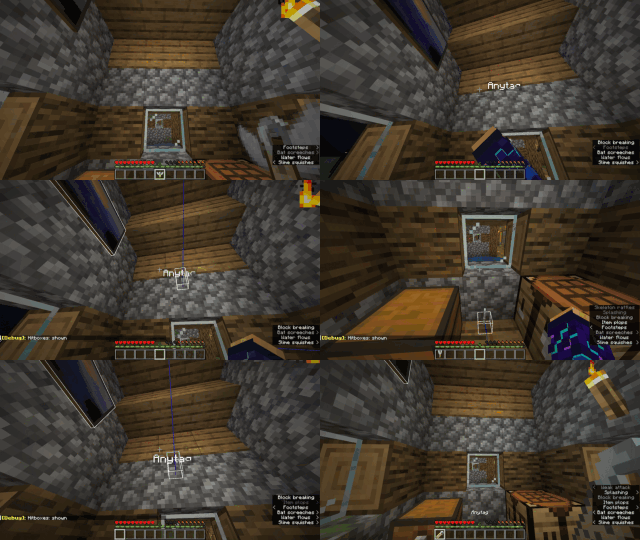
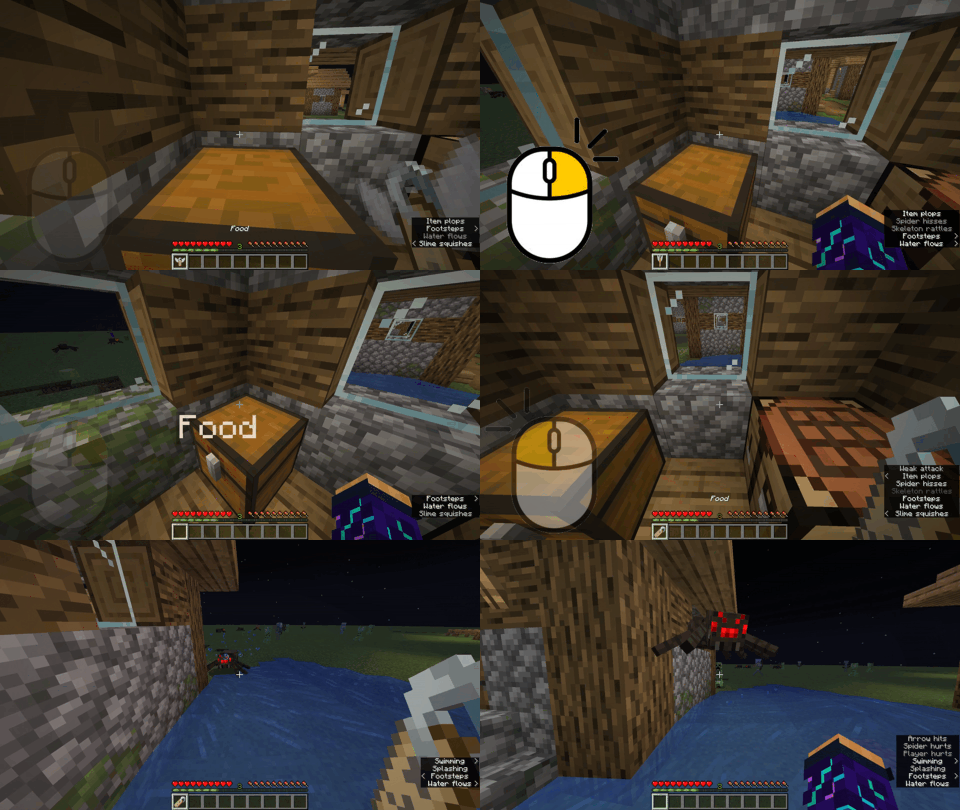
Right-clicking the Anytag item on any block will place flying text with the custom name of Anytag item.
Right-clicking in the middle of flying text will remove the text and drop the previously used Anytag item.
Left-clicking in the middle of flying text will remove the text and drop the name tag item instead of the Anytag item.
Try pressing
F3 + Bin-game to see the hitbox of the floating text.

- Edition: Minecraft Java
- File type: .jar
- Minecraft versions listed: 1.20.5, 1.20.6, 1.21
- How to install: Install the matching mod loader (Forge, Fabric or NeoForge) for your Minecraft version. → Download the .jar. → Put it in the .minecraft/mods folder and launch that loader profile.
- Where to get it: Opens on Modrinth — not every file is mirrored on our own servers.
Install steps are the general flow for this file type — How to install Minecraft Java mods & modpacks walks through it step by step.
- Ships as anytag-1.0.1.jar — drop this file into the mods folder
- Download size: 538 KB
- Download link checked 7 Oct 2026 — working
These come from our own check of the pack file, not from the source page.