
Minecraft Backrooms Found Footage
Java mod listed for Minecraft 1.20. File opened and checked on 14 Oct 2026; downloads from the MC Java Mods app on Android.
⬇ Download on Modrinth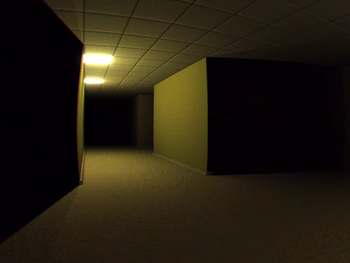
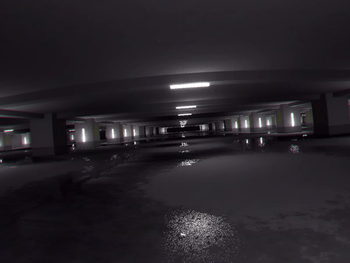
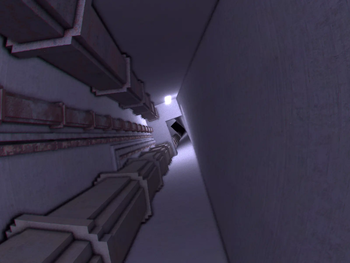
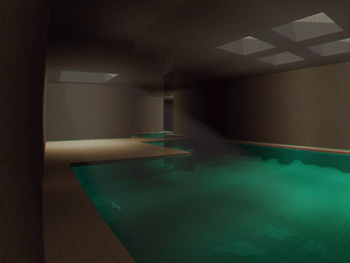
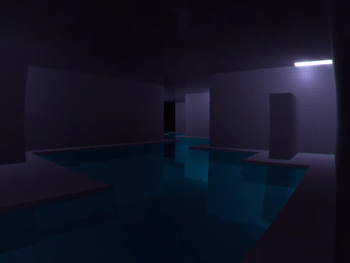



Minecraft Found Footage is a mod that aims to bring the feeling and aesthetic of "Found Footage" videos to Minecraft
This mod adds in custom shaders and camera effects using Veil and is not compatible with sodium or iris
The mod also has issues with integrated graphics and DOES NOT WORK with MacOS (we tried)
Use Mod menu to access the config
Suffocating yourself in any way for long enough will eventually cause you to noclip into the backrooms, where you have to travel through all 5 levels to escape:
- Level 0 ---------------------- The backrooms we all know and love
- Level 1 ---------------------- The Habitable Zone
- Level 2 ---------------------- Pipe Dreams
- Level 324 ------------------- The Forgotten Station
- The Poolrooms -------------- The Poolrooms O.o
- The Infinite Grass Field ----- This one's different
For better descriptions of each level, Read the wiki
The mod also adds four commands just in case:
- /skinwalker : Just in case the skinwalker refuses to spawn naturally, you can do this to have the skinwalker take the skin of your target. Don't tell anyone :D
- /release : Releases the target from the skinwalker if the target has had their skin stolen
- /backroomsevent : Manually triggers an event
- /gimmemyinventoryback : Restores the saved inventory of the specified targets from before they entered the Backrooms
- /level : Manually teleport yourself to a certain level.
Please report any bugs you may find to the GitHub Page
If the mod does NOT work, make sure you're following all of the steps below:
- Download Simple Voice Chat and Geckolib. You do not need to download veil. It's already included
- Do not use sodium or iris. This mod uses Veil which, in 1.20.1, is incompatible with either
- Do not use Fabulous! graphics. Only Fast or Fancy
- Do not remove Veil's deferred resource pack
Notes
- The skinwalker does not spawn naturally in singleplayer. I really didn't see a point
- There are a few bugs with devices that use integrated graphics and Mac OS
- Edition: Minecraft Java
- File type: .jar
- Minecraft version listed: 1.20.1
- How to install: Install the matching mod loader (Forge, Fabric or NeoForge) for your Minecraft version. → Download the .jar. → Put it in the .minecraft/mods folder and launch that loader profile.
- Where to get it: Opens on Modrinth — not every file is mirrored on our own servers.
Install steps are the general flow for this file type — How to install Minecraft Java mods & modpacks walks through it step by step.
- Ships as spb-revamped-1.20.1-1.1.8.jar — drop this file into the mods folder
- Download size: 110.4 MB
- Download link checked 7 Oct 2026 — working
These come from our own check of the pack file, not from the source page.