
Minecraft Transit Railway
Java mod listed for Minecraft 1.21. File opened and checked on 23 Sep 2026; downloads from the MC Java Mods app on Android.
⬇ Download on Modrinth



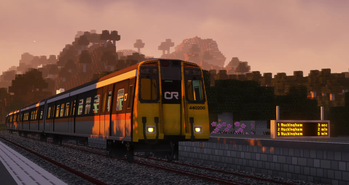
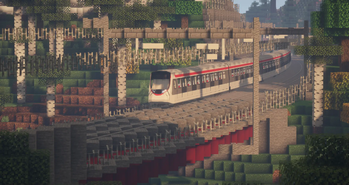
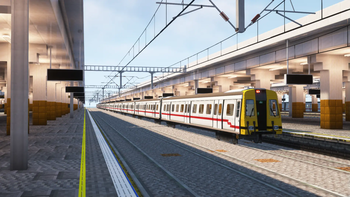
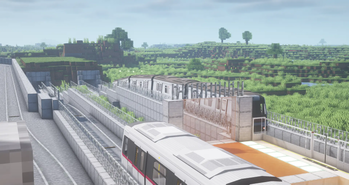
Please Read!
Please read the following and back up your worlds before downloading!
- [Fabric only] Fabric API is REQUIRED. Install the latest version of Fabric API (for the corresponding Minecraft version).
- [Fabric only] Mod Menu is optional but provides an easy way to configure the mod's settings.
- Please check all addons and make sure that they are compatible with the latest Minecraft Transit Railway version! Mismatched addon versions won't work.
- 在 MTRBBS 加入论坛发问题、建议、或 bug 反馈!
- This mod will not be updated for any older Minecraft version. The source code is publicly available on GitHub, so you are free to do it yourself.
Minecraft Transit Railway 4.0.0
Minecraft Transit Railway is a Minecraft mod that allows you to build your own transport network with automated trains, boats, cable cars, and planes!
Version 4.0.0 is a complete rewrite from scratch. The vehicle simulation code has been separated from the Minecraft instance, greatly reducing lag on Minecraft servers.
Major Features in 4.0.0
- Custom train configuration
- Realistic bogies and train movement
- Improved signalling
- Sideways elevators
- OBJ features ported over from Nemo's Transit Expansion
- Vehicle swaying effect
- New online system map and OneBusAway integration
- Clientside FPS improvements and serverside TPS improvements
Recommended Addons
Help Translate the Mod!
The Crowdin site for the Minecraft Transit Railway mod is available!
Crowdin is a cloud-based platform for translators to contribute to a project. With your help, we can translate the mod to many different languages. You may create a free account to start translating.
Questions? Comments? Complaints?
Let's connect.








- Edition: Minecraft Java
- File type: .jar
- Minecraft version listed: 1.21.4
- How to install: Install the matching mod loader (Forge, Fabric or NeoForge) for your Minecraft version. → Download the .jar. → Put it in the .minecraft/mods folder and launch that loader profile.
- Where to get it: Opens on Modrinth — not every file is mirrored on our own servers.
Install steps are the general flow for this file type — How to install Minecraft Java mods & modpacks walks through it step by step.
- Ships as MTR-neoforge-4.1.0-beta.2+1.21.4.jar — drop this file into the mods folder
- Download size: 105.5 MB
- Download link checked 7 Oct 2026 — working
These come from our own check of the pack file, not from the source page.