HomeJavaModsImproved Pillager Outpost
Improved Pillager Outpost
ModsJava

Improved Pillager Outpost

by Sashiro · on Modrinth

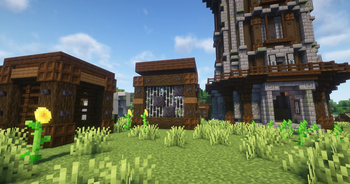
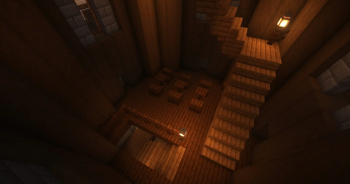
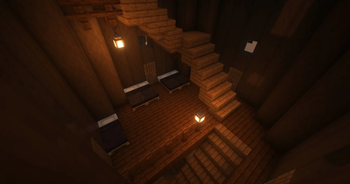
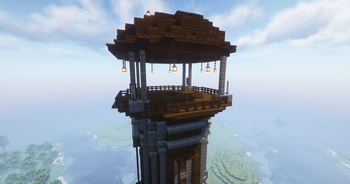
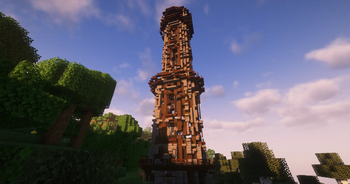
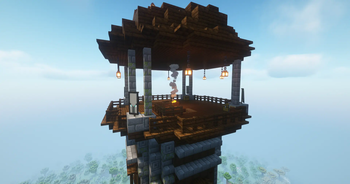
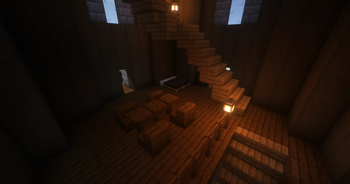
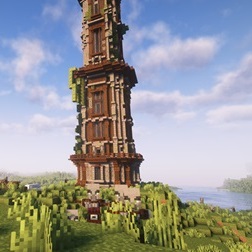
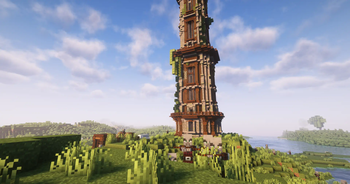
The "Improved Pillager Outpost" Datapack revamps the standard Minecraft Pillager Outpost into a challenging, multi-level tower. This overhaul adds…

Which build do you need?

This mod ships a separate file for every mod loader and every version of the game. Pick both, then download — the wrong build installs fine and then does nothing in the game.

Mod loader

Minecraft version

⬇ Download for 1.21.5–1.21.11 · Data pack⬇ Download for 1.20.6–1.21.4 · Data pack⬇ Download for 1.20.5–1.21.4 · Fabric⬇ Download for 1.20.5–1.21.4 · Forge⬇ Download for 1.20.5–1.21.4 · NeoForge⬇ Download for 1.20.6–1.21.4 · Quilt
I don't know my version or loader
Open the Minecraft launcher and look at the profile you play on — it names both, like fabric-loader-1.21.4. The version also shows in the bottom-right corner of the game's main menu.
No loader in the profile name? Then it's plain Minecraft, and these mods won't run — you need Fabric or NeoForge installed first.
Improved Pillager Outpost — screenshot 1Improved Pillager Outpost — screenshot 2Improved Pillager Outpost — screenshot 3Improved Pillager Outpost — screenshot 4Improved Pillager Outpost — screenshot 5Improved Pillager Outpost — screenshot 6Improved Pillager Outpost — screenshot 7Improved Pillager Outpost — screenshot 8

Improved Pillager Outpost Mod/Datapack

CurseForge-Mod CurseForge-Datapack Modrinth Discord Paypal

Overview

The Improved Pillager Outpost Mod/Datapack completely transforms the standard Minecraft Pillager Outpost into a formidable, fully-realized tower. Designed to enhance your gameplay experience, this mod/datapack introduces a more immersive and detailed structure that adds depth to your adventures.

Features

Installation

For Mod Installation

  1. Download the Mod: CurseForge | Modrinth
  2. Install with Your Preferred Mod Loader:
    • Forge/NeoForge: Drag the mod file into the mods folder located in your .minecraft directory.
    • Fabric/Quilt: Ensure you have the Fabric API installed alongside the corresponding mod loader. Place the mod file into the mods folder.

For Datapack Installation

  1. Download the Datapack: CurseForge | Modrinth
  2. Locate Your Minecraft Saves Folder:
    • Windows: %appdata%\.minecraft\saves
    • Mac: ~/Library/Application Support/minecraft/saves
    • Linux: ~/.minecraft/saves
  3. Add the Datapack:
    • Open the folder of the world you want to add the datapack to.
    • Drag and drop the downloaded .zip file into the datapacks folder.
  4. Load the Datapack:
    • Start Minecraft and enter your world.
    • Use the /reload command if necessary.
    • Enjoy the newly transformed Pillager Outposts!

Compatibility

Usage

Feedback and Support

If you encounter any issues or have suggestions for improvements, please contact us via Discord.

License

This mod/datapack is released under the CC0-1.0. Feel free to modify and share it, but please credit the original author, sashiro.

Credits

Links


Thank you for using the Improved Pillager Outpost Mod/Datapack! Enjoy a more exciting and detailed Minecraft experience.

Quick facts

Install steps are the general flow for this file type — How to install Minecraft Java mods & modpacks walks through it step by step.

Verified by MCModsHub

These come from our own check of the pack file, not from the source page.

Explore more