
Custom Entity Attributes (CEA)
Java mod listed for Minecraft 1.20. Downloads from the MC Java Mods app on Android.
⬇ Download on Modrinth
What's CEA?
Custom Entity Attributes allows you to add attribute modifiers to entities, either globally or based on various conditions, such as the dimension the entity is in, the biome, world's difficulty, time, and more. It even includes a percentile chance of the attribute applying, making randomness possible.
Want this but for items? Check out Custom Item Attributes (CIA)
With this mod, you can:
- Make any mob or boss stronger, or weaker.
- Make entities have different attributes in a specific dimension or biome.
- Make entities have a small chance of having extra attributes, giving some variation to all entities.
- Make baby versions of mobs be faster and stronger but have less health.
...and more! It's all up to your creativity, as attributes are really powerful!
Requires Necronomicon 1.6.0+
Also requires Connector in Forge
⭐ Features ⭐
Basic & Advanced Config.
You can either use the basic config, or go all in with the advanced features!Regex Support.
Want to edit the attributes of multiple entities at once, or even ALL entities? You can!Apply Chances.
Apply each attribute modifier with a chance, for example, add 20% chance of mobs having 10% more max HP!Time Based Config.
Want to make mobs stronger at night? Slower during the day? It’s up to you!Per Dimension Config.
With CEA, you can make all mobs from a specific dimension stronger or weaker.Per Biome Config.
Feel like a specific biome needs something extra? Why not make monsters stronger there?Per Difficulty Config.
Spice things up further by adding attributes depending on the difficulty, allowing you to nerf or buff and adjust stats to your liking!Default Health entity spawns with.
Some entities might spawn with less health than their max, but CEA can change that!
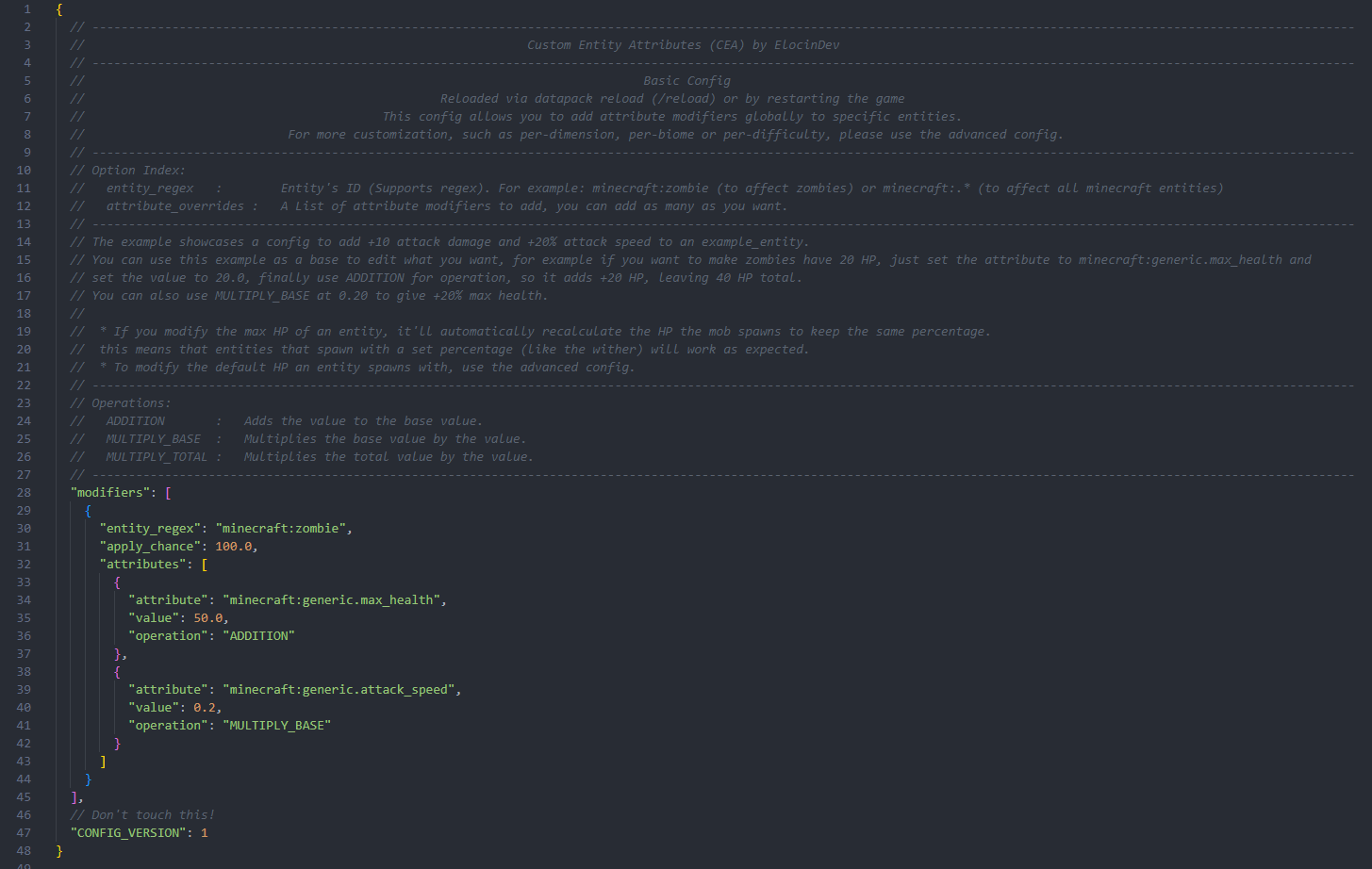
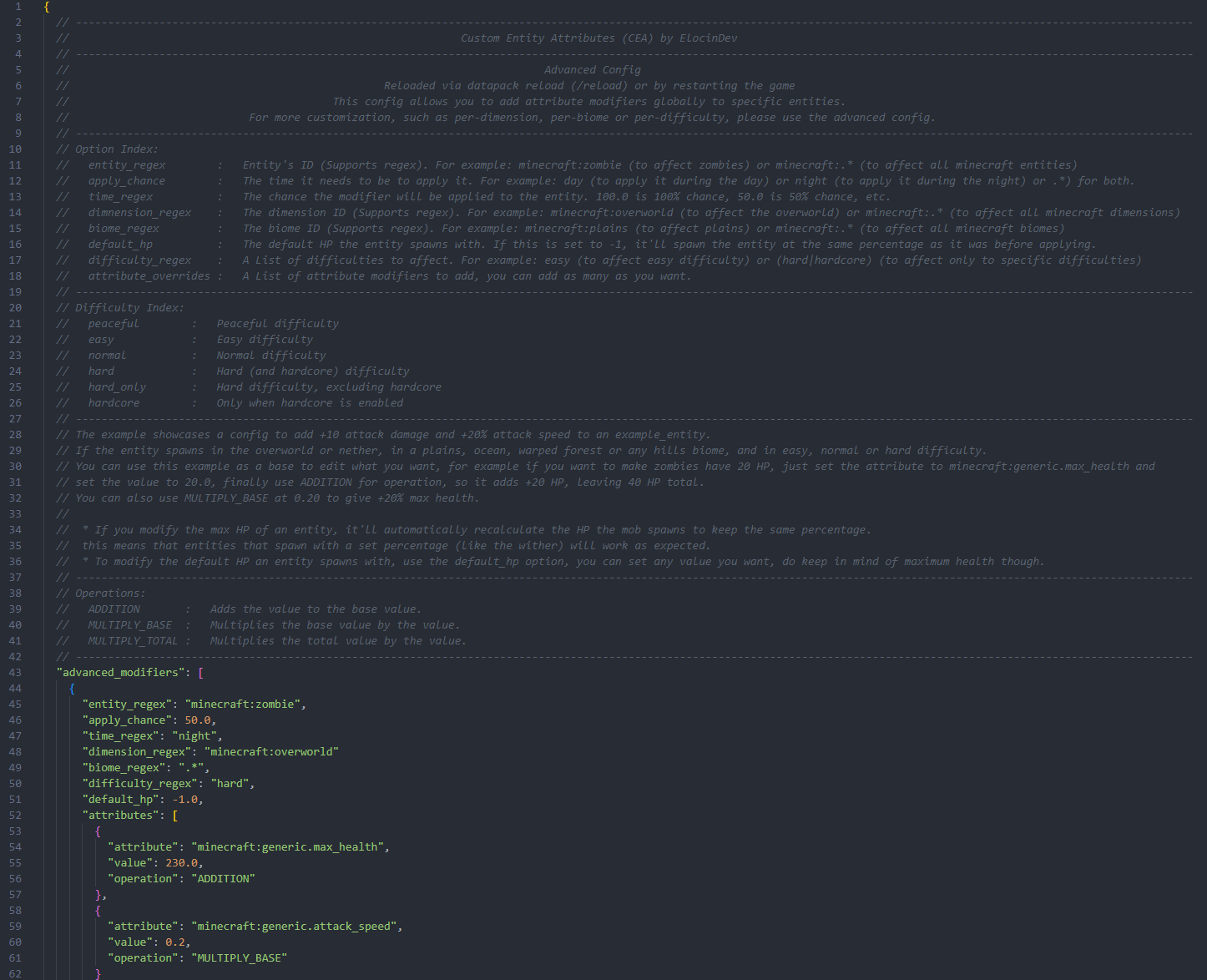
🧾 Configs 🧾
Both configs are fully documented and provide examples for you to base them on!
Basic
Advanced
- Edition: Minecraft Java
- File type: .jar
- Minecraft versions listed: 1.20.1, 1.20.2, 1.20.3
- How to install: Install the matching mod loader (Forge, Fabric or NeoForge) for your Minecraft version. → Download the .jar. → Put it in the .minecraft/mods folder and launch that loader profile.
- Where to get it: Opens on Modrinth — not every file is mirrored on our own servers.
Install steps are the general flow for this file type — How to install Minecraft Java mods & modpacks walks through it step by step.
- Ships as CustomEntityAttributes-FABRIC-1.20.X-1.0.0.jar — drop this file into the mods folder
- Download size: 212 KB
- Download link checked 7 Oct 2026 — working
These come from our own check of the pack file, not from the source page.