Shingeki no Craft | Attack on Titan
Java mod listed for Minecraft 1.21. File opened and checked on 21 Oct 2026; downloads from the MC Java Mods app on Android.
Titan Shifters, ODM, Cannons, Pure Titans, Thunder Spears, Modified Villages, Firearms, Royal Blood, Quests and more! Made using only Command Blocks…
I don't know my version or loader



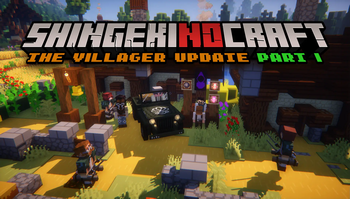

Throughout this post, you'll find public information documenting the mechanisms and operation of the various gadgets and mobs included in this project. Make sure to install the required resource pack for this datapack to work.
But, what is a datapack? Isn't it the same as a mod?
A datapack is built using Minecraft's built-in features. I take a bunch of command blocks and convert them into actual files to do crazy stuff. They have more limitations than regular mods, but they are easier to install and use once you get started.
Can I use this in a server?
Yes, absolutely.
~Fanfo
IMPORTANT: Required Resource Pack
To make the most out of Shingeki no Craft, you must install the required resource pack. This pack provides new sprites, audio, and textures that are essential to the experience.
Download the Resource Pack here
Shingeki no Craft Music (Recommended)
Support this project on Patreon!
Link to Discord Server!
Get Started:
Visit the Official Site and Wiki of Shingeki no Craft for more info!
Check out the advancements; they'll guide you through the crafting progression.
Advancements!
Configuration:

Use /function snc:api/config to customize the game to your liking!
Commands and Content Creators:

Use any /function snc:api/... command to test the datapack!
You can get all the items with: /function snc:api/all_items
- Edition: Minecraft Java
- File type: .jar
- Minecraft version listed: 1.21.11
- How to install: Install the matching mod loader (Forge, Fabric or NeoForge) for your Minecraft version. → Download the .jar. → Put it in the .minecraft/mods folder and launch that loader profile.
- Where to get it: Opens on Modrinth — not every file is mirrored on our own servers.
Install steps are the general flow for this file type — How to install Minecraft Java mods & modpacks walks through it step by step.
- Ships as shingeki-no-craft-2.4.1.jar — drop this file into the mods folder
- Download size: 86.2 MB
- Download link checked 7 Oct 2026 — working
These come from our own check of the pack file, not from the source page.