
Vulkan Optimized
Java modpack listed for Minecraft 26.x. File opened and checked on 3 Oct 2026; downloads from the MC Java Mods app on Android.
⬇ Download on Modrinth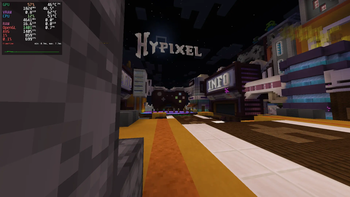
I got tired of OpenGL being OpenGL. So I built this.
VulkanMod core. Full engine swap — OpenGL 3.2 out, Vulkan 1.2 in. Not a wrapper. Not Sodium with extra steps. Actual renderer replacement.
Runs on Xwayland not native Wayland. If you're on X11 it'll work there too.
Probably works on Windows 11 (or 10).
The numbers
Tested on my daily driver:
| FPS | Vulkan Optimized | Sodium | Vanilla |
|---|---|---|---|
| AVG | 2370 | 1405 | 1007 |
| 1% | 1356 | 859 | 620 |
| 0.1% | 1029 | 699 | 520 |
| Power draw | 52.7W | 46.5W | 44.5W |
| FPS/W (AVG) | 44.97 | 30.22 | 22.63 |
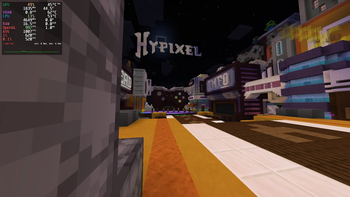
+68% over Sodium. +135% over vanilla. And yeah, it pulls more watts — because it's actually using the GPU instead of letting the CPU bottleneck everything. It will probably more power efficient on vsync or fixed fps scenario. see the Gallery for more information.
My rig
- CPU: Ryzen 5 5600X @ 4.65 GHz
- GPU: RX 9060 XT 16GB
- RAM: 32 GB
- OS: Alpine Linux 3.24
- Kernel: 7.1.3-0-stable
- Display: KWin (Wayland) → Xwayland
- JVM:
-Xmx6G -Xms6G -XX:+UseZGC -XX:+AlwaysPreTouch
Note: This test is using Prism Launcher on flatpak environment. You will probably gain more fps if you run it natively.
What's in the pack
VulkanMod. That's it for rendering. No Sodium, no OptiFine, no Canvas — they're all OpenGL rewrites and they fight with VulkanMod.
Everything else is curated for compatibility. No bloat. If it doesn't work with VulkanMod, it's not here.
Heads up
- Shader packs won't work. VulkanMod's shader support is improving but it's not OptiFine.
- Fabric only. No Forge version, don't ask.
- If you're on NVIDIA, your mileage may vary. AMD's where this shines.
That's it. Download it or don't. The numbers are above if you need convincing.
- Edition: Minecraft Java
- File type: .jar
- Minecraft version listed: 26.1.2
- How to install: Install the matching mod loader (Forge, Fabric or NeoForge) for your Minecraft version. → Download the .jar. → Put it in the .minecraft/mods folder and launch that loader profile.
- Where to get it: Opens on Modrinth — not every file is mirrored on our own servers.
Install steps are the general flow for this file type — How to install Minecraft Java mods & modpacks walks through it step by step.
- Downloads as 26.1.2-1.1.mrpack
- Download size: 40 KB
- Download link checked 4 Oct 2026 — working
These come from our own check of the pack file, not from the source page.