
My Totem Doll
Replaces vanilla totems with autogenerated 2D or 3D totems for EVERY player in Minecraft! Rename your totem to player's nickname to use it's skin.
⬇ Download on Modrinth
💬 Description
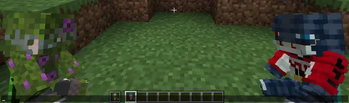
My Totem Doll — Client-side mod which replaces all totems with player dolls. Rename your totem to any player's nickname to use it's skin. Also supports capes and custom models!

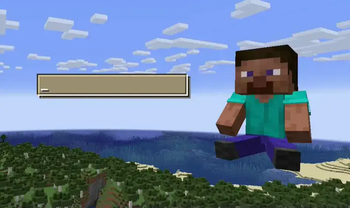
👋 Welcome Screen
When you launch game with mod for the first time, you will be greeted with a Welcome Screen. Here you will select your default totem:

⚙️ Configuration
1) Rendering
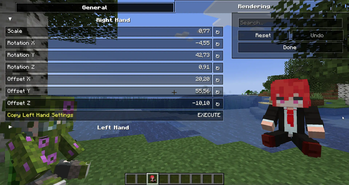
You can configure the rendering of totems in the first person. Open My Totem Doll configuration screen from Mod Menu and go to the Rendering tab, there you will find options for configuring the left and right hand:

2) Standard Doll
You can also customize the hands, model, skin textures for your standard totem!

3) Selecting Standard Doll Model
If you want to change your standard doll model, just hover to Model Path button and click on it. After that you will see Standard Model Selection Screen, there you can choose your standard doll model.

🍃 Refresh Player Skins
My Totem Doll also has some commands for refreshing the totem skins:
/my-totem-doll refresh all - To refresh skins for all loaded players.
/my-totem-doll refresh player [<NICKNAME>] - To refresh skin for specific player.

🧵 Totem Customization
You can customize individual totems in the anvil! Put your totem in the anvil to the first slot to see the Tags menu button. Click on it to open the Tags menu.

🔥 Custom Models
You can even add your own models by following this wiki.
A good example is My Totem Doll Model Pack made by community. It has over 40 new models (some were even added to the mod!).

🎮 Multiplayer Support
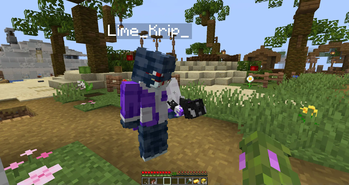
You can also see other players' totems! Without mod on the server.

🧥 Using NameMC Skins
Yeah, you also can use NameMC skins on your totems. To use it, just select any player skin, copy skin id, rename your totem to NameMC | and paste copied skin id. And that's all!

- Edition: Minecraft Java
- File type: .jar
- Minecraft version listed: 26.2
- How to install: Install the matching mod loader (Forge, Fabric or NeoForge) for your Minecraft version. → Download the .jar. → Put it in the .minecraft/mods folder and launch that loader profile.
- Where to get it: Opens on Modrinth — not every file is mirrored on our own servers.
Install steps are the general flow for this file type — How to install Minecraft Java mods & modpacks walks through it step by step.
- Ships as MyTotemDoll-2.6.0+26.2+neoforge.jar — drop this file into the mods folder
- Download size: 1.8 MB
- Download link checked 26 Aug 2026 — working
These come from our own check of the pack file, not from the source page.


