
2032 World Height
Java mod listed for Minecraft 26.x. File opened and checked on 1 Oct 2026; downloads from the MC Java Mods app on Android.
I don't know my version or loader
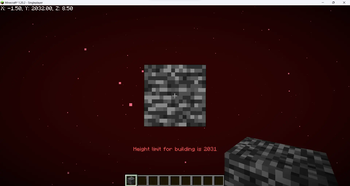
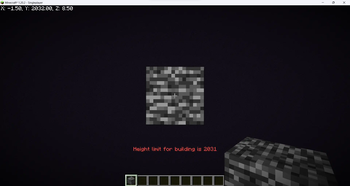
Increase the build limit to Y=2031 in all dimensions.
WARNING: Starting with Minecraft 1.21.2 removing the datapack/mod will corrupt your world! You can find a tutorial on how to remove it safely here.
Does this support custom world generation mods/datapacks?
This datapack doesn't change world generation by itself, but custom world generation mods/datapacks may hardcode the world height. A notable example is Tectonic. The mod version of it is not supported, but if you're using the datapack version you go to /data/minecraft/dimension_type/overworld.json inside the Tectonic datapack folder and change "logical_height" and "height" to 2096.
Does this work with existing worlds?
Officially no, but you can follow this tutorial to transfer existing chunks to a world made with this datapack.
What happens to existing worlds if I remove the mod/datapack?
Removing the datapack/mod in 1.17-1.21.1 will make everything above normal build limit disappear, but since 1.21.2 it will corrupt the world, thus the warning at the top.
If you still don't have a server host I recommend BisectHosting. They have 20 server locations, advanced DDoS protection, an user-friendly panel for server management and if you use promo code OBYDUX you get 25% off.

- Edition: Minecraft Java
- File type: .jar
- Minecraft versions listed: 26.1, 26.1.1, 26.1.2
- How to install: Install the matching mod loader (Forge, Fabric or NeoForge) for your Minecraft version. → Download the .jar. → Put it in the .minecraft/mods folder and launch that loader profile.
- Where to get it: Opens on Modrinth — not every file is mirrored on our own servers.
Install steps are the general flow for this file type — How to install Minecraft Java mods & modpacks walks through it step by step.
- Ships as 2032-world-height-1.3+datapack.jar — drop this file into the mods folder
- Download size: 9 KB
- Download link checked 7 Oct 2026 — working
These come from our own check of the pack file, not from the source page.