Overview
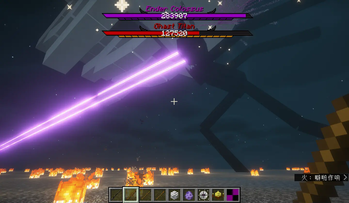
This mod recreates and optimizes the Titans mod, with content largely consistent with the original Titans mod: it adds giant boss creatures, more equipment, tools, and ores.
Compared to the Original Titans Mod
· Optimized boss animations (attacks and other basic animations, etc.); · Balanced equipment and creature stats (equipment attack power is not overly exaggerated, bosses are easier to defeat); · Improved gameplay experience (removed a significant amount of code targeting Creative mode, optimized some boss-related lag, etc.); · Added some quick commands (e.g., /killTitan); · Added more Titans related to creatures from newer versions (e.g., Gargantuan Titan); · Enhanced related textures (e.g., health bar frames and entity textures, etc.).
Notes
· This mod is not a simple recreation; it includes some original innovative content and optimizations for survival gameplay and balance. · This mod is currently in development, and equipment for certain boss stages has not yet been implemented (some bosses may be slightly overpowered; please wait for future updates). · This mod currently offers a portion of the normal survival gameplay experience. More content will be added in future updates. · This mod replaces the vanilla health and armor bars, which can be enabled or disabled in the configuration file. · Related configuration files and Titan destruction are controlled by the vanilla entity destruction rules. · Entering and exiting Spectator mode while in a Titan's perspective may cause the game to crash! (You can use /gamerule mobGriefing false to prevent Titans from destroying blocks.) Currently Updated Titans
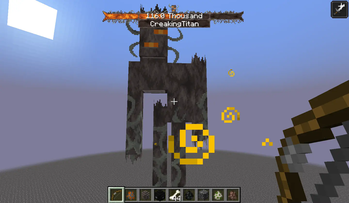
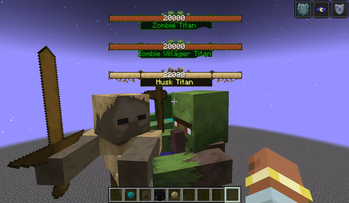
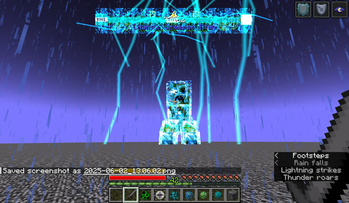
· Wither Skeleton Titan · Ender Colossus · Wither Skeleton Titan · Ghast Titan · Creaking Titan · Blaze Titan · Breeze Titan · Charged Creeper Titan · Creeper Titan · Husk Titan · Zombie Titan · Zombie Villager Titan · Skeleton Titan · Snow Golem Titan
Gallery
- Edition: Minecraft Java
- File type: .jar
- Minecraft version listed: 1.21.4
- How to install: Install the matching mod loader (Forge, Fabric or NeoForge) for your Minecraft version. → Download the .jar. → Put it in the .minecraft/mods folder and launch that loader profile.
- Where to get it: Opens on Modrinth — not every file is mirrored on our own servers.
Install steps are the general flow for this file type — How to install Minecraft Java mods & modpacks walks through it step by step.
- Ships as The Titans Mod-1.21.4-NeoForge-1.0.0.4-fix.jar — drop this file into the mods folder
- Download size: 24.2 MB
- Download link checked 26 Aug 2026 — working
These come from our own check of the pack file, not from the source page.