
Convenient Name Tags
Java mod listed for Minecraft 1.20. Downloads from the MC Java Mods app on Android.
I don't know my version or loader





Have you ever wanted Name Tags to be just a little more Convenient?
Surprise - that's exactly what this mod does! It makes several improvements to the way Name Tags work.
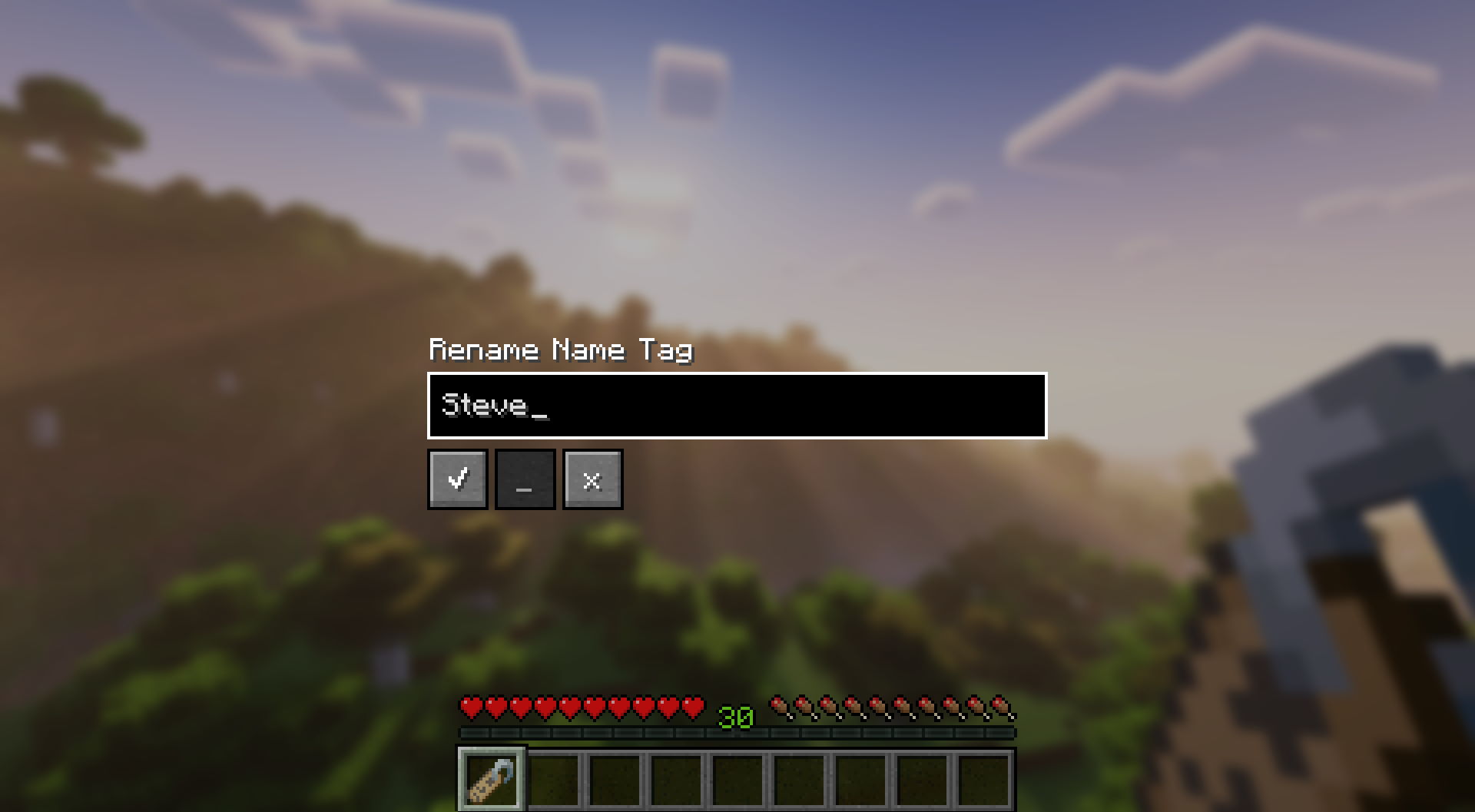
Main Feature: Rename Name Tag Screen
After right clicking with a Name Tag in your main hand, you will be presented with a screen that allows you to rename the Name Tag without the use of an Anvil.
Other Features
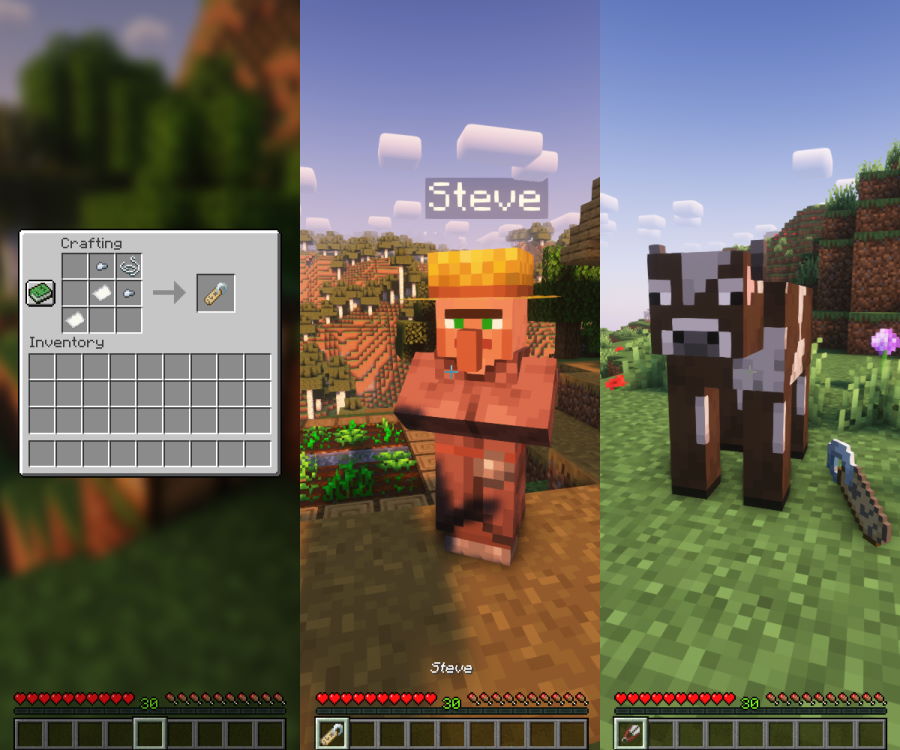
- Added a crafting recipe for Name Tags
- Made renaming Villagers and Wandering Traders possible
- Renamed mobs now drop their Name Tags when you:
- kill them;
- apply another Name Tag to them;
- shift-right-click them with Shears.
Configuration
Configuration of Convenient Name Tags is done a config/convenientnametags.json5 config file.
The following configuration options are available:
| Config Option | Default | Description |
|---|---|---|
renameCost |
0 | Experience levels required to rename a Name Tag |
renameCostPerWholeStack |
true | Should the cost be constant for any stack size (or multiplied by the count) |
dropNameTagsOnDeath |
true | Should a Name Tag drop when a named mod is killed |
dropNameTagsOnNameChange |
true | Should a Name Tag drop from a named mob when another Name Tag is applied |
enableNameTagShearing |
true | Should players be able to use shears to remove Name Tags from mobs |
enableRenameScreen |
true | Should players be able to use the Rename Name Tag screen |
enableCraftingRecipe |
true | Should the Name Tag crafting recipe be enabled |
denyList |
empty | A list of words disallowed when renaming a Name Tag |

Q: Can I use this mod in my modpack?
A: Yes, but please include a link to this mod page and credit me as the author. Asking for permission beforehand is also appreciated!
Q: Can I present this mod in my showcase video?
A: Yes! You can leave a comment with a link to the video, so I can check it out!
Q: Forge / backport?
A: Porting to Forge and older Minecraft versions are not planned at the moment.
Special thanks to:
- gyular for Korean translation

CurseForge | Modrinth | GitHub | Ko-Fi
- Edition: Minecraft Java
- File type: .jar
- Minecraft versions listed: 1.20, 1.20.1
- How to install: Install the matching mod loader (Forge, Fabric or NeoForge) for your Minecraft version. → Download the .jar. → Put it in the .minecraft/mods folder and launch that loader profile.
- Where to get it: Opens on Modrinth — not every file is mirrored on our own servers.
Install steps are the general flow for this file type — How to install Minecraft Java mods & modpacks walks through it step by step.
- Ships as convenientnametags-1.1.0.jar — drop this file into the mods folder
- Download size: 94 KB
- Download link checked 7 Oct 2026 — working
These come from our own check of the pack file, not from the source page.