
Game Menu Mod Option
I don't know my version or loader
GameMenuModOption
Added MOD settings to the game menu as before 1.12.2
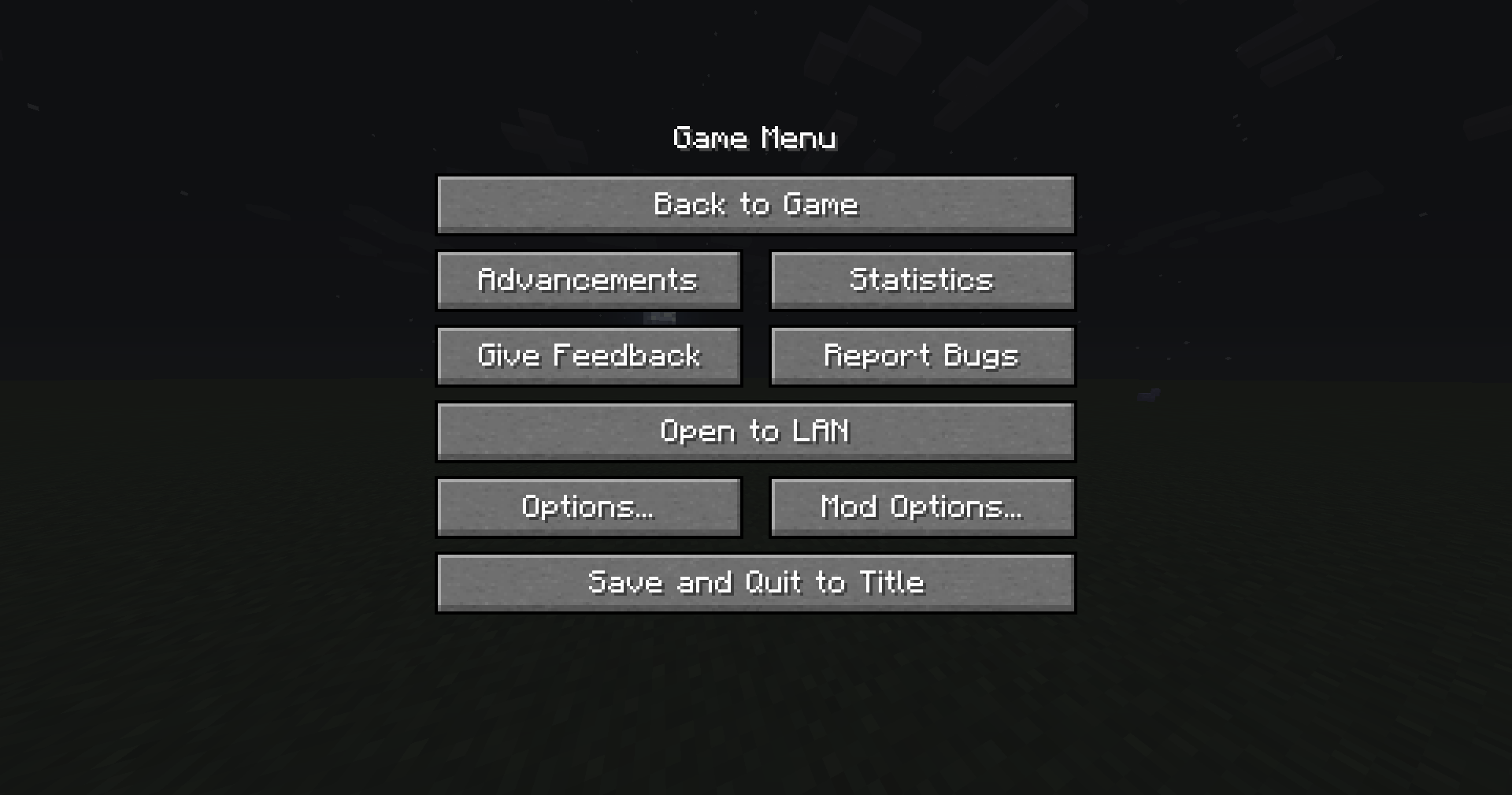
Forge update notification function has been added as a change from the MOD button before 1.12.2
This function can be switched from the config.
Added ModMenu Style since v2.0.0
It can be enabled in the config.
Forge will add the mod button without installing this mod after the following versions.
MC1.20.1 - 47.1.25
MC1.19.4 - 45.1.15
MC1.19.2 - 43.2.20
The main functionality of this mod is no longer needed, but the mod update notification display and the ability to return the mod button to the same location as before exist, so we will continue to update it.
ModPack
Please use it freely.
- Edition: Minecraft Java
- File type: .jar
- Minecraft versions listed: 1.20.2, 1.20.4
- How to install: Install the matching mod loader (Forge, Fabric or NeoForge) for your Minecraft version. → Download the .jar. → Put it in the .minecraft/mods folder and launch that loader profile.
- Where to get it: Opens on Modrinth — not every file is mirrored on our own servers.
Install steps are the general flow for this file type — How to install Minecraft Java mods & modpacks walks through it step by step.
- Ships as gamemenumodoption-neoforge-mc1.20.2-2.3.0.jar — drop this file into the mods folder
- Download size: 242 KB
- Download link checked 26 Aug 2026 — working
These come from our own check of the pack file, not from the source page.