⚡Essential Sodium
"Extreme Performance. Enhanced Aesthetics. Zero Configuration."
This modpack is a meticulously curated personal client that bridges the gap between Sodium’s raw power and the essential features every player needs. Designed for seamless server play and maximum convenience, it works perfectly out of the box—no tedious settings required.
✨ Key Features
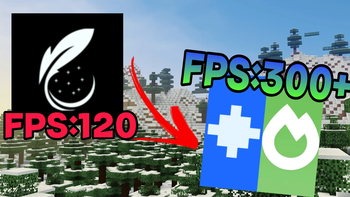
- 🚀 Next-Gen Optimization: Powered by Sodium for high FPS and stutter-free gameplay on any server.
- 🛠️ Plug & Play: Skip the menus. Everything is pre-configured for the best experience the moment you launch.
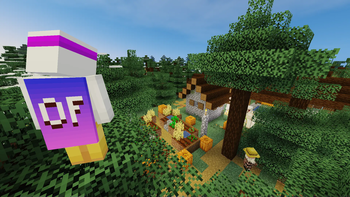
- 💎 Optifine Parity: Enjoy your favorite Optifine-exclusive features through lightweight, modern client-side mods.
- 🕺 Immersive Animations: Featuring dynamic player movements, fluid water physics, and overhauled explosion effects. (Available on supported versions)
🛠️ Built-in Utilities
We’ve integrated the most requested quality-of-life enhancements:
- Max Brightness (Fullbright): Crystal clear vision in the darkest caves.
- No-Fog: Removes obstructive fog for a cleaner, infinite-feeling horizon.
- Logical Zoom: High-precision cinematic zoom at your fingertips.
- Auto-Sprint: Save your pinky finger—toggle or hold, it's always ready.
🎨 Essential Resource Packs (Included)
To ensure a polished look and feel, the following packs are supported by default:
- 🌐 Translations for Sodium - Full localization support.
- 🌙 Default Dark Mode - A sleek, eye-friendly UI.
- 💬 Fresh Animations - Bringing your mobs to life with expressive animations.
- 🏃 Fresh Animations: Player Extension - Bringing your character to life with expressive animations.
Note: This is a 100% client-side modpack. It does not require server-side installation and is compatible with almost all multiplayer environments.
Stop tweaking. Start playing. Download now and experience Minecraft as it should be.
- Edition: Minecraft Java
- File type: .jar
- Minecraft version listed: 26.2
- How to install: Install the matching mod loader (Forge, Fabric or NeoForge) for your Minecraft version. → Download the .jar. → Put it in the .minecraft/mods folder and launch that loader profile.
- Where to get it: Opens on Modrinth — not every file is mirrored on our own servers.
Install steps are the general flow for this file type — How to install Minecraft Java mods & modpacks walks through it step by step.
- Downloads as Essential Sodium 26.2 1.0.0.mrpack
- Download size: 41 KB
- Download link checked 24 Aug 2026 — working
These come from our own check of the pack file, not from the source page.