HomeJavaModsCB: Compressed Blocks
CB: Compressed Blocks
ModsJava

CB: Compressed Blocks

by Sashiro · on Modrinth

A Block and Item Compression mod for Minecraft. Compress your Blocks and Items to make more free space (up to 3.486.784.101 Blocks / Items in just one…

Which build do you need?

This mod ships a separate file for every mod loader and every version of the game. Pick both, then download — the wrong build installs fine and then does nothing in the game.

Mod loader

Minecraft version

⬇ Download for 1.21.3–1.21.5 · Fabric⬇ Download for 1.21–1.21.1 · Fabric⬇ Download for 1.20.5–1.20.6 · Fabric⬇ Download for 1.20.4 · Fabric⬇ Download for 1.20–1.20.2 · Fabric⬇ Download for 1.19.3–1.19.4 · Fabric⬇ Download for 1.19.1–1.19.2 · Fabric⬇ Download for 1.21.3–1.21.5 · Forge⬇ Download for 1.21–1.21.1 · Forge⬇ Download for 1.20.5–1.20.6 · Forge⬇ Download for 1.20.4 · Forge⬇ Download for 1.20–1.20.2 · Forge⬇ Download for 1.19.3–1.19.4 · Forge⬇ Download for 1.19.2 · Forge⬇ Download for 1.21.3–1.21.5 · NeoForge⬇ Download for 1.21–1.21.1 · NeoForge⬇ Download for 1.20.5–1.20.6 · NeoForge⬇ Download for 1.20.4 · NeoForge⬇ Download for 1.20–1.20.2 · NeoForge
I don't know my version or loader
Open the Minecraft launcher and look at the profile you play on — it names both, like fabric-loader-1.21.4. The version also shows in the bottom-right corner of the game's main menu.
No loader in the profile name? Then it's plain Minecraft, and these mods won't run — you need Fabric or NeoForge installed first.

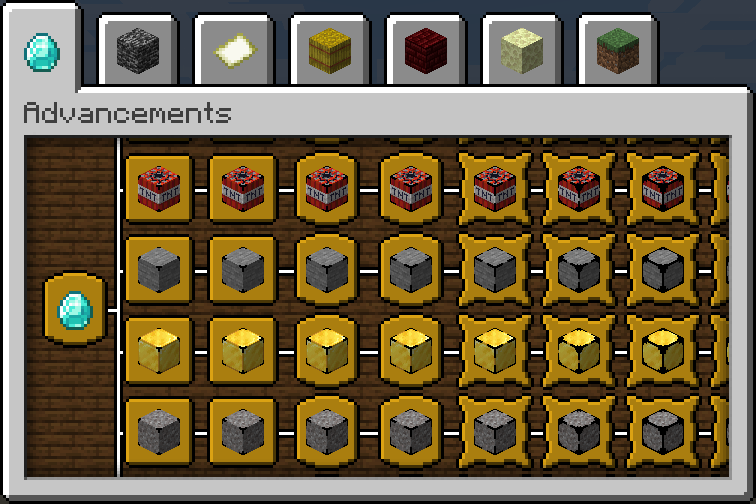
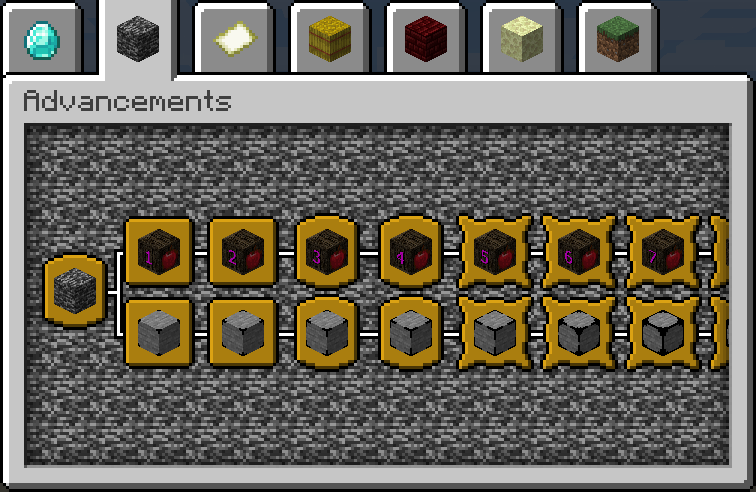
CB: Compressed Blocks — screenshot 1CB: Compressed Blocks — screenshot 2CB: Compressed Blocks — screenshot 3CB: Compressed Blocks — screenshot 4CB: Compressed Blocks — screenshot 5CB: Compressed Blocks — screenshot 6CB: Compressed Blocks — screenshot 7

CB: Compressed Blocks

CurseForge Modrinth GitHub Discord Paypal

Overview

This mod allows players to compress multiple blocks into a single block or multiple items into an item crate, saving space in the world.
The compressed variants can store up to 9 blocks/items of the same type, and with multiple levels of compression, a single compressed variant can hold as many as 3,486,784,101 blocks or items.
This allows players to store vast quantities of blocks/items in a single block.
The compressed block can be decompressed to retrieve the original blocks, making it a versatile tool for building and storage purposes.
Currently, the mod offers 264 different types of compressed blocks and 179 types of crates.


Installation

  1. Download the mod from CurseForge or Modrinth.
  2. Install Minecraft Forge or Fabric Loader + Fabric API.
  3. Place the downloaded mod file into the mods' folder.
  4. Launch Minecraft and enjoy!

Features

List of Blocks

See #List of Blocks

Usage

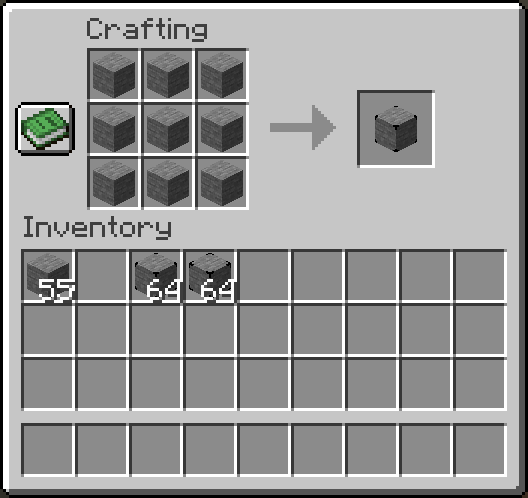
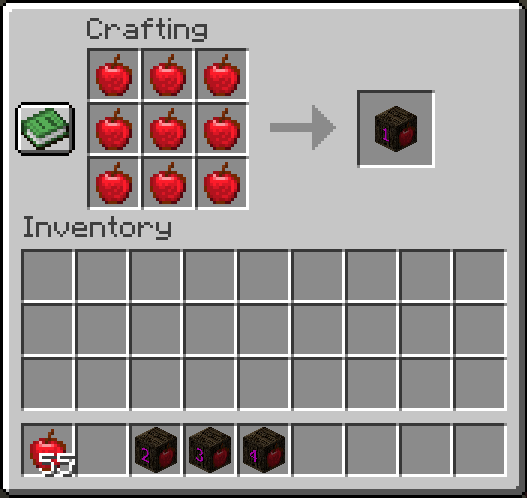
Crafting compressed blocks:

  1. Open the vanilla crafting table.
  2. Place 9 of the desired blocks in a 3x3 crafting grid to create a compressed block.
  3. Craft the compressed block.

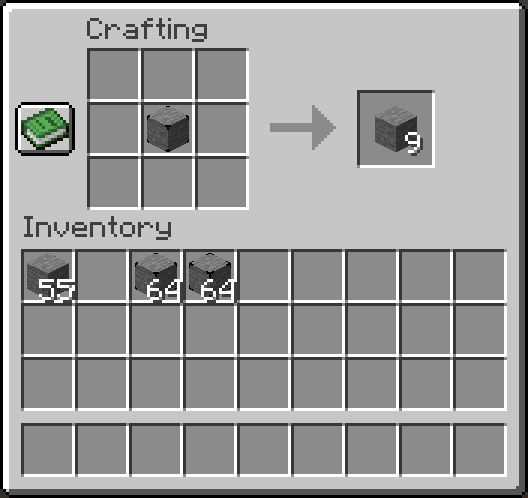
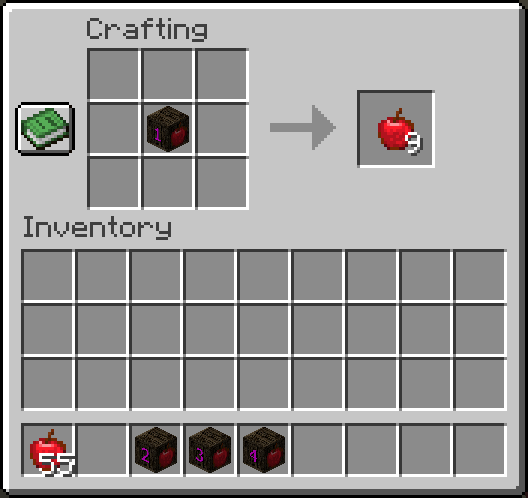
To decompress a block:

  1. Place the compressed block either in the player's crafting inventory or a crafting table.
  2. The compressed block will decompress back into its original nine blocks.

Contributing

If you would like to contribute to the development of this mod, please fork the repository, make your changes, and submit a pull request.

Support

For any questions, issues, or suggestions, feel free to join our Discord server.

License

This Mod is licensed under the terms of the MIT License, with the following additional conditions:

1: Redistribution of the compiled files generated by the author is strictly prohibited, except under the following circumstances:

2: Redistributions of the provided source code and any modifications made to it are permitted under the terms of the MIT License.

For inquiries regarding redistribution of the compiled files, please contact the author for permission.

Verified by MCModsHub

These come from our own check of the pack file, not from the source page.

Explore more