
Wiki Cobblemon
Java mod listed for Minecraft 1.21. File opened and checked on 12 Oct 2026; downloads from the MC Java Mods app on Android.
Wiki Cobblemon — In-game Cobblemon Wiki & Spawn Checker - OutDated Wiki Cobblemon is a client-side Fabric mod that brings a fast, elegant in-game wiki for…
⬇ Download on Modrinth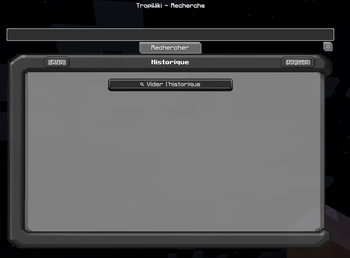
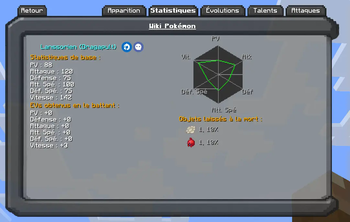
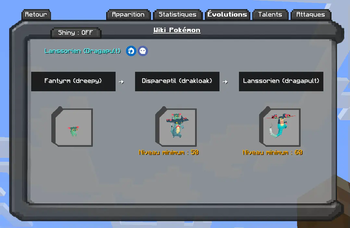
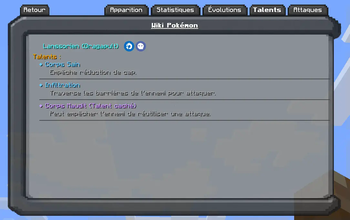
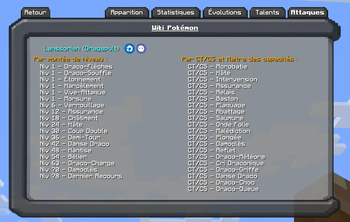
Wiki Cobblemon — In-game Cobblemon Wiki & Spawn Checker - OutDated
Wiki Cobblemon is a client-side Fabric mod that brings a fast, elegant in-game wiki for Cobblemon species: spawns, evolutions, abilities, moves, drops, stats, forms & genders — plus a live spawn “Check Mode” that validates if a Pokémon can spawn at your current location.
Highlights
- Auto language: UI follows the player’s in-game language.
- Open instantly with O (configurable).
- Quick-open (H): opens the page of the Pokémon you’re currently looking at (configurable).
- Team Builder (B): plan moves, natures, types, forms, and more.
- Single-pane layout: side panes are mutually exclusive to keep the UI compact.
- Smart Search with fuzzy matching (typos, aliases, form names,
namespace:id). - 3D model viewer with Shiny toggle.
- Forms & Gender chips (scrollable) to switch variants quickly.
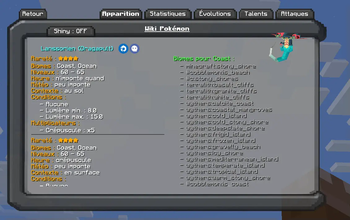
- Spawns by biome tags (source labels: Minecraft, Cobblemon, Terralith, Wythers, Other).
Click a tag to reveal conditions (time, weather, Y-level, skylight/see sky, context, moon phase, structures, weight/rarity, anti-conditions). - Check Mode: one click tests your current location and marks each condition PASS/FAIL.
- Evolutions with concise, readable requirements.
- Moves organized by Level-up, TM, Tutor, Egg.
- Abilities list (hidden abilities flagged) with inline descriptions.
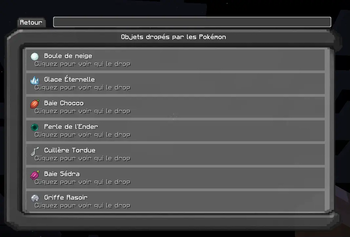
- Drops/Loot: species drops or fallback loot tables with item icons & tooltips.
- Stats & EV yields in a clear side panel.
- Home view with Favorites and Recently Viewed.
Usage
Keybinds
- O — Open TropiWiki anywhere.
- H — Open the page for the Pokémon you’re looking at.
- B — Open Team Builder.
Commands
/tropiwiki                     # open the wiki
/tropiwiki flush history       # clear “recently viewed”
/tropiwiki flush favorites     # clear favorites
/tropiwiki encounters clear    # clear encounters
- Tips:
- You can type imperfect names (“pikashu”), form names, or full ids (
cobblemon:pikachu). - Click biome chips to show full spawn rules and use Check Mode to validate them in your current spot.
- Use the star to favorite a species; use the shiny button to preview the shiny model.
- You can type imperfect names (“pikashu”), form names, or full ids (
Data & Compatibility
- Client-side only. No server installation required.
- TropiWiki indexes data locally from installed datapacks/mod resources (e.g., Cobblemon species & spawn pools, loot tables).
If a server uses custom datapacks different from your local data, results may vary.
- UI strings reuse existing Minecraft/Cobblemon translations, matching your language pack.
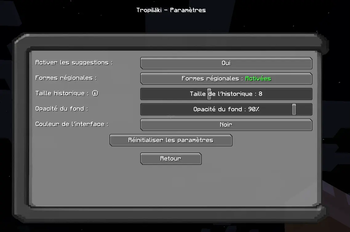
Persistence & Config
- Favorites, history, and cache are stored at:
config/tropiwiki/tropiwiki_client.json - You can clear history or favorites via the commands above.
Requirements
- Fabric Loader
- Cobblemon (for species/models/moves/abilities data)
Notes
- Lightweight, no world changes, no telemetry.
- Not affiliated with the Cobblemon project.
- Edition: Minecraft Java
- File type: .jar
- Minecraft version listed: 1.21.1
- How to install: Install the matching mod loader (Forge, Fabric or NeoForge) for your Minecraft version. → Download the .jar. → Put it in the .minecraft/mods folder and launch that loader profile.
- Where to get it: Opens on Modrinth — not every file is mirrored on our own servers.
Install steps are the general flow for this file type — How to install Minecraft Java mods & modpacks walks through it step by step.
- Ships as TropiWiki-1.4.0b.jar — drop this file into the mods folder
- Download size: 758 KB
- Download link checked 7 Oct 2026 — working
These come from our own check of the pack file, not from the source page.