




Overlay Tweaks
A small QOL mod that lets you alter vanilla's overlays in small ways.
Features
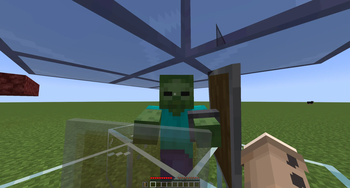
Miscellaneous
Containers
- Container Background Opacity
- Container Texture Opacity
Hand
- Keep Hand in Hidden HUD
- Hand Invisibility Opacity
HUD
Water
- Remove Water Overlay
- Remove Underwater FOV Change
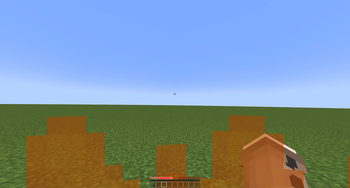
Fire
- Remove Fire Overlay When Resistant
- Fire Overlay Height
- Fire Overlay Opacity
Elements
- Remove Held Item Name Tooltip
- Closed Caption Background Color
Effects
Elder Guardian
- Elder Guardian Opacity
- Elder Guardian Scale
Full Screen Effects
- Pumpkin Overlay Opacity
- Freezing Overlay Opacity
- Spyglass Overlay Opacity
- Spyglass Background Color
- Constant Vignette Darkness
- Constant Vignette Darkness Value
- Suffocation Overlay Brightness
- Portal Overlay Opacity
Items
Shield
- Shield Height
- Shield Opacity
Quick facts
- Edition: Minecraft Java
- File type: .jar
- Minecraft version listed: 26.2
- How to install: Install the matching mod loader (Forge, Fabric or NeoForge) for your Minecraft version. → Download the .jar. → Put it in the .minecraft/mods folder and launch that loader profile.
- Where to get it: Opens on Modrinth — not every file is mirrored on our own servers.
Install steps are the general flow for this file type — How to install Minecraft Java mods & modpacks walks through it step by step.
Verified by MCModsHub
- Ships as overlaytweaks-2.0.0+26.2-fabric.jar — drop this file into the mods folder
- Download size: 136 KB
- Download link checked 27 Aug 2026 — working
These come from our own check of the pack file, not from the source page.