HomeJavaModsCascades
Cascades
Cascades — screenshot 1Cascades — screenshot 2Cascades — screenshot 3Cascades — screenshot 4Cascades — screenshot 5Cascades — screenshot 6Cascades — screenshot 7Cascades — screenshot 8

Overview

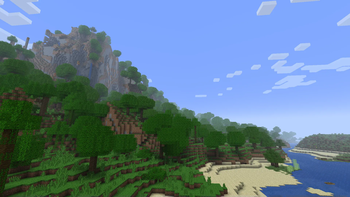
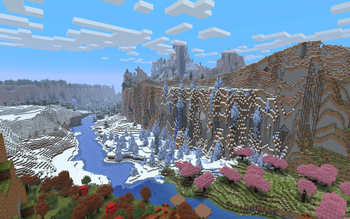
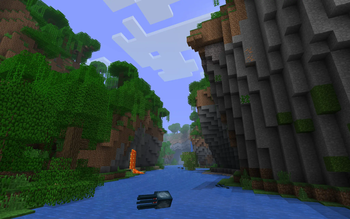
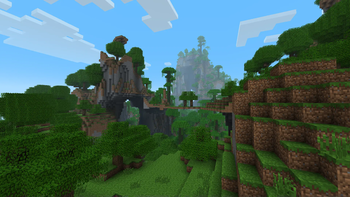
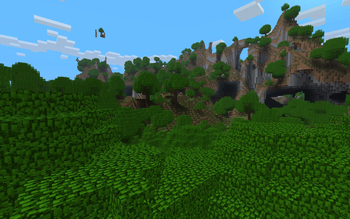
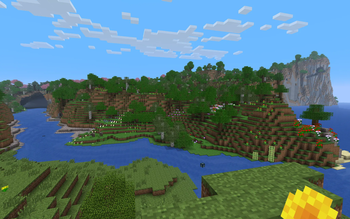
This datapack re-imagines vanilla Minecraft terrain in a way which seeks to inspire a greater sense of awe, wonder, and beauty. It takes inspiration from some of the features of terrain generation from Minecraft Beta 1.7.3 and versions before, like towering cliffs, floating islands, and crazy overhangs, and integrates them into the elegant, cascading terrain made possible by the new terrain generator introduced in 1.18. The aim here is for the player to discover many distinct 'natural landmarks' as they explore the world, which inspire them to build and explore further. The introduction of fully-traversible rivers (including underground rivers) means that the player can also explore their world by boat much more easily.

At the same time, it seeks to preserve the vanilla balance and feel, not adding any new structures or drastically different new biomes, ensuring that it is survival-friendly.

Key terrain features added:

See below for installation instructions.

View my GitHub page to access all releases (including older versions) and for issue tracking.

Similar Packs

Terrain

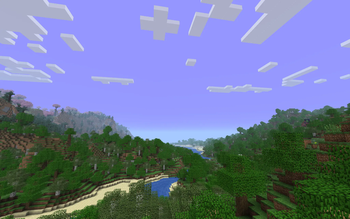
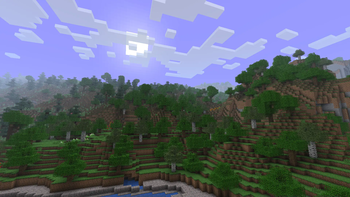
The general style of the terrain has been made more wacky, with more unpredictable cliffs and overhangs present. There should be a balance of around 55:45 of crazier terrain to flatter terrain. Transitions from land to ocean have been made smoother, and the much-loved Beta sand and gravel beaches have been re-added! At the same time, the general trends of the terrain (i.e where the tall mountains, rivers and oceans are found) are still very similar to vanilla 1.18 and above. This means that any general terrain features you see in a vanilla seed should show up when using this datapack, but will of course be a little crazier!

Biomes

Almost all vanilla biomes have been preserved. There are, however, a few exceptions, since some biomes had to be removed to make space for new ones:

Installation

Warning: this is not a reversible process - you cannot remove this datapack from your world once you install it. Please always make backups of your worlds before installing datapacks

  1. Download and extract the zip file into a folder
  2. (1.18 releases only - skip this step if creating a world in 1.19 and above): If a custom seed is desired, open the datapack folder and navigate to data/minecraft/dimension. For each of the three files present there (overworld.json, end.json, nether.json), open them and find the line (or lines in the case of end.json) containing the word 'seed' and enter the desired seed in place of the default seed, 0. Note that overworld.json file is much larger than the other two - the seed line in is located at the end of the file, but it may be easier to search for the word 'seed' using the search function by pressing CTRL-F.
  3. When creating a new Minecraft world, select Datapacks and drag the extracted file into the Minecraft window. Alternatively, add the file using the 'Open Pack Folder' button.
  4. Hover over the added datapack and press the arrow to move it into the 'Selected' column. Ensure that it is placed above the 'Default' pack.
  5. If a custom seed is being used, enter it in the box for the seed in 'More World Options'. (In 1.19 versions and above, the seed box can be left empty to use a random seed.)
  6. Create the world and enjoy!

Upgrading to a newer datapack version

  1. Make a backup of the world you want to upgrade!
  2. Make sure that the datapack version you are upgrading to is compatible with the version of Minecraft you want to play on.
  3. In the folder for your world you wish to upgrade, navigate to the datapacks folder and replace the existing datapack with the new version you wish to upgrade to.
  4. (1.18 versions only: Enter the seed used for the world in the dimension files of the new datapack as specified in the Installation instructions above.)
  5. (When converting from 1.18.2 to 1.19 only: Use an NBT editor (e.g NBTExplorer) to open the level.dat file in the world save folder and check that the seed entry is set to the seed that was used when creating the world. This will ensure that there is smoothing between the 1.18 and 1.19 terrain.)
  6. Open the world in the new Minecraft version.

Miscellaneous

The texture pack used in the screenshots is a customised version of Golden Days Base by PoeticRainbow.

Credits

Please feel free to leave comments with any questions, suggestions or feedback you may have. The datapack is still not completely polished and so any feedback/suggestions would be valuable to its future development. Finally, please do not redistribute this pack.

Quick facts

Install steps are the general flow for this file type — How to install Minecraft Java mods & modpacks walks through it step by step.

Verified by MCModsHub

These come from our own check of the pack file, not from the source page.

Explore more