
Zombie Horsemen
Java mod listed for Minecraft 1.14–24.x. File opened and checked on 12 Oct 2026; downloads from the MC Java Mods app on Android.
Zombie Horsemen is a Minecraft datapack that introduces a new surprise event similar to the Skeleton Trap. When triggered, a zombie riding a zombie horse…
I don't know my version or loader
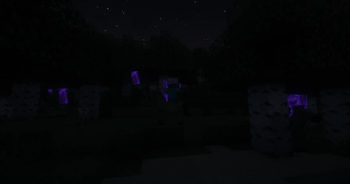
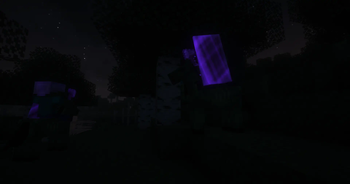
Zombie Horsemen Mod/Datapack




Overview
The Zombie Horsemen Mod/Datapack introduces a new and exciting challenge to Minecraft. Inspired by the classic Skeleton Traps, this mod/datapack summons a zombie riding a zombie horse. Each Zombie Horseman is equipped with an iron helmet, an iron axe, and a shield, making them a formidable foe in the game.
Features
- Zombie Horsemen Traps: Similar to Skeleton Traps, Zombie Horsemen appear in the game and challenge players with their dangerous gear and tactics.
- 0.25% Nightly Chance: Every night, there is a 0.25% chance that any zombie will be a "Zombie Trap," which triggers the summoning of four Zombie Horsemen.
- Custom Equipment: Each Zombie Horseman comes equipped with an iron helmet, iron axe, and a shield.
- Zombie Horse Mount: The zombies ride on zombie horses, adding a new layer of difficulty and excitement.
Installation
For Mod Installation
- Download the Mod: CurseForge | Modrinth
- Install with Your Preferred Mod Loader:
- Forge/NeoForge: Drag the mod file into the
modsfolder located in your.minecraftdirectory. - Fabric/Quilt: Ensure you have the Fabric API installed alongside the corresponding mod loader. Place the mod file into the
modsfolder.
- Forge/NeoForge: Drag the mod file into the
For Datapack Installation
- Download the Datapack: CurseForge | Modrinth
- Locate Your Minecraft Saves Folder:
- Windows:
%appdata%\.minecraft\saves - Mac:
~/Library/Application Support/minecraft/saves - Linux:
~/.minecraft/saves
- Windows:
- Add the Datapack:
- Open the folder of the world you want to add the datapack to.
- Drag and drop the downloaded
.zipfile into thedatapacksfolder.
- Load the Datapack:
- Start Minecraft and enter your world.
- Use the
/reloadcommand if necessary. - Enjoy the new Zombie Horsemen challenge!
Compatibility
- Minecraft Version: This mod/datapack is compatible with Minecraft version 1.14+.
- Mod Loaders: Supports Forge, NeoForge, Fabric (with Fabric API), and Quilt (with Fabric API).
- Multiplayer Support: Fully compatible with multiplayer servers.
Usage
- Encountering Zombie Horsemen: Be ready for a tough fight when you come across a Zombie Horseman. Their armor and weaponry make them a dangerous opponent.
- Loot and Rewards: Upon defeating a Zombie Horseman, players can collect the loot dropped by the zombie and its horse.
Feedback and Support
If you encounter any issues or have suggestions for improvements, please contact us via Discord.
License
This mod/datapack is released under the CC0-1.0. Feel free to modify and share it, but please credit the original author, sashiro.
Credits
- Creator: sashiro
Links
- Download the Mod/Datapack: CurseForge MOD | CurseForge DATAPACK | Modrinth
- Join our Community: Discord
- Support the Creator: PayPal
Thank you for using the Zombie Horsemen Mod/Datapack! Prepare yourself for a thrilling new challenge in Minecraft.
- Edition: Minecraft Java
- File type: .jar
- Minecraft versions listed: 1.14.4, 1.15, 1.15.1
- How to install: Install the matching mod loader (Forge, Fabric or NeoForge) for your Minecraft version. → Download the .jar. → Put it in the .minecraft/mods folder and launch that loader profile.
- Where to get it: Opens on Modrinth — not every file is mirrored on our own servers.
Install steps are the general flow for this file type — How to install Minecraft Java mods & modpacks walks through it step by step.
- Ships as Zombie-Horsemen-v1.jar — drop this file into the mods folder
- Download size: 9 KB
- Download link checked 7 Oct 2026 — working
These come from our own check of the pack file, not from the source page.