
Block Factory's Biomes
🌳 This Biomes Add-on adds 3 brand-new biomes filled with unique animals, plants, blocks, and fully custom world generation!
⬇ Download on Modrinth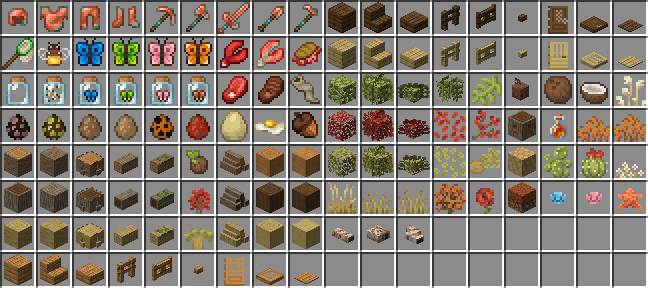
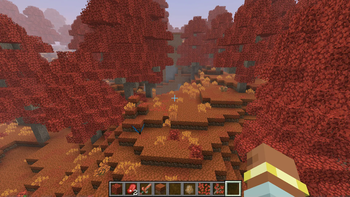








Block Factory's Biomes adds 5 brand-new vanilla+ biomes, packed with unique animals, plants, blocks and fully custom world generation.
📋 About
Block Factory's Biomes expands your world with 5 brand-new biomes that feel right at home next to vanilla Minecraft. Each one has its own atmosphere, wildlife and vegetation, woven into the world through fully custom generation, so exploration always has something fresh waiting over the next hill. Built vanilla+: more variety and detail, none of the base-game feel lost.
🌳 What's Inside
5 brand-new biomes - each with its own mood, palette and landscape Unique wildlife - new animals that roam and bring every biome to life New flora - fresh trees, plants and flowers to discover, harvest and build with Custom blocks - biome-specific blocks for decorating and collecting Fully custom world generation - natural terrain that blends seamlessly into existing worlds
🧭 Built Vanilla+
Every biome is crafted to match Minecraft's art style, so the new lands feel like they were always meant to be there - no clashing textures, no clutter, just more world to explore.
🚀 Supported Versions
1.21.1 - [NeoForge] 1.20.1 - [forge]
- Edition: Minecraft Java
- File type: .jar
- Minecraft version listed: 1.20.1
- How to install: Install the matching mod loader (Forge, Fabric or NeoForge) for your Minecraft version. → Download the .jar. → Put it in the .minecraft/mods folder and launch that loader profile.
- Where to get it: Opens on Modrinth — not every file is mirrored on our own servers.
Install steps are the general flow for this file type — How to install Minecraft Java mods & modpacks walks through it step by step.
- Ships as block-factory-s-biomes-1.0.5b-1.20.1.jar — drop this file into the mods folder
- Download size: 3.7 MB
- Download link checked 27 Aug 2026 — working
These come from our own check of the pack file, not from the source page.