
Quick Menu
Java mod listed for Minecraft 1.21. Downloads from the MC Java Mods app on Android.
⬇ Download on Modrinth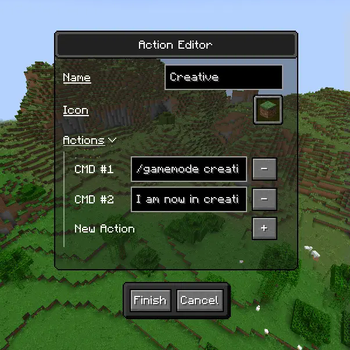
Where are versions 1.21.4+?
The project is currently on hiatus for an indeterminable about of time.
For newer version's, check out this lovely fork by tehbeard!

Quick Menu is a client-side mod for Minecraft that adds a configurable easy-to-access menu that runs basic repetitive commands.
It aims to save you time by giving you a place to put all the commands you may need for a given context.
The mod requires the owo-lib modding library and Fabric API.
Features
- Easy to access menu with a keybind (Default: G)
- A simple action button editor.
- Each action button can run as many actions as you want.
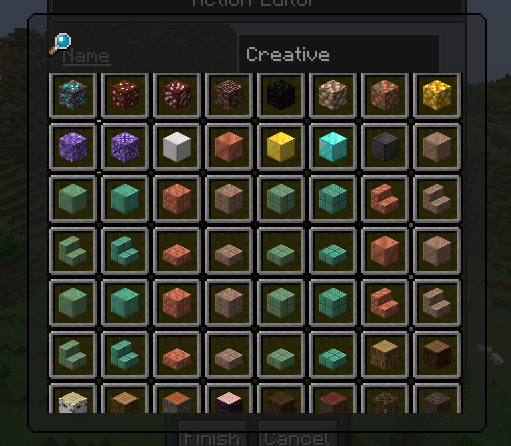
- The icon for an action button can be selected with a dedicated GUI.
How to Use
Open the menu in-game with the chosen keybind (Default: G).
To enter edit mode click the pencil icon next to the title or press E on the keyboard.
In edit mode you can:
- Create a new action using the button below the main menu.
- Delete an action button by right-clicking the button you'd like to delete.
License: GPL v3
Version Format: Semetic Versioning
- Edition: Minecraft Java
- File type: .jar
- Minecraft version listed: 1.21.4
- How to install: Install the matching mod loader (Forge, Fabric or NeoForge) for your Minecraft version. → Download the .jar. → Put it in the .minecraft/mods folder and launch that loader profile.
- Where to get it: Opens on Modrinth — not every file is mirrored on our own servers.
Install steps are the general flow for this file type — How to install Minecraft Java mods & modpacks walks through it step by step.
- Ships as quick-menu-1.2.6-1.21.4.jar — drop this file into the mods folder
- Download size: 85 KB
- Download link checked 7 Oct 2026 — working
These come from our own check of the pack file, not from the source page.