
Slotted Armor HUD
I don't know my version or loader
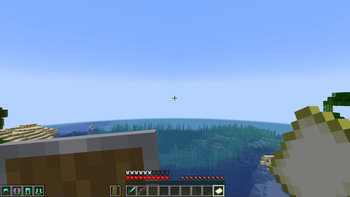
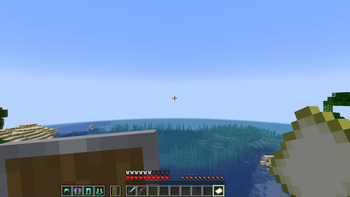
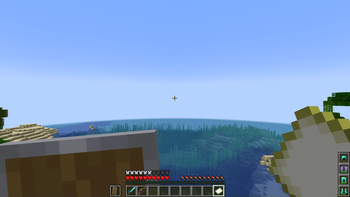
Slotted Armor HUD
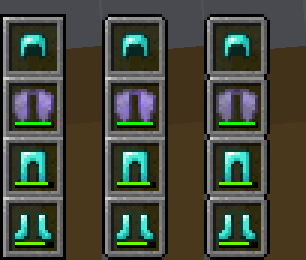
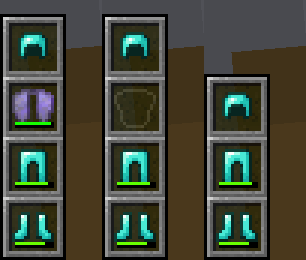
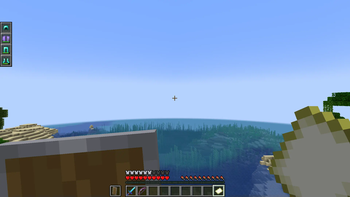
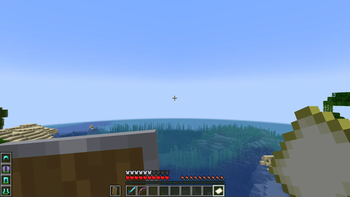
This mod adds an armor HUD that retains Minecraft's default appearance, without the extra text and numbers, and adapts to resource packs that change the hotbar's appearance. The armor HUD can be easily configured when paired with the Cloth Config and Mod Menu mods.
If the mod hasn't been updated for the latest Minecraft version but you've found that it still works without issue, let me know with this GitHub template. (No guarantees though, since I have shifted my focus to other work.)

An aesthetic that blends right in to Minecraft's HUD
Features
- A customizable interface
- Orient it vertically or horizontally.
- Place it to the left or right, and to the top or bottom.
- Choose when and how the armor HUD shows itself.
- Move it anywhere by offsetting it!
- Adaptive elements
- The armor HUD will shift away from the hotbar to allow room for the offhand slot.
- The chat box, boss bars, status effect icons, and subtitles will make room for the armor HUD when needed.
- Extra customization
- If resource packs do not work, try experimenting with these settings. :D
Forked from BerdinskiyBear's Armor HUD mod, updated and with new features.
Configuration
This mod can be configured with the Cloth Config and Mod Menu mods.
With these mods installed, a "Mods" button will appear on the title and pause screens, and clicking on it should show a list of installed mods. This mod should appear on that list, and hovering over it should show a button that leads to the config screen.
It can also be configured via the armor_hud.json config file with a text editor. This can be found in Minecraft's directory folder, then in the config folder.
- Edition: Minecraft Java
- File type: .jar
- Minecraft versions listed: 1.20, 1.20.1
- How to install: Install the matching mod loader (Forge, Fabric or NeoForge) for your Minecraft version. → Download the .jar. → Put it in the .minecraft/mods folder and launch that loader profile.
- Where to get it: Opens on Modrinth — not every file is mirrored on our own servers.
Install steps are the general flow for this file type — How to install Minecraft Java mods & modpacks walks through it step by step.
- Ships as slotted-armor-hud-1.2.5.jar — drop this file into the mods folder
- Download size: 49 KB
- Download link checked 27 Aug 2026 — working
These come from our own check of the pack file, not from the source page.