
Filters API
Filters API is an easy-to-use, open, complete library, that provides a filtering system to categorize your mod's creative tab.
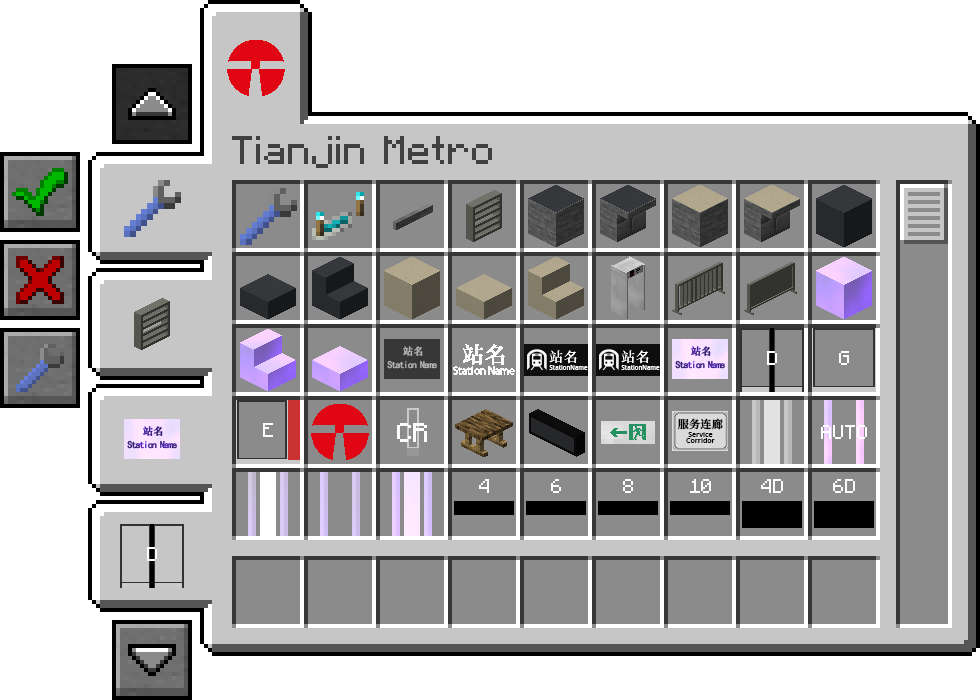
Filters API makes it easy to find an item by adding new filter tabs to the left side of the creative screen that allow you to limit the items shown based on the category they fall under. Filters API also supports collecting uncategorized items to the uncategorized filter, to avoid uncategorized items disappearing from the tab.
Inspired by Filters Mod and MrCrayfish's Furniture Mod.
Developers Wiki
https://mc-filters.netlify.app/
Localization
Filters API is being translated using ZiYue Weblate.

- Edition: Minecraft Java
- File type: .jar
- Minecraft version listed: 1.20.1
- How to install: Install the matching mod loader (Forge, Fabric or NeoForge) for your Minecraft version. → Download the .jar. → Put it in the .minecraft/mods folder and launch that loader profile.
- Where to get it: Opens on Modrinth — not every file is mirrored on our own servers.
Install steps are the general flow for this file type — How to install Minecraft Java mods & modpacks walks through it step by step.
- Ships as filters-forge-1.1.0+1.20.1.jar — drop this file into the mods folder
- Download size: 43 KB
- Download link checked 27 Aug 2026 — working
These come from our own check of the pack file, not from the source page.