
Cobblemon Auto Tidy Up PC
Java mod listed for Minecraft 1.21. Downloads from the MC Java Mods app on Android.
⬇ Download on Modrinth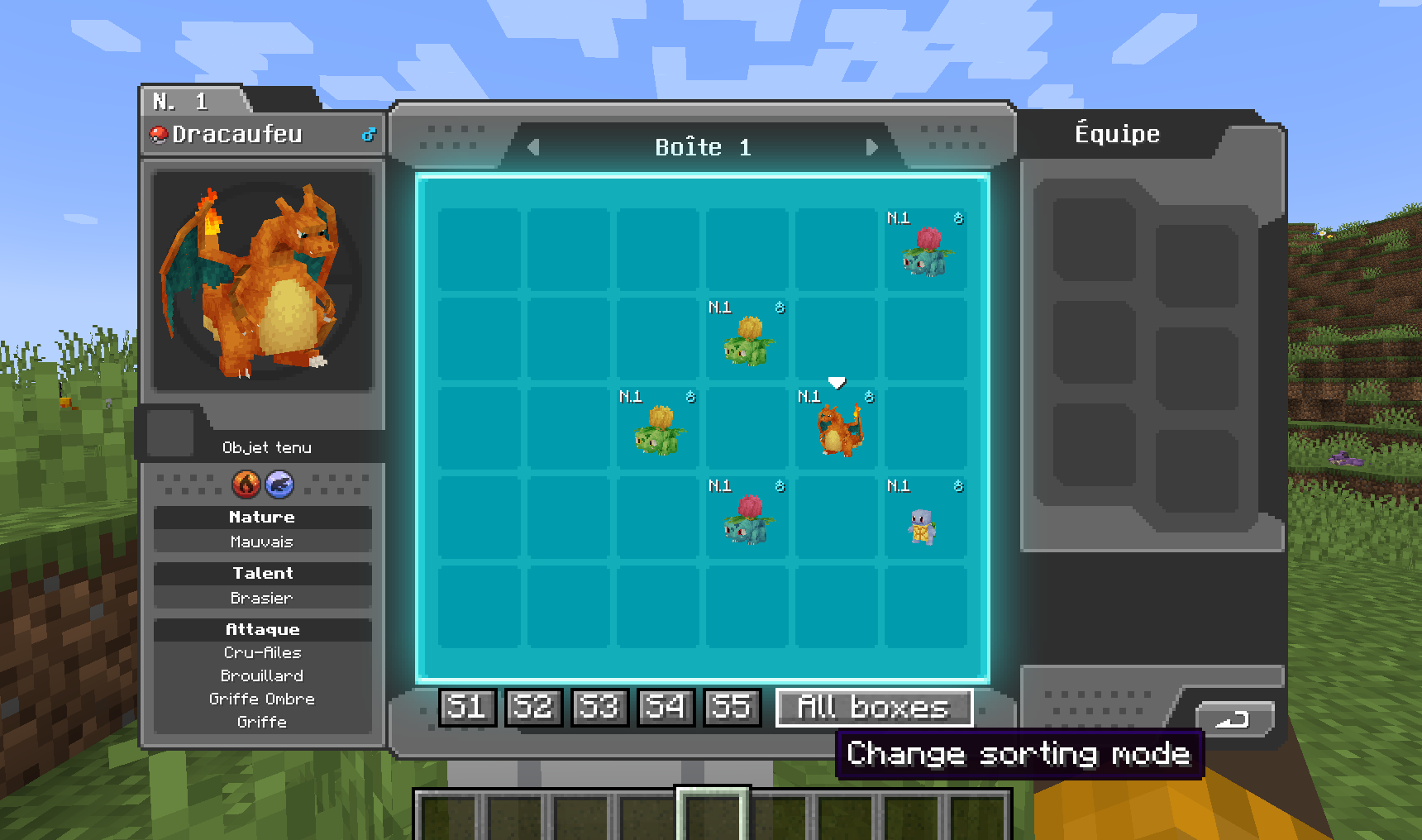
Tidy Up PC is a simple, client‑side Cobblemon addon that makes managing your Pokémon storage effortless. With just a few clicks, you can temporarily reorganize your PC boxes according to:
- Pokédex Order
- Level
- IVs
- Gender
- Shiny Status
- Alphabetical (A–Z)
You can apply the sort to all boxes at once or limit it to the currently open box—perfect for quick tidying between catches and trades. The Pokémon's original position in the PC is indicated when it is hovered, making it easy to find when you disable sorting!
To exit sorted mode, simply reclick on the active sorting mode button.
Important: Because this is a purely client‑side mod, your sorting changes are not applied on the server and will reset when you reconnect. It’s a convenient way to keep your own view organized, without affecting anyone else’s game world.
- Edition: Minecraft Java
- File type: .jar
- Minecraft version listed: 1.21.1
- How to install: Install the matching mod loader (Forge, Fabric or NeoForge) for your Minecraft version. → Download the .jar. → Put it in the .minecraft/mods folder and launch that loader profile.
- Where to get it: Opens on Modrinth — not every file is mirrored on our own servers.
Install steps are the general flow for this file type — How to install Minecraft Java mods & modpacks walks through it step by step.
- Ships as CobblemonAutoTidyUpPC-1.2-SNAPSHOT.jar — drop this file into the mods folder
- Download size: 23 KB
- Download link checked 7 Oct 2026 — working
These come from our own check of the pack file, not from the source page.