
Gaming Deco
Java mod listed for Minecraft 1.20. File opened and checked on 21 Sep 2026; downloads from the MC Java Mods app on Android.
⬇ Download on Modrinth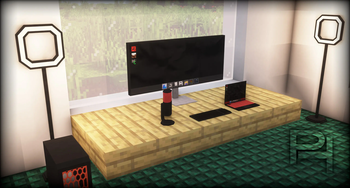
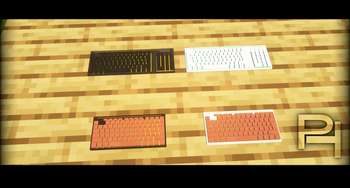
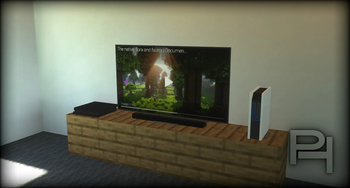
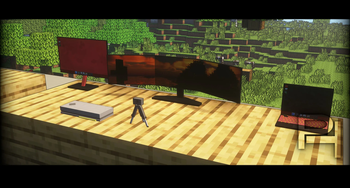
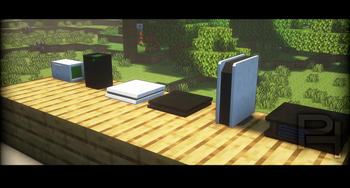
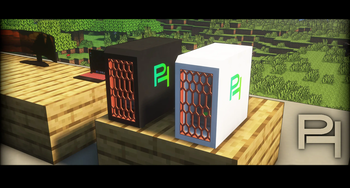
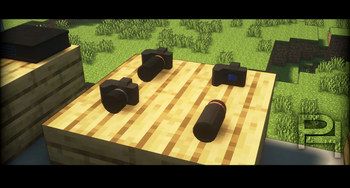
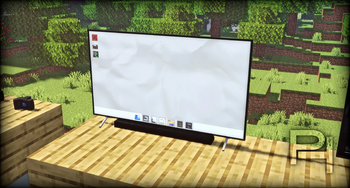


This mod adds computers, monitors and many wide blocks related to gaming.
Monitors, PCs, PlayTics Stations and much more...!
This mod is best to use with other furniture and modern mods.
Check out the screenshots 👆
Important information:
Enjoy the vanilla style monitors and gaming stuff
In some cases visual issues when using Oculus (use Optifine instead)
I recommend using JEI to get a better overview of the different recipes Forge: https://www.curseforge.com/minecraft/mc-mods/jei
I recommend using Optifine for a graphically better experience Homepage: https://optifine.net/home
- Edition: Minecraft Java
- File type: .jar
- Minecraft version listed: 1.20.1
- How to install: Install the matching mod loader (Forge, Fabric or NeoForge) for your Minecraft version. → Download the .jar. → Put it in the .minecraft/mods folder and launch that loader profile.
- Where to get it: Opens on Modrinth — not every file is mirrored on our own servers.
Install steps are the general flow for this file type — How to install Minecraft Java mods & modpacks walks through it step by step.
- Ships as GamingDeco+1.8.3+Forge+1.20.1..jar — drop this file into the mods folder
- Download size: 5.6 MB
- Download link checked 7 Oct 2026 — working
These come from our own check of the pack file, not from the source page.