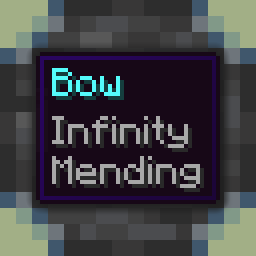
Enchantment Compatibility
I don't know my version or loader







Make many mutually-exclusive enchantments compatible. This targets all the vanilla enchantments that make sense to stack (so no depth strider/frost walker). Required on the server for multiplayer, but also works in single player!


Configuration
You can configure the behavior of the mod from the enchantmentcompat.toml file within your world/save config folder. Previous versions put the config file in the global (instance) config folder. If you're on single player and have ModMenu installed, you can also access the configuration through the UI in ModMenu's mod list!
modEnabled: true|false - Simple toggle for the mod! Set to false to disable.
bows: true|false - Whether to allow bow enchantments (i.e. infinity, mending) to combine. Previously called infinityMending.
crossbows: true|false - Whether to allow crossbow enchantments (i.e. multishot, piercing) to combine. Previously called multishotPiercing.
armor: true|false - Whether to allow armor enchantments (i.e. X protection) to combine. Previously called protection.
damage: true|false - Whether to allow damage enchantments (i.e. sharpness, smite) to combine.
- Edition: Minecraft Java
- File type: .jar
- Minecraft versions listed: 1.21.9, 1.21.10
- How to install: Install the matching mod loader (Forge, Fabric or NeoForge) for your Minecraft version. → Download the .jar. → Put it in the .minecraft/mods folder and launch that loader profile.
- Where to get it: Opens on Modrinth — not every file is mirrored on our own servers.
Install steps are the general flow for this file type — How to install Minecraft Java mods & modpacks walks through it step by step.
- Ships as enchantmentcompat-1.5.0+1.21.9.jar — drop this file into the mods folder
- Download size: 677 KB
- Download link checked 27 Aug 2026 — working
These come from our own check of the pack file, not from the source page.