
Better Fletching Tables (BFT)
Java mod listed for Minecraft 1.21. Downloads from the MC Java Mods app on Android.
I don't know my version or loader

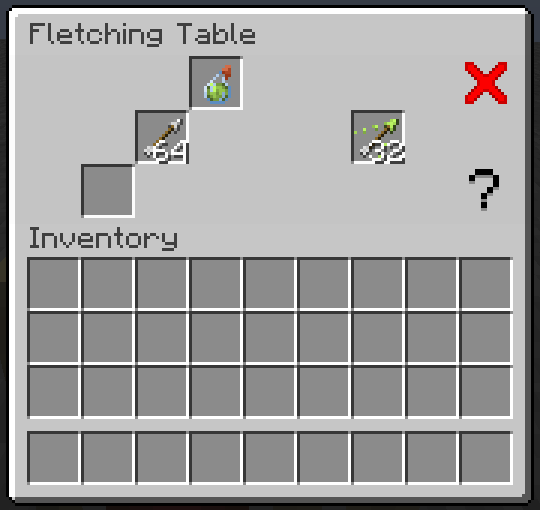
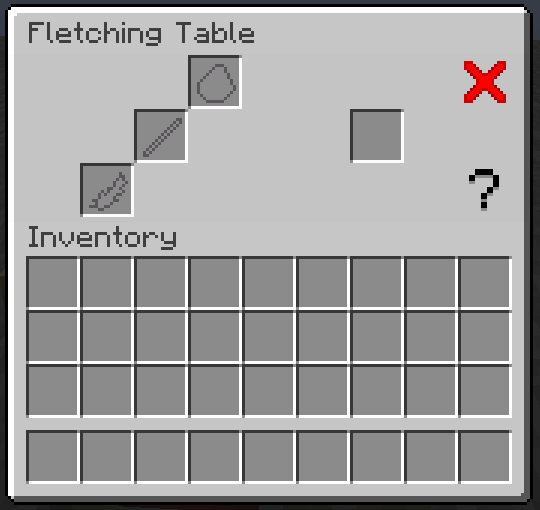
🏹 Better Fletching Tables (BFT)
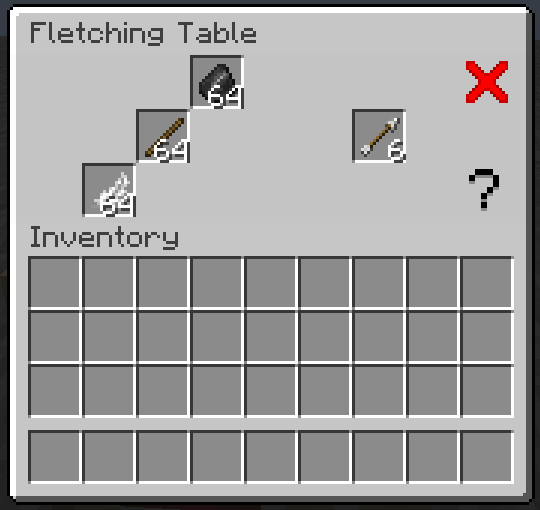
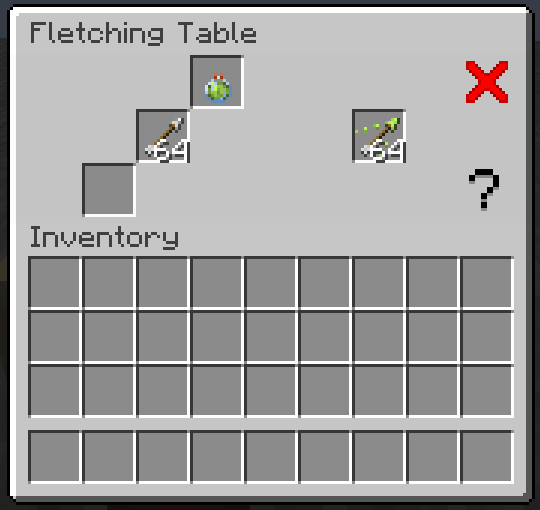
Better Fletching Tables tries to improve the current fletching table that minecraft has, which does literally nothing. This datapack adds the ability to craft arrows, tipped arrows and spectral arrows in a better way than the game actually does.
🎥 Video
🔗 Links







📝 Useful Info
✨ Features- New way to craft arrows.
- New way to craft tipped arrows.
- New way to craft spectral arrows.
- New crafting station.
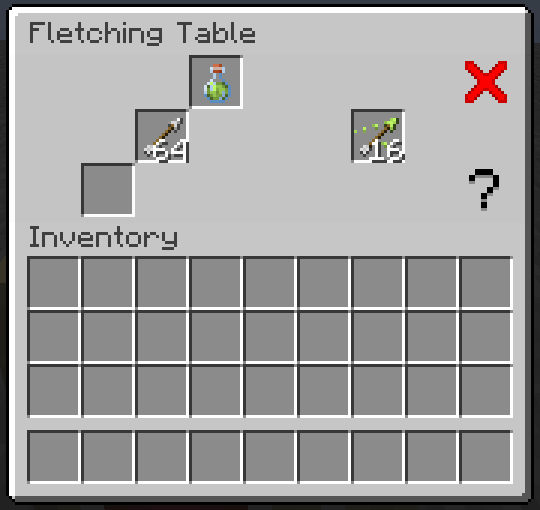
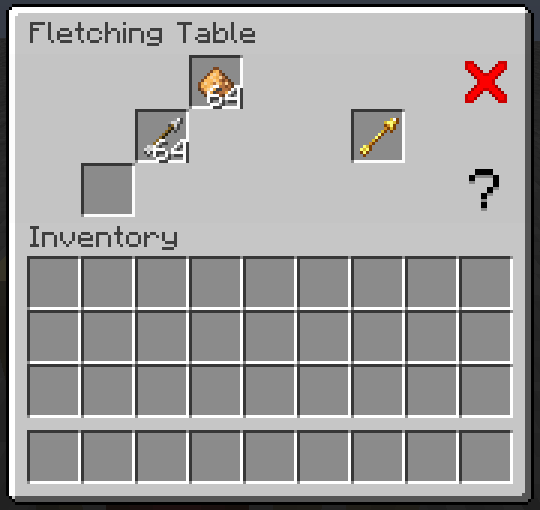
When you craft an arrow, instead of the usual 4 arrows you get, using the table you now get 6. When crafting tipped arrows keep in mind the following: When using a normal potion you can craft up to 16 tipped arrows, using a splash potion instead you can craft up to 32 tipped arrows, and finally using a lingering potion you can craft up to 64 tipped arrows. Also keep in mind that the potion will be consumed entirely whether you did or didn't crafted the max amount that potion could craft. Also, you can craft 2 spectral arrows using a normal arrow and a glowstone dust. And lastly, when shift clicking to the result it will craft as much as it can with the items you gave it.
❓ FAQQ: Does it have multiplayer compatibility?
A: Yes it does.
Q: Can I modify the datapack and redistribute it?
A: Yes you can, but only if you say who the original creator is (Eclipse Studios) and if you link the original Modrinth page somewhere noticeable in the project.
Q: Are you guys going to make more datapacks?
A: Yes we will, personally we do this as a hobby and only when we want and have the motivation to do it, and right now I don't really know what my next project will be, maybe I will return to another project, who knows. For more updates on our future datapacks join our discord server.
Q: Why is the gui not showing? And why do I have a chest minecart in the head when I look to a fletching table?
A: Remember to also download the resourcepack to make it appear that it is not broken, go to "Versions" > Click on the version you are using > Download the resourcepack.
Q: Does this datapack work on older/newer versions?
A: This may be a controversial answer, yes but also no. If you want to use version 3.0.0 and later of this datapack/mod you can only use it in 1.20.5+, this is due to the rewrite from scratch I did in order to compensate the bad permormance previous versions had which uses commands added in 1.20.5+ (and also uses the new item component format), that doesn't mean that all previous versions are bad and that you shouldn't use them, just that they may cause lag and also maybe drop the server's tps. If for whatever reason you want to downgrade it you COULD do so until 1.20.3 (I think), previous versions would be a nightmare to downgrade it. If for whatever reason you want to use it in a newer version and the official update hasn't happened just download the lastest version and change inside the pack.mcmeta of the datapack the "pack_format" value to the desired one (it may not work or at least not as intended).
Q: Is this datapack compatible with other datapacks?
A: Yes it is, this datapack follows the Smithed conventions to ensure datapack and resourcepack compatibility.
⚙️ SettingsThis datapack/mod only works with the minecraft vanilla fletching table, that means that any one added via a mod won't work with the system, but since 2.0.0 you can make it compatible with any block, even ones added by mods.
To achieve this you will need to modify the following file inside the datapack: data/bft/tags/blocks/ft.json
The file should look like this:
{
    "values": [
      "minecraft:fletching_table"
    ],
    "replace": false
  }
To add another block just add a comma and add the id of the block (the id of a block is the one you use when you /give the block to you), for example, let's make it compatible with stones:
{
  "values": [
    "minecraft:fletching_table",
    "minecraft:stone"
  ],
    "replace": false
}
Now the datapack'll recognize as fletching tables the fletching table and stone.
🙋 AuthorsTeam: Eclipse Studios
- Main dev: @ElGeroIngles
Since 3.0.0, this datapack makes use of the following libraries/tricks:
AmberWat's Negative Space Font used for hiding the nametags in Evtema3's shader.
To uninstall the datapack run /function bft:cmd/unistall before removing the datapack and resourcepack, that will remove all scoreboards and more stuff that the datapack uses (v3.0.0+ only).
| Note: The uninstall function doesn't uninstall the Iris library because other datapacks may be using it too. |
|---|
If you have found any bugs or have any suggestion, please reach out to us at our discord server.
🧑⚖️ License- Edition: Minecraft Java
- File type: .jar
- Minecraft versions listed: 1.21.2, 1.21.3
- How to install: Install the matching mod loader (Forge, Fabric or NeoForge) for your Minecraft version. → Download the .jar. → Put it in the .minecraft/mods folder and launch that loader profile.
- Where to get it: Opens on Modrinth — not every file is mirrored on our own servers.
Install steps are the general flow for this file type — How to install Minecraft Java mods & modpacks walks through it step by step.
- Ships as 3.1.0-BFT_mod-1.21.2-1.21.3.jar — drop this file into the mods folder
- Download size: 2.5 MB
- Download link checked 7 Oct 2026 — working
These come from our own check of the pack file, not from the source page.