
Foggy Pale Garden (FPG)
Java mod listed for Minecraft 1.21. Downloads from the MC Java Mods app on Android.
I don't know my version or loader
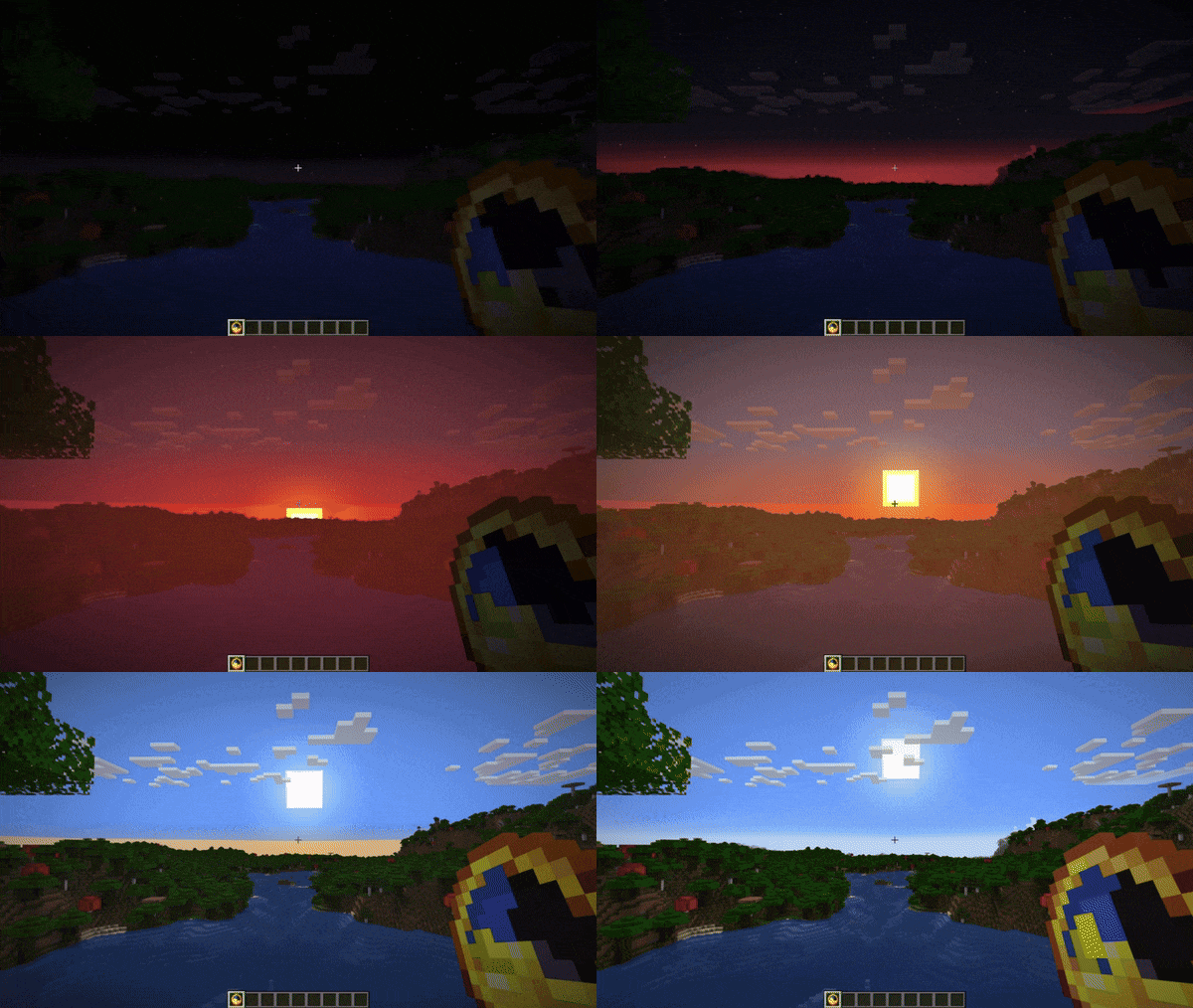
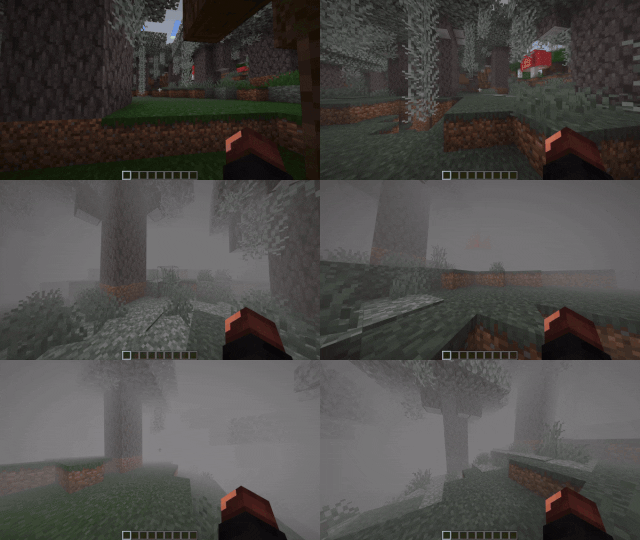
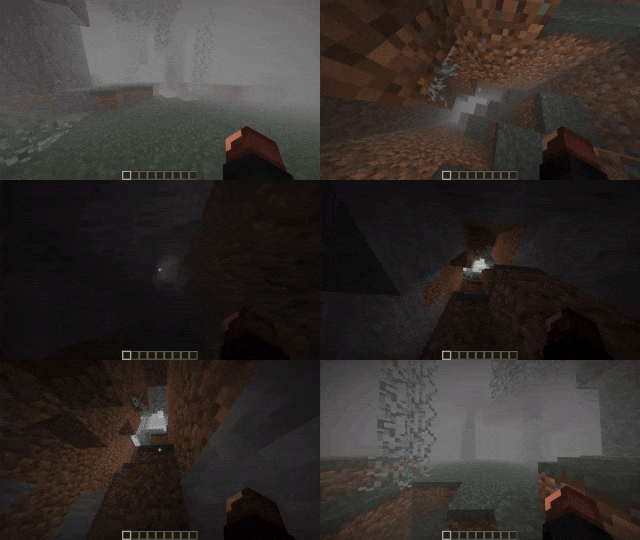
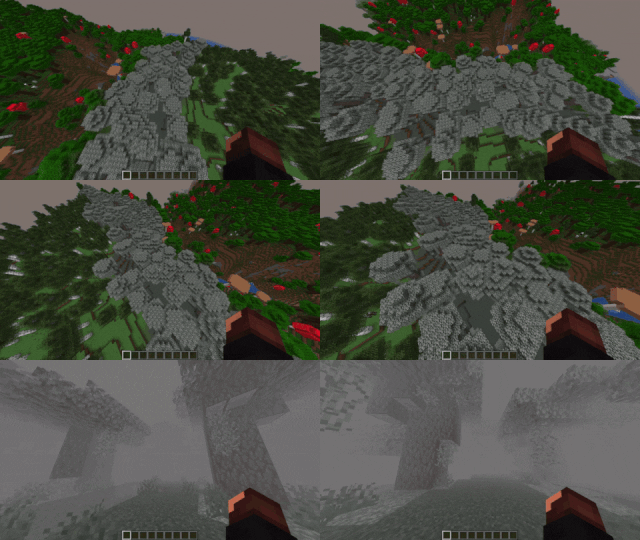
⚠️ Further development of the mod continues in the form of the Foggy Pale Garden resource pack based on Polytone.
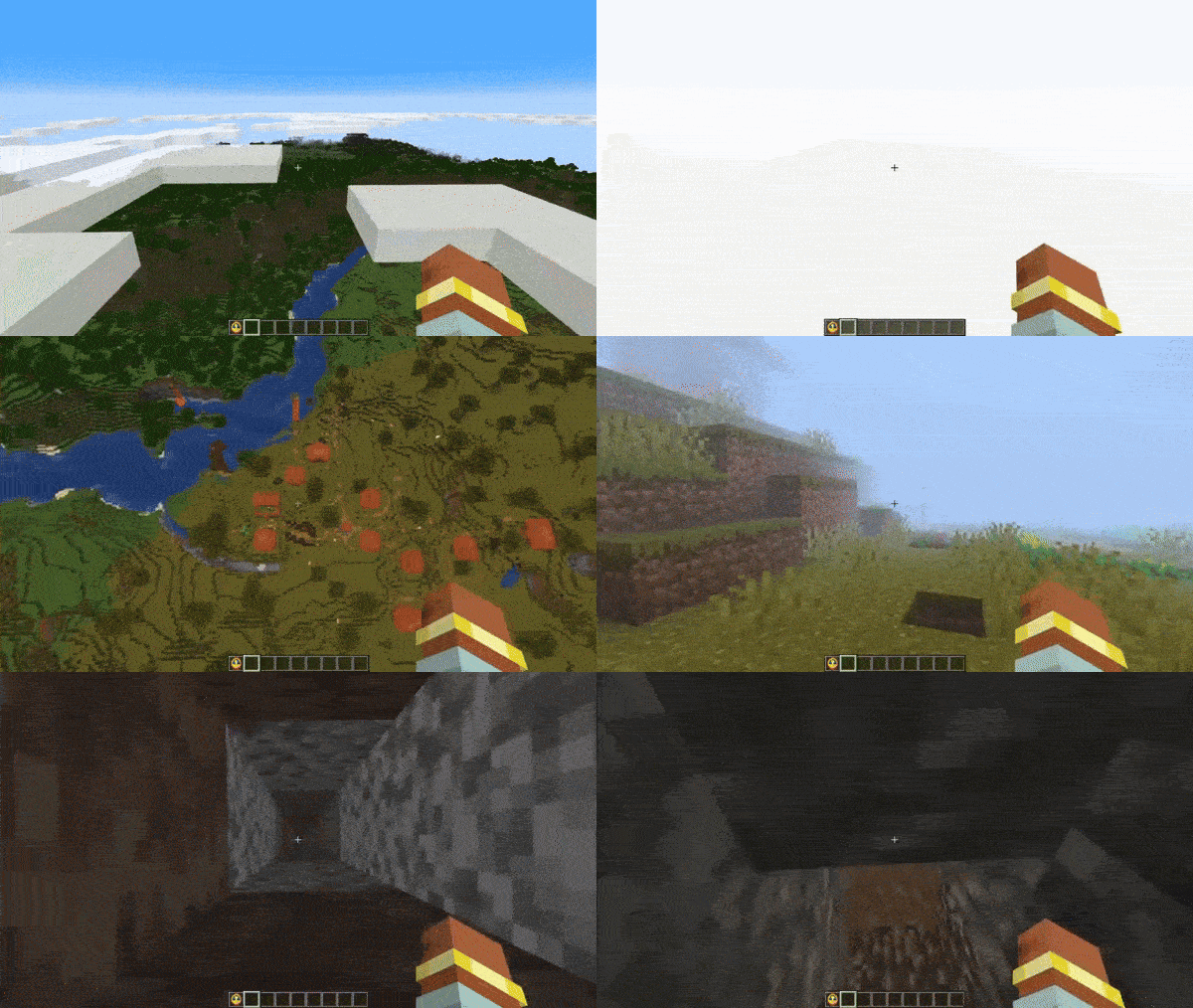
A Minecraft mod that adds fog to the Pale Garden biome. But you can customize any kind of fog anywhere you like!
✨ Features
😱 Envelops the Pale Garden in fog
🕳️ The fog does not fill caves beneath the Pale Garden
🪽The fog doesn’t hinder flying over the Pale Garden
🎨 Fog presets feature allows you to choose from predefined options, create a custom preset, or have the fog adjust based on the game’s difficulty.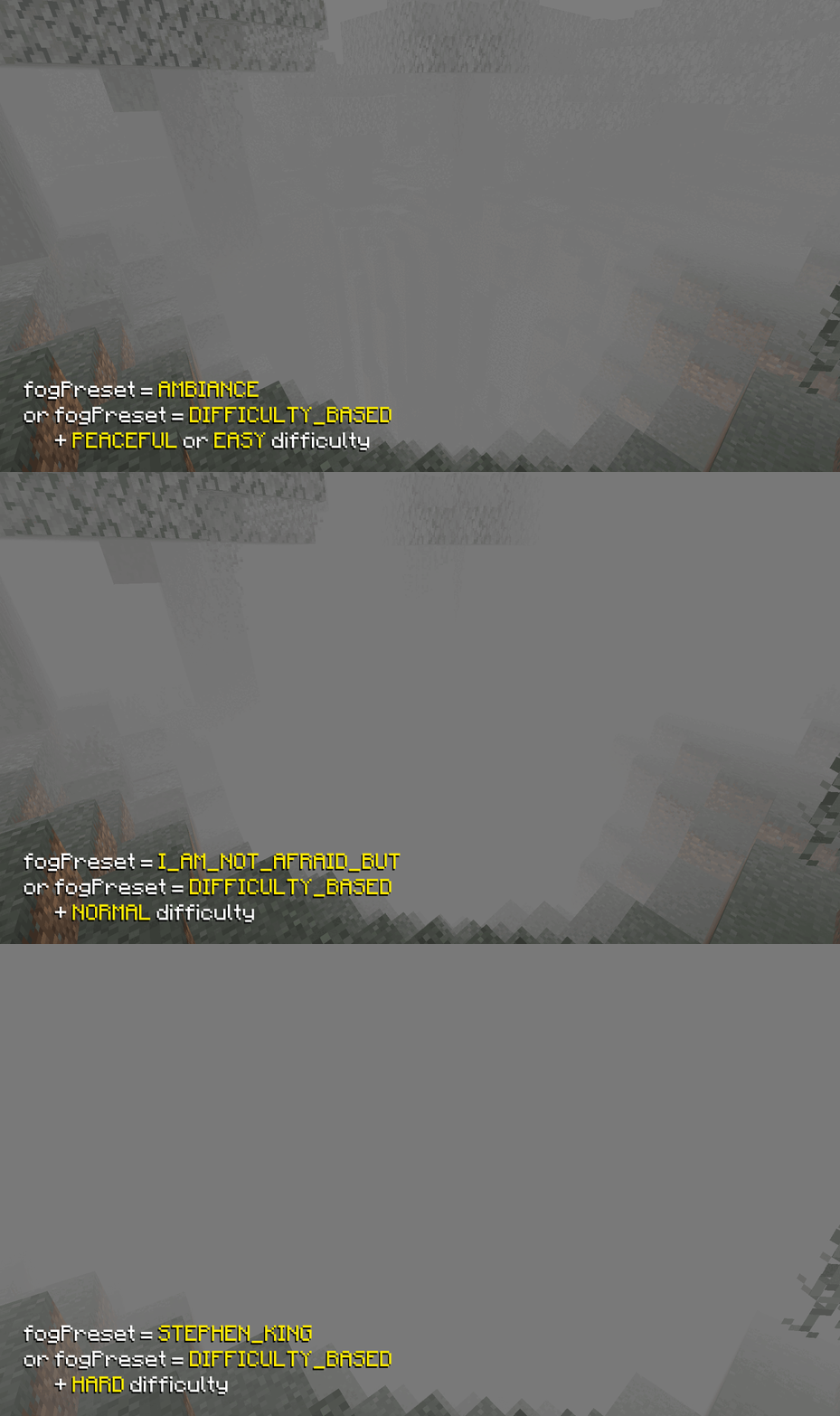 📦 Resource Pack Support
You can easily add a fog preset to your resource pack! Just place it at the path assets/foggypalegarden/preset.json. After that, you can select it as the active fog preset in the mod settings.
- If multiple resource packs containing fog are installed, each of their presets will be available in the settings
- If a preset's
codefrom theconfig/foggypalegardenfolder matches acodefrom a resource pack, the preset from the config folder will be renamed by adding_BACKUPto its code
You can download this example on GitHub
🔧 Create different types of fog based on any set of conditionsFor example, this preset will create pre-dawn fog during clear weather in all biomes.
{
  "code": "PRE_DAWN_FOG",
  "bindings": [
    {
      "condition": {
        "and": [
          { "timeIn": { "start": 22500, "end": 23800 } },
          { "weatherIn": ["CLEAR"] }
        ]
      },
      "startDistance": 0.0,
      "skyLightStartLevel": 4,
      "endDistance": 15.0,
      "surfaceHeightEnd": 15.0,
      "opacity": 50.0,
      "encapsulationSpeed": 16.0,
      "brightness": {
        "mode": "BY_GAME_FOG"
      },
      "color": {
        "mode": "BY_GAME_FOG"
      }
    }
  ],
  "version": 2
}
To apply it, create a file PRE_DAWN_FOG.json with this content in the config/foggypalegarden folder and set the value "preset": "PRE_DAWN_FOG" in config/foggypalegarden.json.
Read more about the available features in the 🛠️ Configuration section.
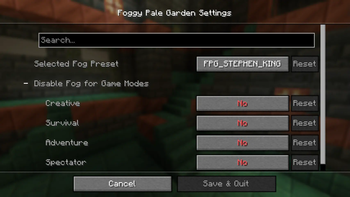
👁️ Adjust settings in the visual menu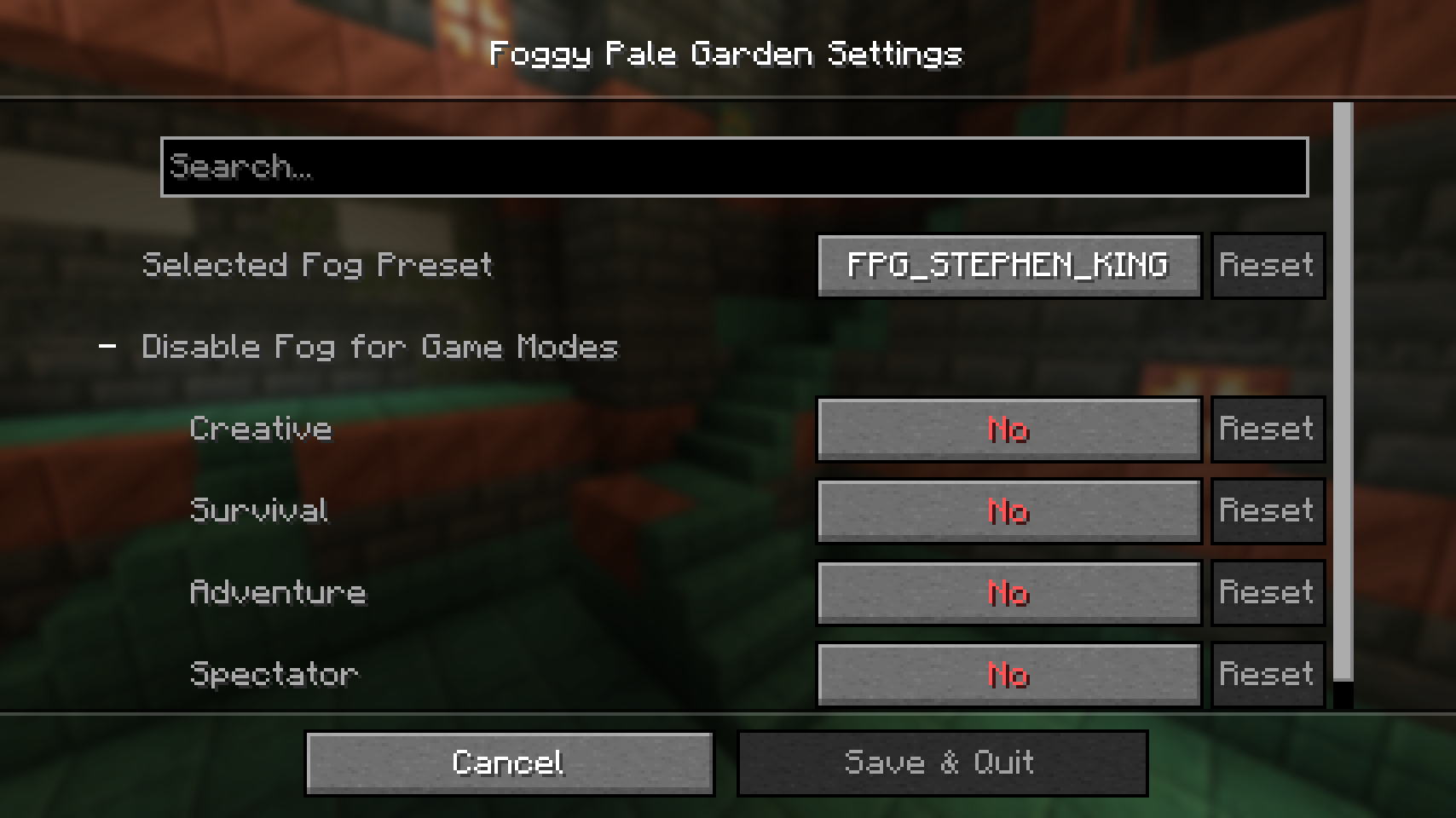 💬 Change settings via chat even if you're not an operator!
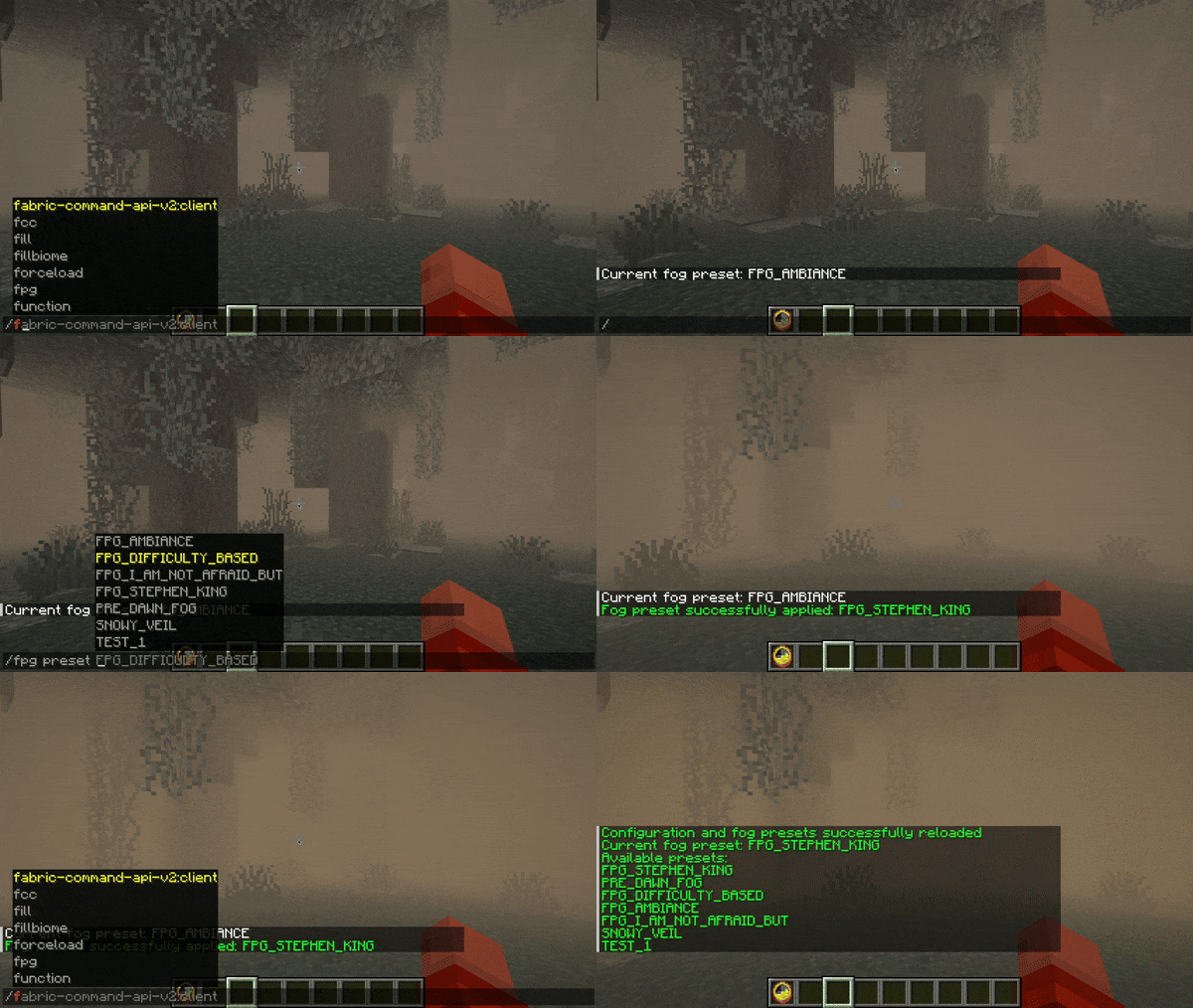
Available commands:
/fpg presetwill display the name of the current preset/fpg preset FPG_DIFFICULTY_BASEDwill switch the preset to FPG_DIFFICULTY_BASED (the command itself suggests a list of available presets)/fpg reloadConfigre-reads the mod configuration and available fog preset files from disk
🌎 The mod supports multiple languagesSupported languages:
- 🇸🇦 Arabic
- 🇧🇾 Belarusian
- 🇨🇳 Chinese (Simplified)
- 🇺🇸 English (US)
- 🇫🇷 French
- 🇬🇪 Georgian
- 🇩🇪 German
- 🇮🇹 Italian
- 🇯🇵 Japanese
- 🇰🇿 Kazakh
- 🇰🇷 Korean
- 🇧🇷 Portuguese (Brazil)
- 🇷🇺 Russian
- 🇪🇸 Spanish (Mexico)
- 🇸🇪 Swedish
- 🇺🇦 Ukrainian
You can request a translation into your language or report a translation error on GitHub.
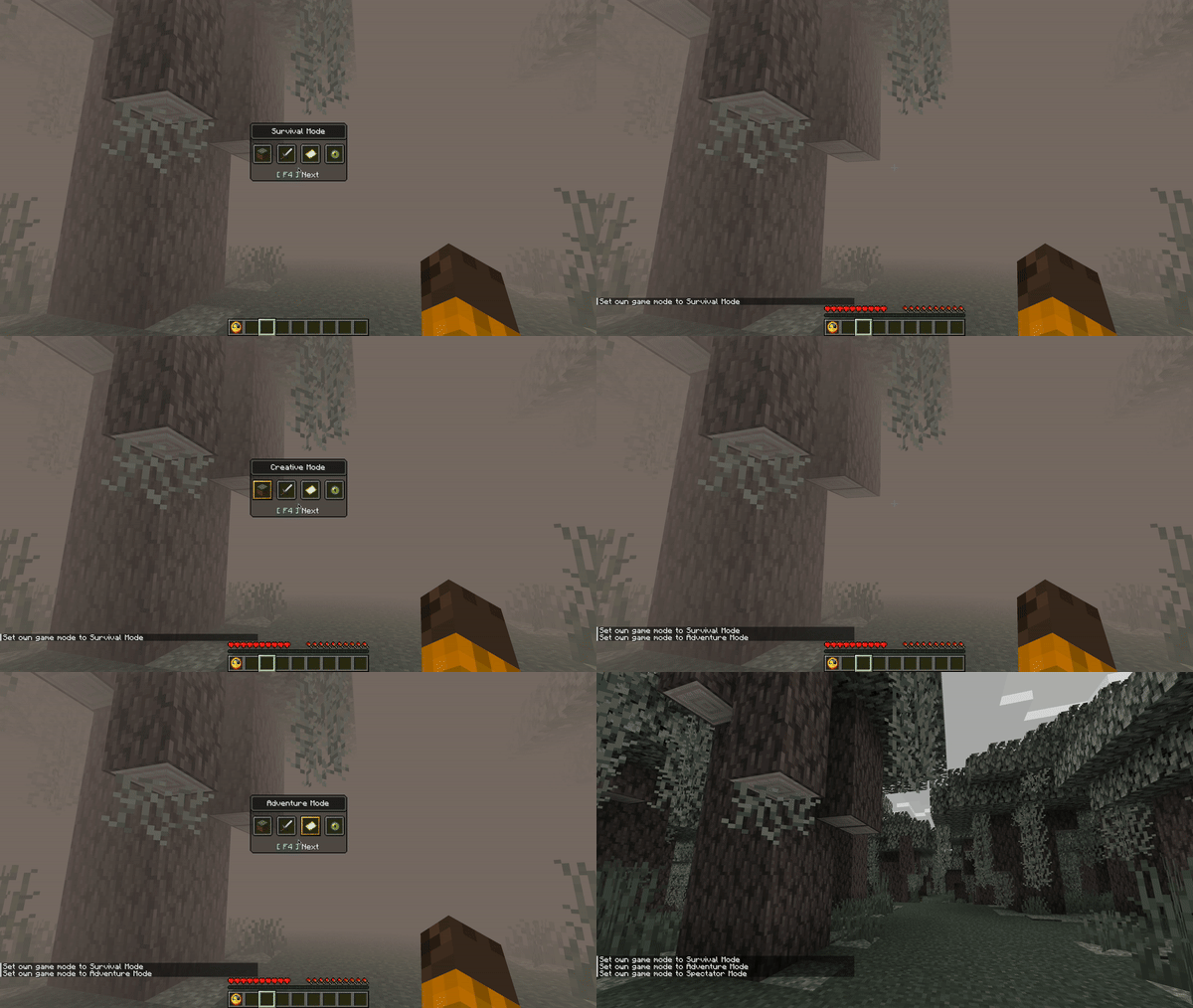
⛔️ Disable fog for specific game modesIn the config config/foggypalegarden.json, the value "noFogGameModes": ["SPECTATOR"] is set.
The fog appears in any biomes named pale_garden.
Tested with mods:
- Pale Garden Backport: The Garden Awakens
- EarlyUpdate: Pale Garden
- The Pale Garden
- Winter drop backport-Pale garden
- I want it earlier 1.21.4 (Pale Garden)
- Pale Garden and Creaking
- Pale Garden - Update
- DenizTK's Pale & Lively Update
- Bundles of Bravery (1.22)
📥 Installation
- Install Fabric, Quilt, NeoForge or Forge for your game version
- Fabric API installation is required for Fabric and Quilt!
- Install Cloth Config to change settings through the mods menu
- Place the mod in the
modsfolder - Beware of the monsters in the fog!
🛠️ Configuration
Fog Parameters
- Distance at which the fog starts
- Distance at which the fog ends
- Fog density
- Fog brightness
- Fog color
- Speed of fog dispersal when entering or leaving it
- Fog shape (available options: SPHERE and CYLINDER)
Fog Conditions
They can be used in any combination thanks to AND, OR, and NOT conditions
- Dimension the player is in
- Biome the player is in
- Biome temperature
- Weather
- Time of day
- World difficulty level
- Sky brightness (allows detecting if the player is in a cave)
- Player's height above the surface
- Player's position on the Y-axis
Full Configuration
Available configuration optionsThe configuration file is located at config/foggypalegarden.json and allows you to set one of the available fog presets.
{
    // active fog preset
    "preset": "MY_PRESET",

    // (optional) list of game modes where fog is disabled ("SURVIVAL", "CREATIVE", "ADVENTURE", "SPECTATOR")
    "noFogGameModes": [""],

    // config schema version (do not change this value)
    "version": 3
}
Preset files are located in the config/foggypalegarden directory. Each file contains the full fog settings for the game.
{

    // preset code (you need to specify this value in config/foggypalegarden.json to apply the preset)
    "code": "MY_PRESET",

    // a set of bindings, each responsible for your configured fog appearance and applied based on specified conditions
    "bindings": [

        {

            // condition under which this binding is applied
            // has a tree-like structure (you can place other conditions inside and, or, not)
            // only one field can be filled at the same time in one condition
            // correct - { "and": [{ "biomeIdIn": ["minecraft:desert"] }, { "difficultyIn": ["HARD"] }] }
            // incorrect - { "biomeIdIn": ["minecraft:desert"], "difficultyIn": ["HARD"] }
            "condition": {

                // (optional) list of dimensions where this binding is applied (for example, "minecraft:overworld")
                // you can use wildcard with asterisk, e.g. "minecraft:*" will include all vanilla game dimensions, excluding mod dimensions
                "dimensionIn": [""],

                // (optional) list of biomes where this binding is applied (for example, "minecraft:desert")
                // you can use wildcard with asterisk, e.g. "minecraft:*" will include all vanilla game biomes, excluding mod biomes
                "biomeIdIn": [""],

                // (optional) biome temperature range where this binding is applied
                "biomeTemperature": {

                  // (optional) minimum temperature (inclusive)
                  "min": 0.0,

                  // (optional) maximum temperature (exclusive)
                  "max": 0.0
                },

                // (optional) list of difficulty levels where this binding is applied ("PEACEFUL", "EASY", "NORMAL", "HARD")
                "difficultyIn": [""],

                // (optional) list of weather conditions where this binding is applied ("CLEAR", "RAIN", "THUNDER")
                "weatherIn": [""],

                // (optional) time range during which this binding is applied (start can be greater than end)
                "timeIn": { "start": 0, "end": 0 },

                // (optional) sky light level [0, 15]
                "skyLightLevel": { "min": 0, "max": 0 },

                // (optional) player's position on the Y-axis
                "height": { "min": 0.0, "max": 0.0 },

                // (optional) player's height above the surface (cannot be negative)
                "surfaceHeight": { "min": 0.0, "max": 0.0 },

                // (optional) group of conditions that must all be met for this binding to be applied
                "and": [{}],
                // (optional) list of conditions where at least one must be met for this binding to be applied
                "or": [{}],

                // (optional) condition that must not be met for this binding to be applied
                "not": {}
            },

            // (optional) distance (in blocks) at which the fog starts (cannot be negative)
            "startDistance": 0.0,

            // (optional) distance (in blocks) at which the fog ends (cannot be negative)
            "endDistance": 0.0,

            // (optional) fog density in percent (0.0, 100.0]
            // this parameter does not work on Minecraft versions prior to snapshot 24w40a
          "opacity": 0.0,

            // (optional) fog spread speed (in blocks per second) when entering or exiting it (cannot be less than or equal to 0)
            "encapsulationSpeed": 0.0,

            // (optional) fog brightness settings
            "brightness": {

                // mode of fog brightness calculation
                // BY_GAME_FOG - brightness is calculated based on in-game fog brightness
                // FIXED - manually set brightness
                "mode": "FIXED",

                // (required for FIXED mode) fog brightness level in percent (0.0, 100.0]
                "fixedBrightness": 0.0,

                // (optional for BY_GAME_FOG mode) brightness adjustment [-1.0, 1.0]
                "adjustment": 0.0
            },

            // (optional) fog color settings
            "color": {

                // mode of fog color calculation
                // BY_GAME_FOG - uses in-game fog color
                // FIXED - manually set fog color
                "mode": "FIXED",

                // (required for FIXED mode) fog color in HEX format (without #)
                "fixedHex": "f0f0f0"
            },

            // (optional) fog shape ("SPHERE", "CYLINDER")
            "shape": "CYLINDER"
        },
        {
          // another binding
        }
    ],

    // preset schema version (do not change this value)
    "version": 3
}
Examples of presets can be found in the GitHub repository.
💥 Compatibility with Other Mods
If you encounter compatibility issues between Foggy Pale Garden and other mods, please open an issue on GitHub or contact us on Discord.
Sodium, Embeddium and Rubidium
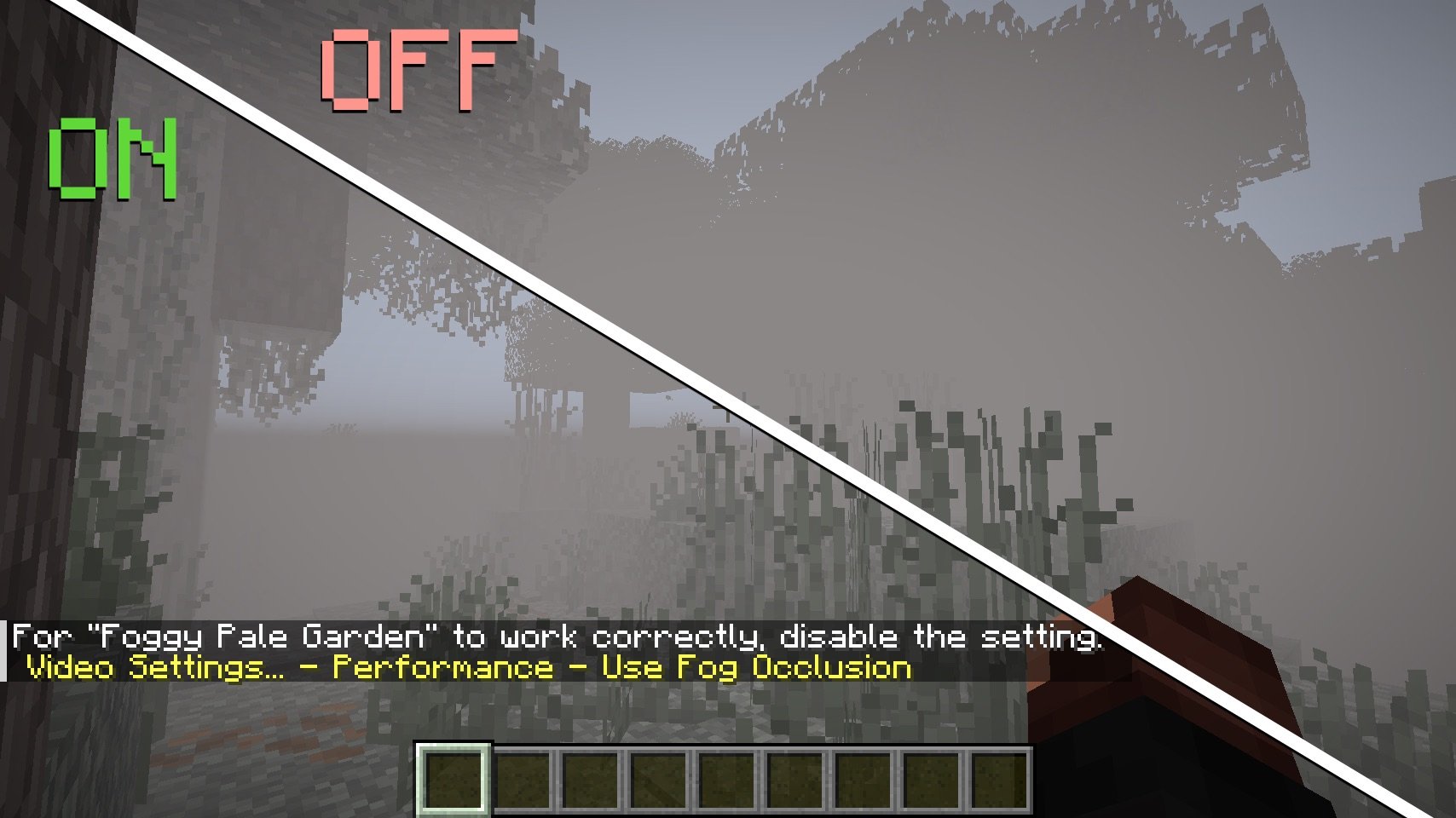
You need to disable the Performance - Use Fog Occlusion setting so that blocks behind the fog continue to render and do not appear suddenly when the player approaches.
🚀 Plans
❓ Maybe it will be possible to implement support for Iris Shaders?
🤗 Modpacks
You can use this mod in modpacks without requesting permission.
- Edition: Minecraft Java
- File type: .jar
- Minecraft versions listed: 1.21.6, 1.21.7, 1.21.8
- How to install: Install the matching mod loader (Forge, Fabric or NeoForge) for your Minecraft version. → Download the .jar. → Put it in the .minecraft/mods folder and launch that loader profile.
- Where to get it: Opens on Modrinth — not every file is mirrored on our own servers.
Install steps are the general flow for this file type — How to install Minecraft Java mods & modpacks walks through it step by step.
- Ships as foggypalegarden-2.9.1+1.21.6-neoforge.jar — drop this file into the mods folder
- Download size: 726 KB
- Download link checked 7 Oct 2026 — working
These come from our own check of the pack file, not from the source page.