
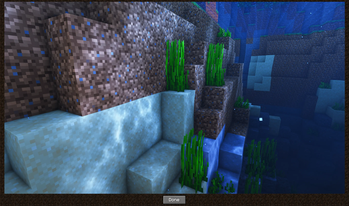
Ever wanted to make memorable memories memorizable? Give this mod a shot.
📜 Motivation
Minecraft saves all taken screenshots inside a single folder without context information. Making it difficult if you are looking for specific screenshots of a certain world or a special place. This can be improved so that players can take an imaginary journey back to visited places.
💡 About
Whenever you create a new screenshot in Minecraft this mods adds various information about your in-game location to the screenshot file.
In addition to that it also creates new waypoints to Xaero's World Map and Minimap to the exact same location in a separate waypoint set: Geotagged Screenshots
These two pieces of information are being used to render the screenshots in Xaero's World Map.
All of these can be viewed in a full screen viewer by left-clicking it.
Both mods, Xaero's World Map and Minimap, are required dependencies.

⚙️ How does it work?
Geotagged Screenshots currently adds the following metadata to newly created screenshots:
- a generated screenshot identifier
- a generated identifier of the world in which the screenshot was taken
- player coordinates at the time of creation
- dimension-id at the time of creation
Furthermore it creates a separate directory for thumbnails (each file includes the same metadata as the original one). These thumbnails are used to display them in the world map. Screenshots will only be loaded for the fullscreen viewer.
❗ Important Notes
- This mod has been tested carefully. However it is still in beta. Please report any bugs you are facing.
- This project is not associated neither officially supported by Xaero's World Map/Minimap.
- Geotagged Screenshots tries to be as less invasive as possible. However it needed to achieve compatbility with Xaero's World Map and Minimap by itself. Before reporting any bugs to Xaero make sure the bug is still happen without Geotagged Screenshots installed. Otherwise report it to me.
- Removing a screenshots waypoint will make the screenshot dissapear from the world map.
🔭 Limitations and Roadmap
- Currently world backups needs to include the thumbnails directory since they are not recreated. This will be improved in future. Thumbnail regeneration has been added in 0.2.0
- Location metadata is only added to newly created screenshots. Enriching existing ones will be added in the future.
- A proper config file is work in progress
📝 FAQ
Q: I cannot see my created screenshots in the world map.
A: Make sure to select the waypoint set "Geotagged Screenshots".
Q: Can I use Geotagged Screenshots in my modpack?
A: Yes - Feel free to include it - Remember to give credit and don't claim it as your own creation.
Q: Are you going to create or support a Fabric version?
A: No. But every other dev is allowed to do so under the given conditions of the license.
Q: Can you add ?
A: Please create a feature request on GitHub.
🔨 ModLoader
This mod is only available for Forge. Support for NeoForge will be added with the next major release at the earliest.
🌎 Links
- Edition: Minecraft Java
- File type: .jar
- Minecraft version listed: 1.20.1
- How to install: Install the matching mod loader (Forge, Fabric or NeoForge) for your Minecraft version. → Download the .jar. → Put it in the .minecraft/mods folder and launch that loader profile.
- Where to get it: Opens on Modrinth — not every file is mirrored on our own servers.
Install steps are the general flow for this file type — How to install Minecraft Java mods & modpacks walks through it step by step.
- Ships as geotagged_screenshots-1.20.1-0.2.0.jar — drop this file into the mods folder
- Download size: 56 KB
- Download link checked 27 Aug 2026 — working
These come from our own check of the pack file, not from the source page.