
VillEdit
Java mod listed for Minecraft 1.21. Downloads from the MC Java Mods app on Android.
Create custom villagers with the VillEdit datapack! This is an easy custom villager creator which works without mods.
I don't know my version or loader
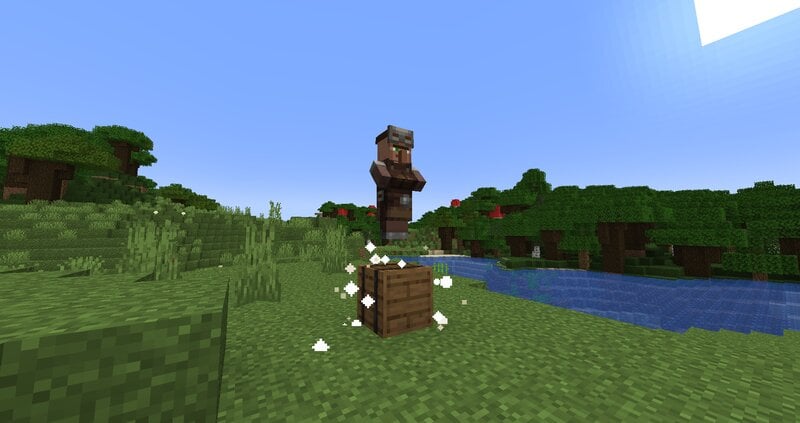
VillEdit - Create your own custom villagers
This Datapack was inspired by CommandGeek: https://youtu.be/MmDHKOZLkBc
Description
VillEdit is a Datapack which allows you to create and edit your own custom villagers. You can edit the trades, profession, biome, level and even the name with a fancy menu in no time. At the end, you will get a spawn egg to spawn your custom villager anywhere in the world.
How to use
Spawning the editor
Place down a chest, and then use a villager spawn egg on top of it (sneak and right click the top). This will spawn a Villager Editor. Right click the barrel to open the menu.
Using the editor
To use the editor, simply open the barrel and click the buttons. Each button will explain what it does when you hover over it. There are 5 appearance options:
- Cycle Profession
- Cycle Biome
- Cycle Level
- Toggle Static (NoAI)
- Toggle Glow
- Toggle Silent
- Change Custom Name
Adding a trade
To add a trade, click the green "Add Trade" button. This opens a new menu where you can create the trades by putting items in the UI. You need at least one input item, and an output item, for it to work. You can also toggle whether you want the trade to reward any XP to the player.
Removing trades
To remove trades, you can click the redstone to remove the last trade you added. You can also click on the redstone block twice to reset and remove all the trades.
Saving and exiting
Once you’re done, open the editor and press Save. This will give you the spawn egg to spawn your custom villager. You can use it wherever and whenever you want, but make sure to keep the egg safe. The spawn egg will work even if the datapack is uninstalled. The spawn egg will display the villager's data in the lore of the item (hover over it in the inventory)
To remove the editor, just break it.
- Edition: Minecraft Java
- File type: .jar
- Minecraft versions listed: 1.21.5, 1.21.6, 1.21.7
- How to install: Install the matching mod loader (Forge, Fabric or NeoForge) for your Minecraft version. → Download the .jar. → Put it in the .minecraft/mods folder and launch that loader profile.
- Where to get it: Opens on Modrinth — not every file is mirrored on our own servers.
Install steps are the general flow for this file type — How to install Minecraft Java mods & modpacks walks through it step by step.
- Ships as villedit-2.9.jar — drop this file into the mods folder
- Download size: 124 KB
- Download link checked 7 Oct 2026 — working
These come from our own check of the pack file, not from the source page.