
Pojav Mobile
Java modpack listed for Minecraft 1.21. Downloads from the MC Java Mods app on Android.
Pojav Mobile is a modpack for phones that allows you to optimize the process and add innovations for playing both multiplayer and single-player mode…
⬇ Download on Modrinth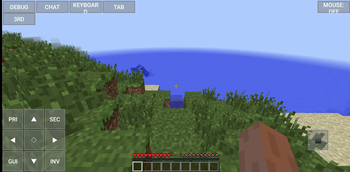
Pojav Mobile

How to find this modpack in Pojav LauncherPojav Launcher is a playable minecraft launcher suitable for playing Minecraft on your phone.
Pojav Mobile is a modpack that allows you to optimize the process and add innovations for playing both multiplayer and single-player mode. Supports 1.21 on Fabric with useful mods for optimization and for convenient game on the phone.
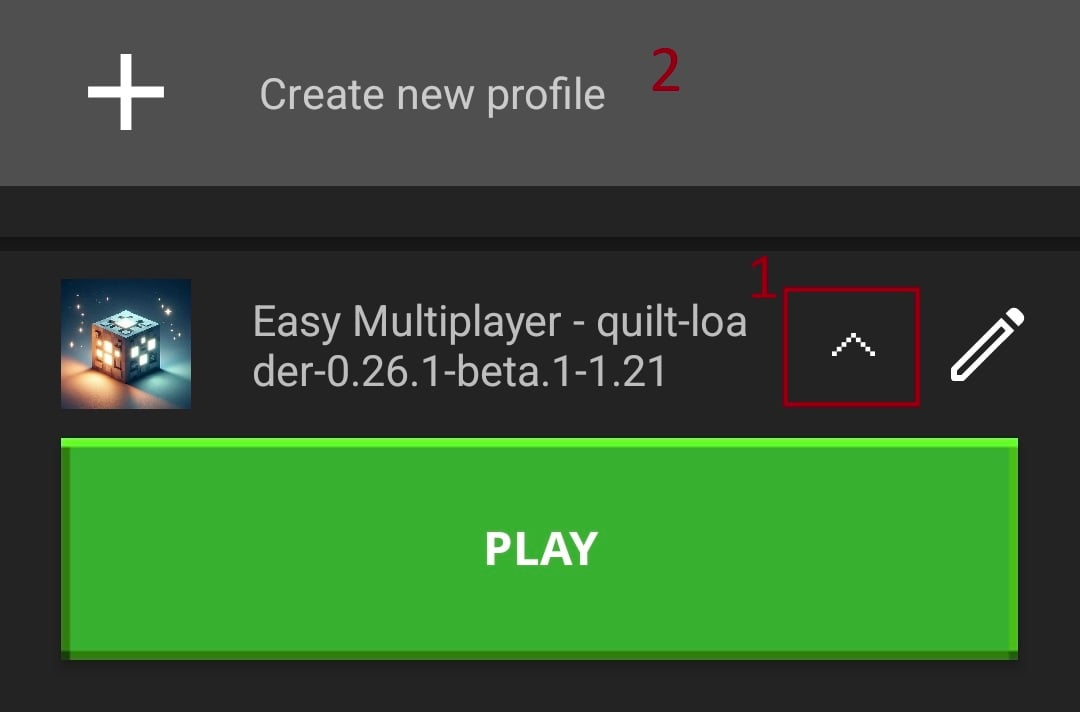
1. Find the arrow at the bottom of the screen and click on it, then click "Create new profile"
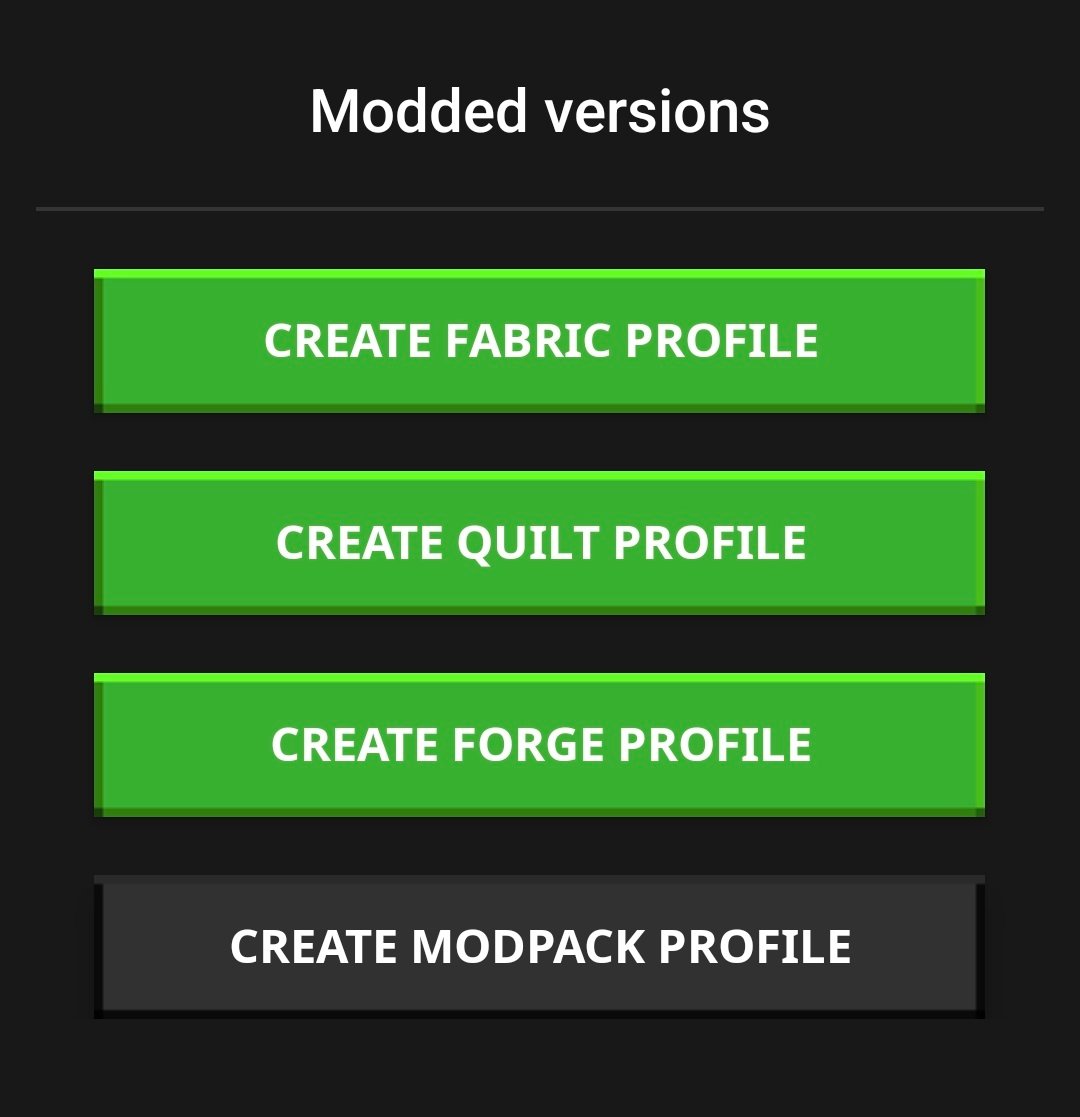
2. Click "CREATE MODPACK PROFILE"
3. Write "Pojav Mobile" in the search box
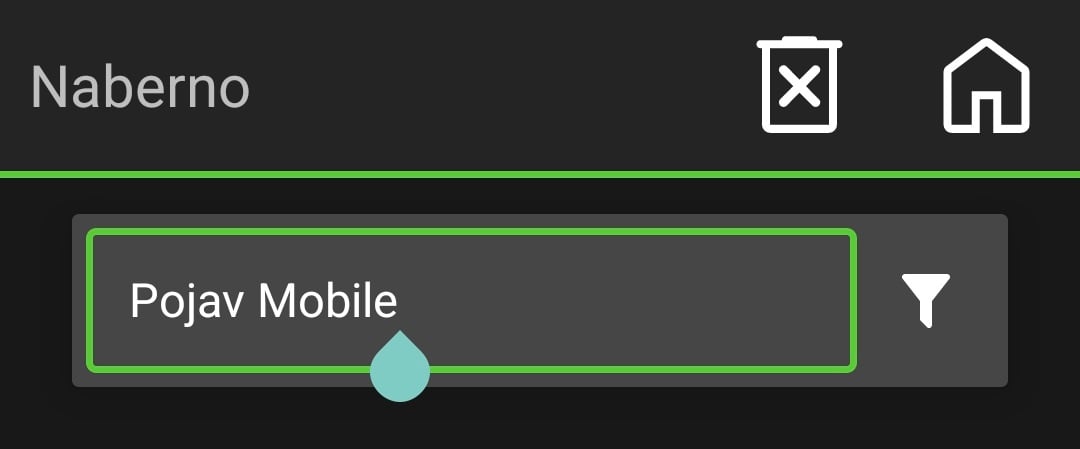
Then select this modpack, choose the appropriate version in the drop down box and click download.
Is PojavLauncher legal and safe to use?Although in the past it may have not been the case, PojavLauncher is now legal in the eyes of Microsoft. We take care to prevent piracy with our launcher, and do not provide support for those who do not own the game.
PojavLauncher also abides by the Minecraft EULA, providing a free and open-source launcher that does not redistribute game files on other servers.
Authentication and downloads are performed directly with Mojang's servers--PojavLauncher never collects your information, credentials, or data, and your information is stored on-device where only you can access it.
PojavLauncher does not cause harm to your device, and does not distribute harmful programs and executables.
- This cannot be verified if you acquire PojavLauncher from a source that is not official.
- For iOS users: jailbreaking can be considered a security risk, so be cautious when jailbroken.
- Other Minecraft: Java Edition on Android/iOS apps claims properties of PojavLauncher. They are not owned nor managed by PojavLauncherTeam.
- Minimum means 30 or more average FPS on 1.7.10 with OptiFine (opens new window)installed at lowest settings.
- Recommended means 60 or more average FPS on 1.19.4 with OptiFine (opens new window)installed at lowest settings.
Android
Minimum requirements:
- Qualcomm Snapdragon 400 (or equivalent)
- Android 5.0
- 1GB RAM
Recommended requirements:
- Qualcomm Snapdragon 820 (or equivalent) with Vulkan API support
- Android 8.0 and newer
- 4GB RAM
ChromeOS
- Chromebooks have very similar system requirements, however Android version does not matter, as long as you can install Android apps.
iOS
Minimum requirements:
- Apple A8 SoC
- iOS 14
- 1GB RAM
Recommended requirements:
- Apple A14/A12X Bionic SoC
- iOS 14
- 4GB RAM
1. Open the settings.
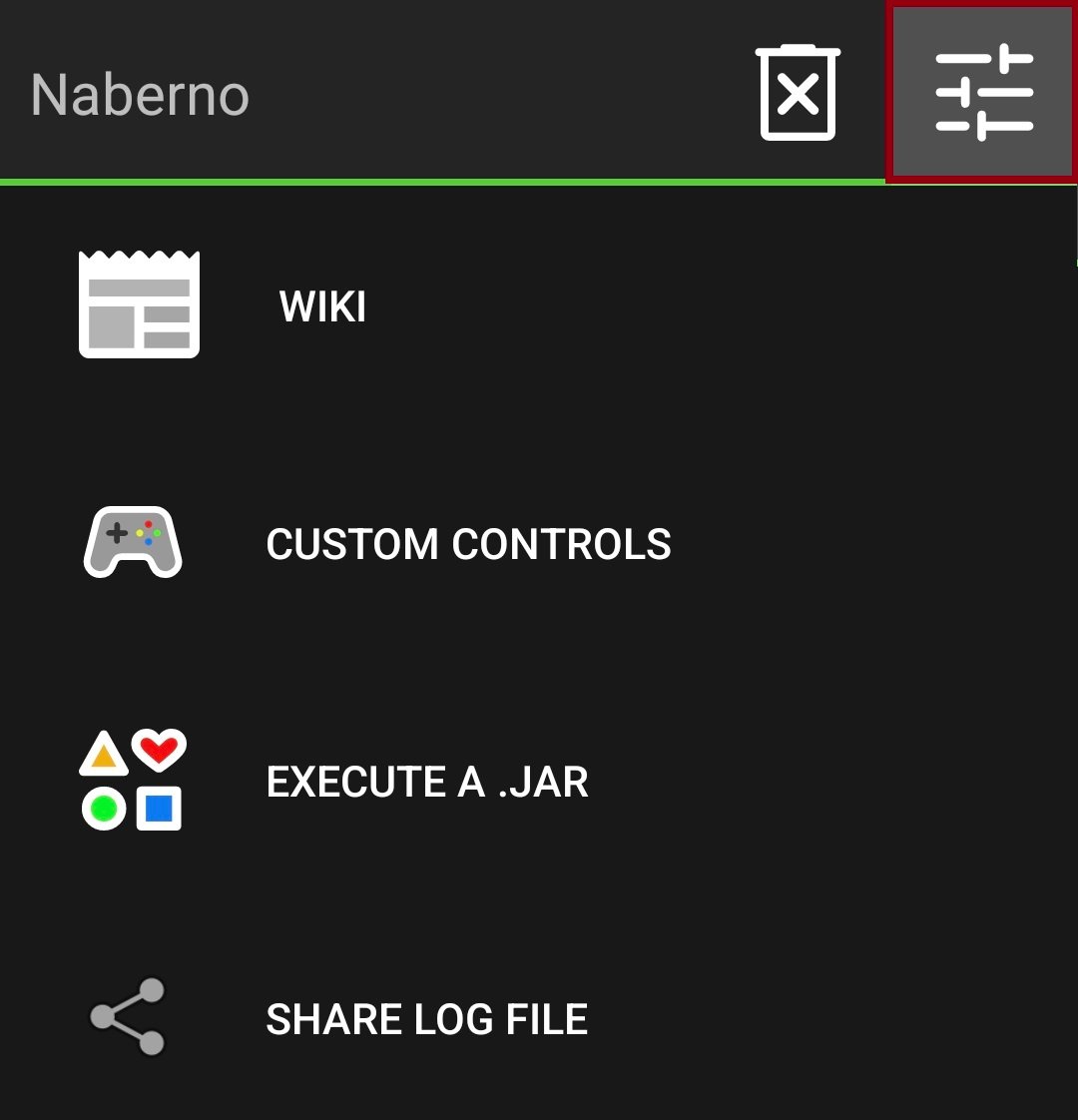
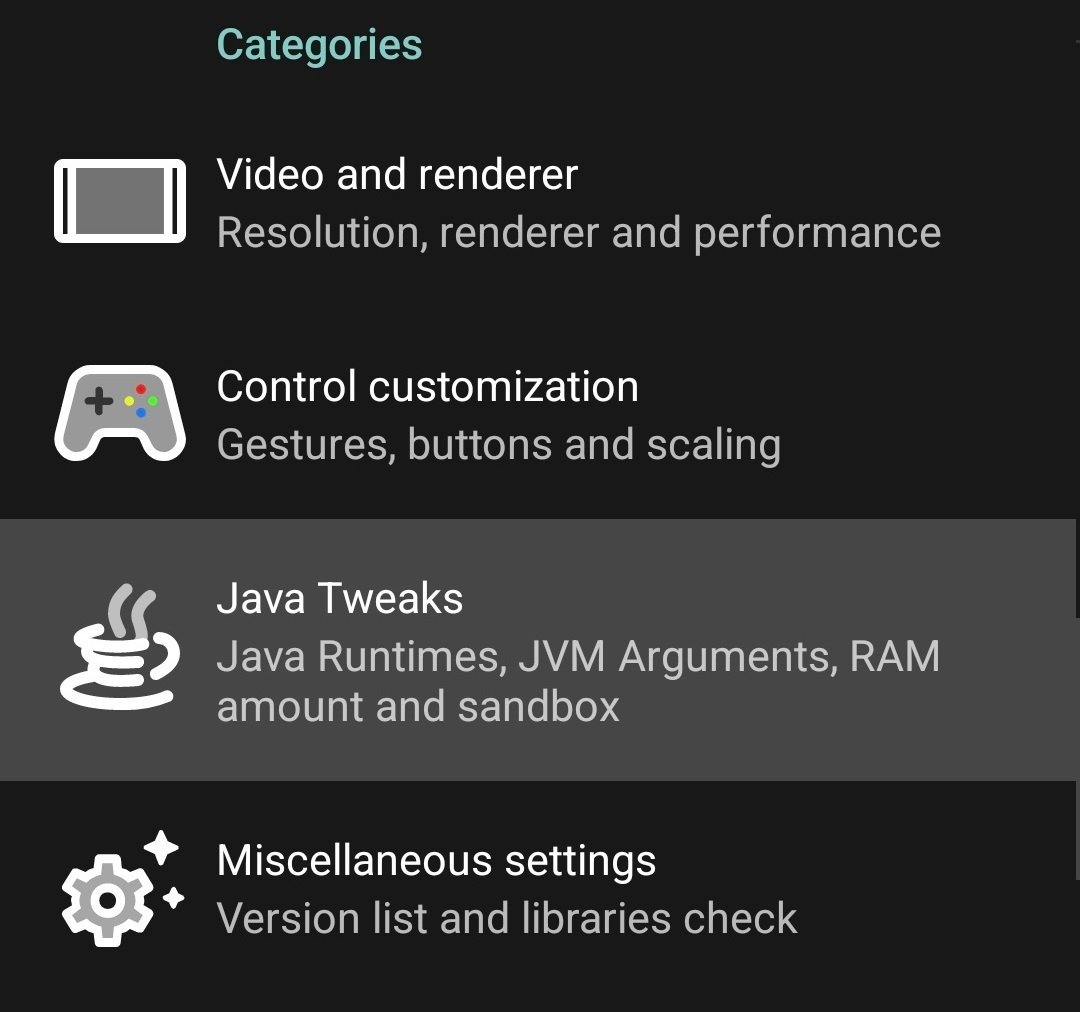
2. Click "Java Tweaks"
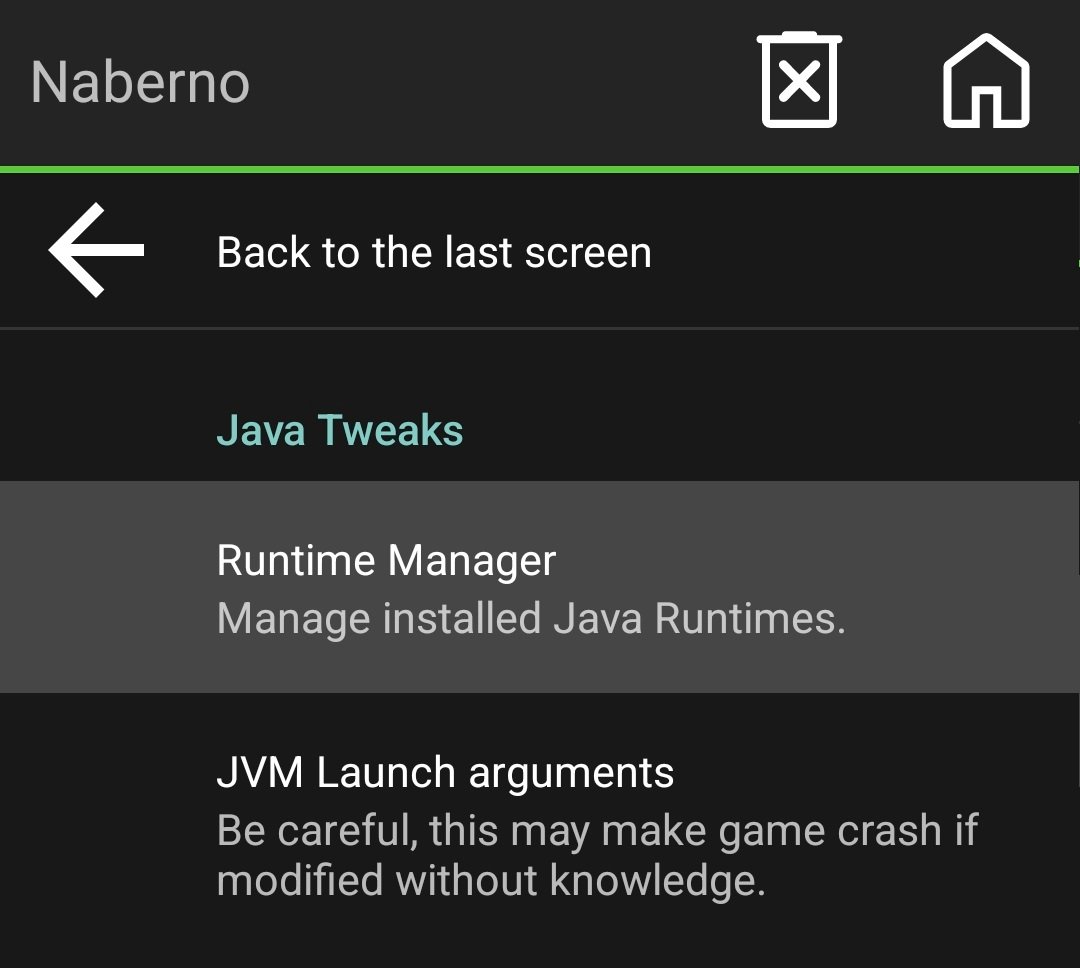
3. Click "Runtime Manager" in the "Java Tweaks"
4. Select internal 21.0.1 and set it to default
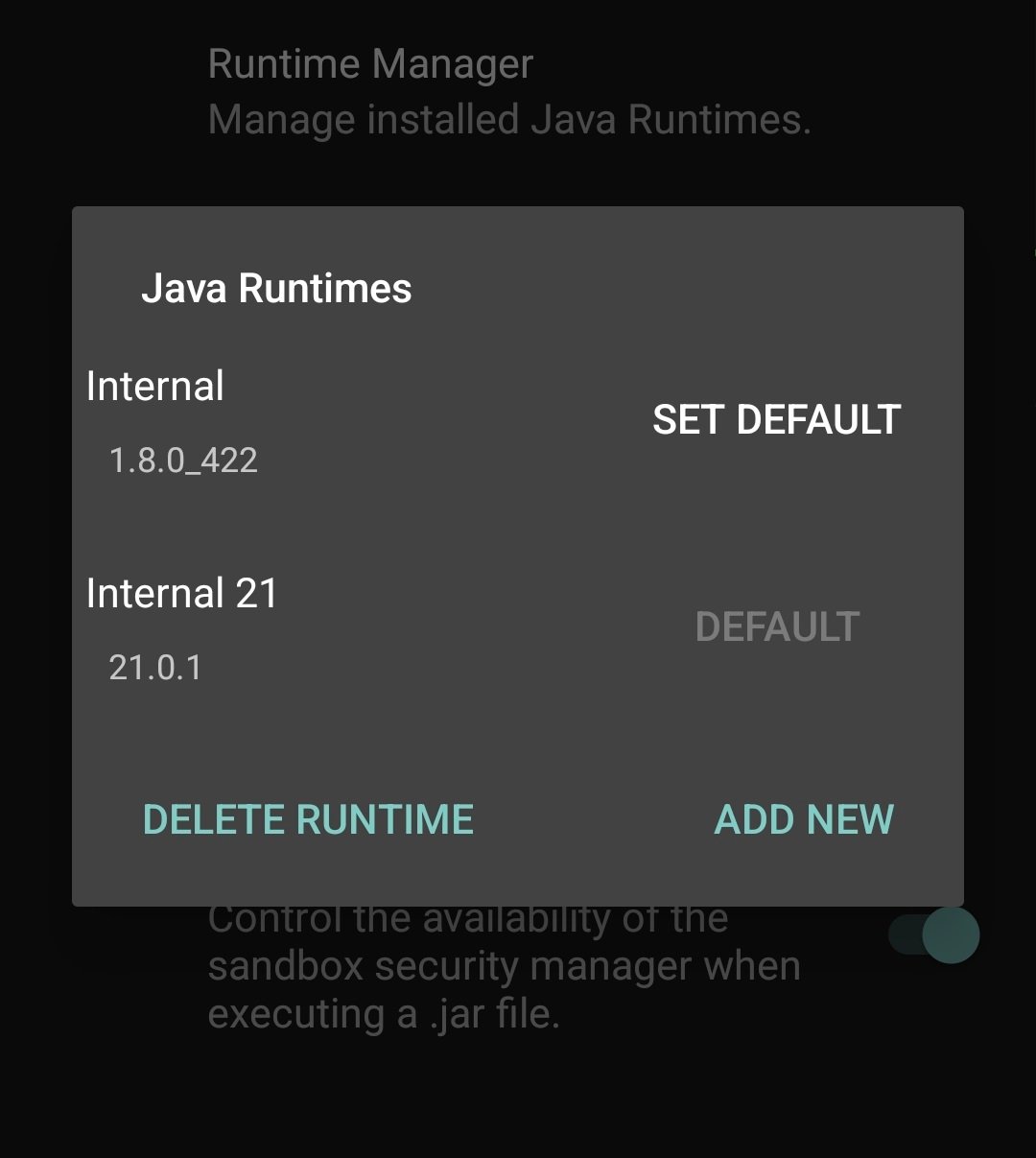
After that you can try to lauch the game again!!
Have a good game!
- Edition: Minecraft Java
- File type: .jar
- Minecraft version listed: 1.21
- How to install: Install the matching mod loader (Forge, Fabric or NeoForge) for your Minecraft version. → Download the .jar. → Put it in the .minecraft/mods folder and launch that loader profile.
- Where to get it: Opens on Modrinth — not every file is mirrored on our own servers.
Install steps are the general flow for this file type — How to install Minecraft Java mods & modpacks walks through it step by step.
- Downloads as Pojav mobile 1.3.mrpack
- Download size: 49 KB
- Download link checked 5 Oct 2026 — working
These come from our own check of the pack file, not from the source page.