
Note of archival: Minecraft 26.1 now includes a search bar in its gamerule screen, which was the primary motivation behind this mod.
Cloth Gamerules Screen
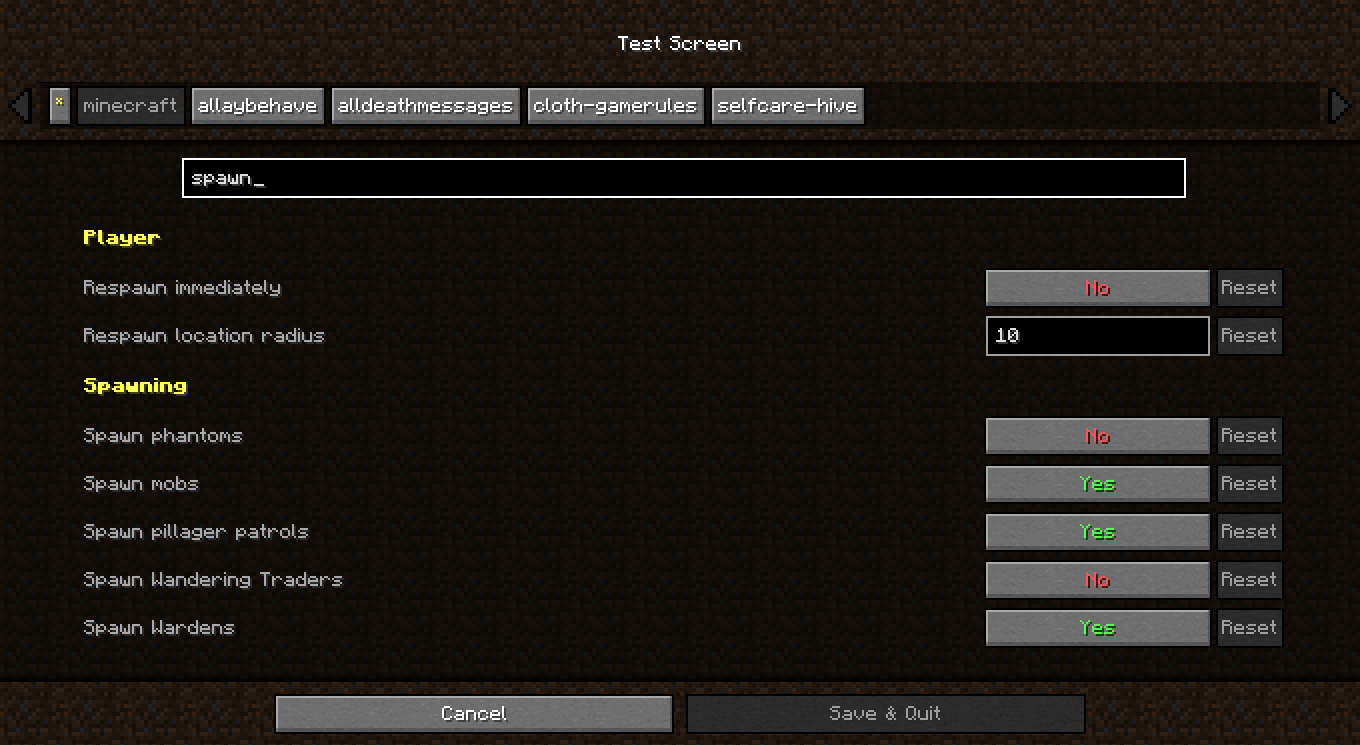
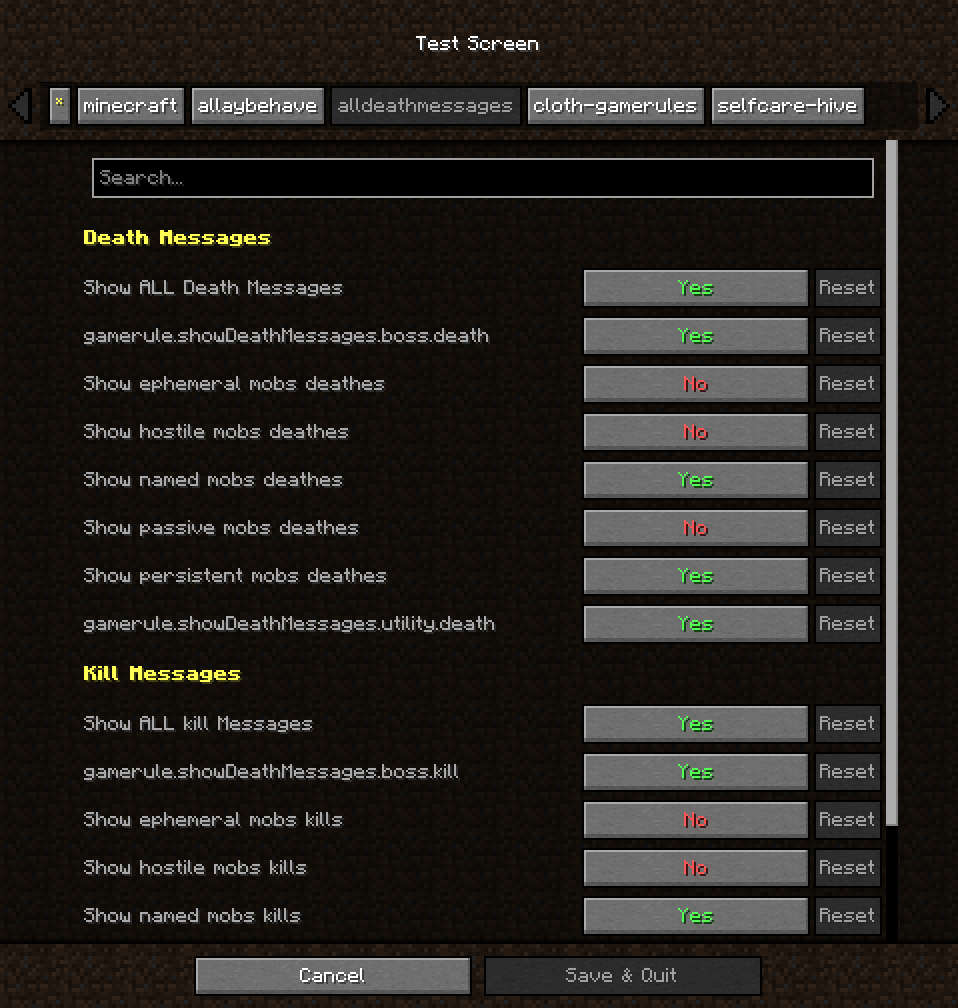
A complete reimplementation of the gamerules menu using Cloth Config API.
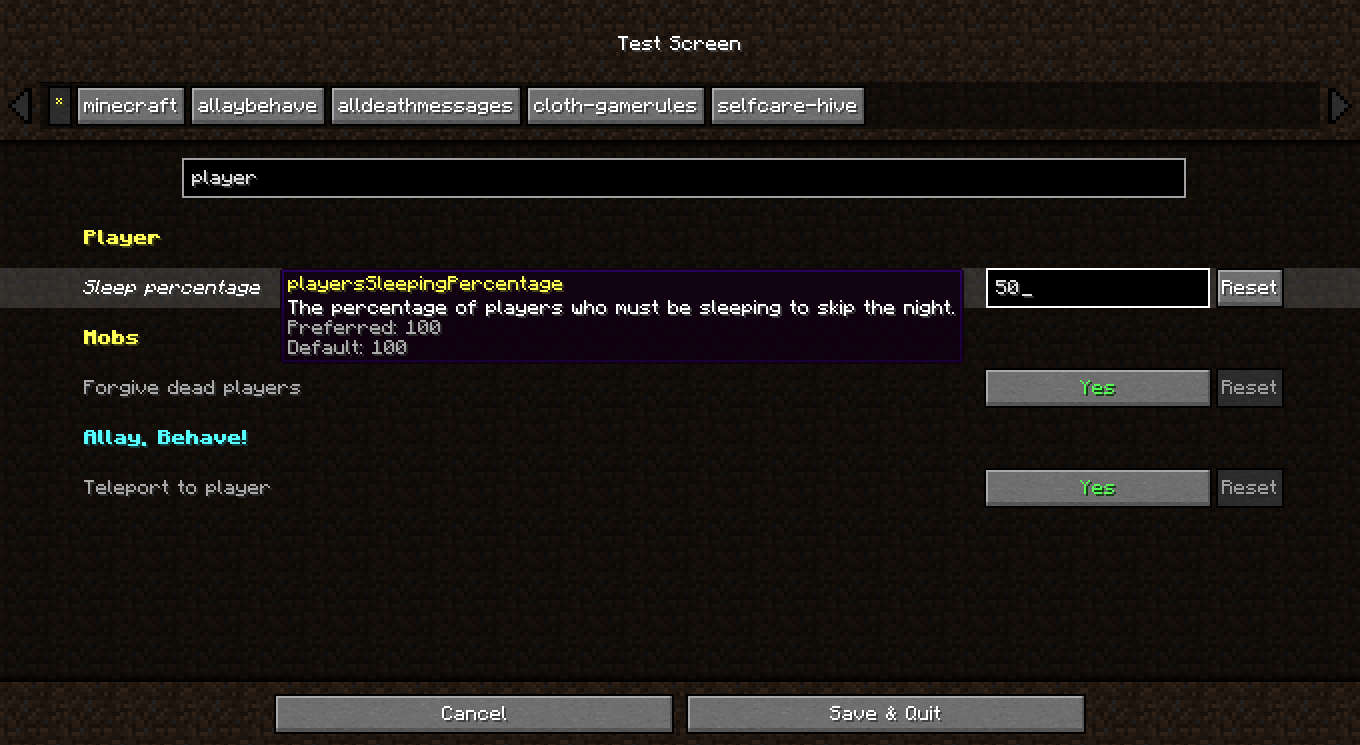
This makes the menu more convenient to use, by bringing it some of Cloth's functionalities. Notably:
- Search gamerules by name or by key
- Reset button for each rule.
- Filter rules by mod
Integration
Gamerules
Mod developpers don't need to take any action to ensure their gamerules show up in this screen. However some changes might still be required for the rule's mod to be properly detected.
This menu expects modded rules to use custom categories, and uses the category namespaces as mod ids. Rules that use vanilla categories will be listed under the vanilla gamerules.
Menus
This mod only replaces the gamerule screen on New World creation. If other mods use the gamerule screen in other places, they will need to check for this mod's installation, and make the swap on their end. (Example with PackRule-Menu)
Related mods
 Gamerule Menu
Makes the Gamerule menu accessible from singleplayer worlds
 Preferred Gamerules
Lets you choose the default values of gamerules
- Edition: Minecraft Java
- File type: .jar
- Minecraft version listed: 1.21.11
- How to install: Install the matching mod loader (Forge, Fabric or NeoForge) for your Minecraft version. → Download the .jar. → Put it in the .minecraft/mods folder and launch that loader profile.
- Where to get it: Opens on Modrinth — not every file is mirrored on our own servers.
Install steps are the general flow for this file type — How to install Minecraft Java mods & modpacks walks through it step by step.
- Ships as cloth-gamerules-1.2.2+1.21.11.jar — drop this file into the mods folder
- Download size: 27 KB
- Download link checked 27 Aug 2026 — working
These come from our own check of the pack file, not from the source page.