
Endercage
Java mod listed for Minecraft 1.20. Downloads from the MC Java Mods app on Android.
⬇ Download on Modrinth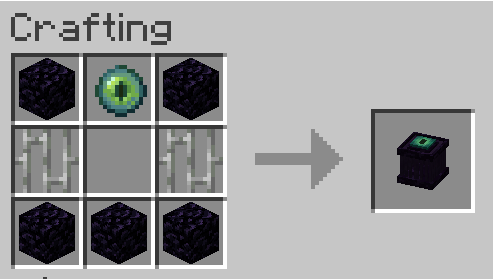
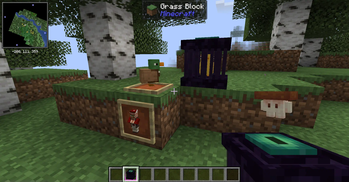
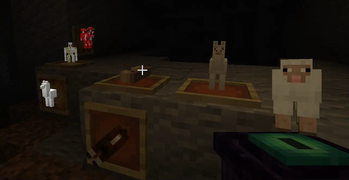
The endercage is a tool/block for capturing and easily transporting mobs. Other than that it also has some other functionalities including the ability to play sounds from contained entities and displaying the entity as decoration.
Features:
= General functionality:
-> Capture entities by rightclicking them with the cage.
-> Transfer entities between a placed cage and a cage in your hand by rightclicking them with it.
-> Entities inside the cage will play their ambient sound once in a while. You can mute a cage by rightclicking it with a feather and unmute it by rightclicking it with a noteblock.
= Redstone functionality:
-> If a cage is powered it will:
-->> Release the contained entity / capture the entity above if the block above is air.
-->> Steal from/give the contained entity to a cage above.
-> Noteblocks above cages will always play the ambient of the entity below, even if the cage is muted.
-> Comparators will output a redstone signal of 15 if the cage is filled and 0 if not.
= Misc:
-> If a filled endercage is placed in a itemframe it will just show the entitiy. If the itemframe is facing up the entity will stand normally.
There are some settings to enable/disable containment of hostiles (disabled by default), disable redstone functionality, mute them altogether and ban certain entities from being captured at all.
Note: If a entity renders as a question mark it errored while trying to render and its model got replaced with the "?" to prevent a crash. If released it will look normal.
- Edition: Minecraft Java
- File type: .jar
- Minecraft version listed: 1.20.1
- How to install: Install the matching mod loader (Forge, Fabric or NeoForge) for your Minecraft version. → Download the .jar. → Put it in the .minecraft/mods folder and launch that loader profile.
- Where to get it: Opens on Modrinth — not every file is mirrored on our own servers.
Install steps are the general flow for this file type — How to install Minecraft Java mods & modpacks walks through it step by step.
- Ships as endercage-1.1.jar — drop this file into the mods folder
- Download size: 83 KB
- Download link checked 7 Oct 2026 — working
These come from our own check of the pack file, not from the source page.