
AFK Camera
A Minecraft mod that activates a cinematic mode when the player is idle, making the camera smoothly orbit around the character for a dynamic view.
⬇ Download on Modrinth
AFK Camera

Overview
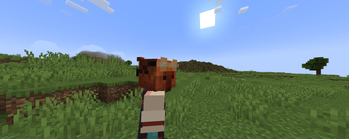
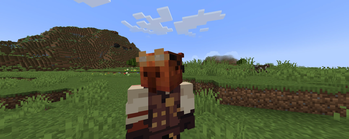
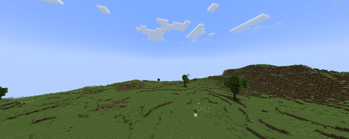
AFK Camera is a Minecraft mod that automatically activates cinematic camera movements when you're idle. After a configurable period of inactivity (default 30 seconds), the mod seamlessly transitions your camera into a free-cam mode and begins playing smooth, pre-defined camera animations around your world.
Features
- Automatic AFK Detection: Monitors player activity including movement, mouse input, key presses, and damage
- Smooth Camera Transitions: Automatically switches to free camera mode with cinematic animations
- Configurable Timing: Customizable AFK timeout period
- HUD Management: Automatically hides the HUD during AFK mode
- Animation System: Supports custom camera keyframe animations with position and rotation interpolation
- Smart Deactivation: Instantly returns to normal gameplay when any player activity is detected
- Death Protection: Optional setting to disable AFK mode when player dies
How It Works
The mod continuously monitors for player activity including:
- Movement keys (WASD, jump, sneak, sprint)
- Mouse movement
- Action keys (attack, use, inventory)
- Player taking damage
- Menu interactions
When no activity is detected for the configured time period, AFK Camera:
- Enables free camera mode
- Hides the game HUD
- Loads and plays cinematic camera animations in a random order
- Cycles through available animations continuously
The moment any player input is detected, the mod immediately:
- Stops the current animation
- Restores the HUD
- Returns camera control to the player
- Disables free camera mode
Block Bench Compatibility
This mod is designed to work seamlessly with Blockbench camera animations. You can create custom camera paths and keyframe animations in Blockbench, and the mod will automatically load and play them during AFK periods. The animation system supports:
- Position keyframes with smooth interpolation
- Rotation keyframes (pitch and yaw)
- Custom timing and duration
- Automatic scaling for Minecraft world coordinates
Custom camera animations tutorial
Template resource pack. Template BlockBench file. Detailed text guide - coming soon.
Fabric Only
This mod is developed for the Fabric mod loader. A Forge version is not planned due to the significant architectural differences between the platforms and the mod's deep integration with Fabric-specific APIs.
Dependencies
Required
- Fabric API - Core Fabric mod loader functionality
- YACL (Yet Another Config Library) - Configuration management
Optional
- Mod Menu - Provides in-game configuration interface
Issues
If you find a problem that is not listed, you can report it here.
Acknowledgments
Big thanks to hashalite for creating Freecam! I used a bit of the code in my project, and it really helped me out. Great work!
Thanks to ZipeStudio for help with IDE.
Thanks to LopyMine for Mossy template!
Thanks to Danrus1100 for contributing!
License
This project is licensed under the BY-ND 4.0 License - see the LICENSE file for details.
- Edition: Minecraft Java
- File type: .jar
- Minecraft version listed: 1.20.1
- How to install: Install the matching mod loader (Forge, Fabric or NeoForge) for your Minecraft version. → Download the .jar. → Put it in the .minecraft/mods folder and launch that loader profile.
- Where to get it: Opens on Modrinth — not every file is mirrored on our own servers.
Install steps are the general flow for this file type — How to install Minecraft Java mods & modpacks walks through it step by step.
- Ships as AFKcamera-1.4.2+1.20.1.jar — drop this file into the mods folder
- Download size: 309 KB
- Download link checked 18 Sept 2026 — working
These come from our own check of the pack file, not from the source page.