
Create: Goggle Placement
Java mod listed for Minecraft 1.20. Downloads from the MC Java Mods app on Android.
⬇ Download on ModrinthCreate: Goggle Placement



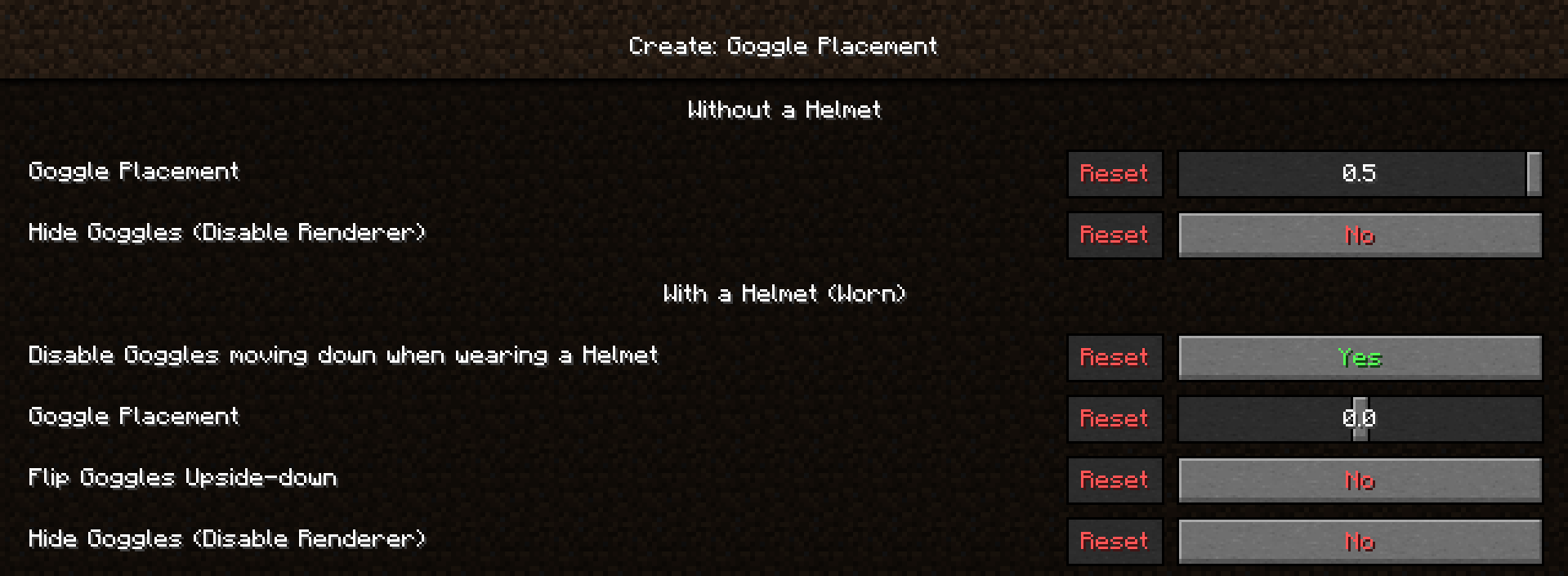
Create: Goggle Placement is a configuration mod to tweak how the Create Goggles are palced on your head while using the Curios / Trinkets slot. This is a purely visual mod, designed to be client side only (Using the config will also effect the Placement on other players).
Main Features
- Disable the Goggles moving down when wearing a Helmet (great when hiding armour).
- Move the Goggles further up or down.
- Flip Goggles upsidedown.
- Disable the Goggles from being Rendered.
This mod was originally thought of and designed to fix the issue of the Goggles covering your face when wearing a Helmet. The idea came to me while watching youtubers taking off their Helmets when using invisible armour as the Goggles blocked their Skin's face.

- Edition: Minecraft Java
- File type: .jar
- Minecraft version listed: 1.20.1
- How to install: Install the matching mod loader (Forge, Fabric or NeoForge) for your Minecraft version. → Download the .jar. → Put it in the .minecraft/mods folder and launch that loader profile.
- Where to get it: Opens on Modrinth — not every file is mirrored on our own servers.
Install steps are the general flow for this file type — How to install Minecraft Java mods & modpacks walks through it step by step.
- Ships as CreateGogglePlacement-1.0.1+1.20.1-fabric.jar — drop this file into the mods folder
- Download size: 20 KB
- Download link checked 8 Oct 2026 — working
These come from our own check of the pack file, not from the source page.