Crystal helper
Java mod listed for Minecraft 1.21. Downloads from the MC Java Mods app on Android.
Basically it a mod that helps improve the placement of your crystal in cpvp also you need https://modrinth.com/mod/modmenu to configure he mod this is…
⬇ Download on Modrinth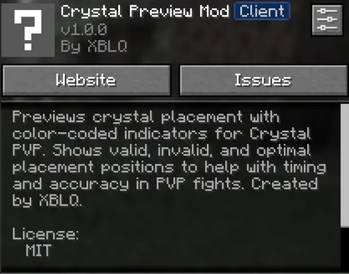
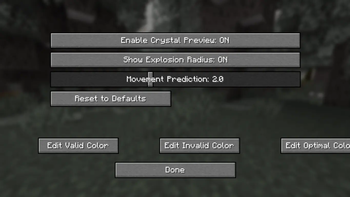
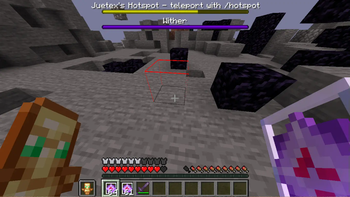
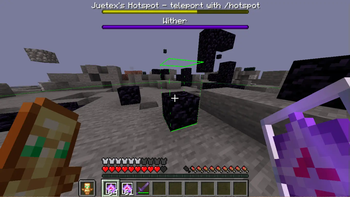
Also before you read the description on how this works you need Mod menu (needed to configure and use the mod) 🔍 How It Works When holding an end crystal, the mod outlines the block you're looking at with one of three colors:
🟡 Yellow – The best place to place your crystal. You’ll deal high damage with minimal risk to yourself.
🟢 Green – A risky placement. You’ll hurt your opponent, but you’ll take heavy damage too.
🔴 Red – The worst placement. It’s either ineffective or likely to backfire with little to no damage dealt or you cant place the crystal there
This simple mod helps players — especially those newer to CPvP — make smarter placement decisions in real time when doing crystal pvp
✨ Features Highlights only the block you're actively targeting
Color-coded outline system based where you should place your crystal
Activates only when an end crystal is held
A hud to configure the colors and placement detections
- Edition: Minecraft Java
- File type: .jar
- Minecraft version listed: 1.21.8
- How to install: Install the matching mod loader (Forge, Fabric or NeoForge) for your Minecraft version. → Download the .jar. → Put it in the .minecraft/mods folder and launch that loader profile.
- Where to get it: Opens on Modrinth — not every file is mirrored on our own servers.
Install steps are the general flow for this file type — How to install Minecraft Java mods & modpacks walks through it step by step.
- Ships as crystal-helper-1.0.0.jar — drop this file into the mods folder
- Download size: 95 KB
- Download link checked 8 Oct 2026 — working
These come from our own check of the pack file, not from the source page.