
LT-SlotLock
Modification for Minecraft that enables easy management of inventory slot locking and item frame locking. With its intuitive graphical user interface and…
I don't know my version or loader
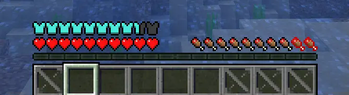
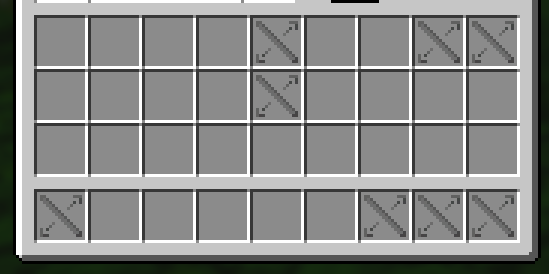
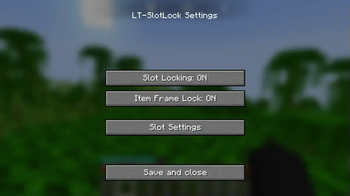
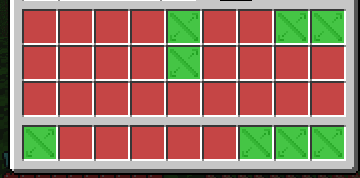
LT-SlotLock - Minecraft Mod
📌 Description
LT-SlotLock is an amateur modification for Minecraft that enables easy management of inventory slot locking and item frame locking. With its intuitive graphical user interface and convenient commands, you can quickly adjust the settings to suit your needs. The mod automatically saves your preferences so that your settings persist between game sessions.
✨ Features
- Slot Locking – Toggle locking of inventory slots.
- Item Frame Lock – Toggle locking of item frames.
- GUI Configuration – A dedicated settings screen allows you to easily modify options.
- Automatic Saving – Settings are saved to a configuration file when the GUI is closed.
- Command Support – Quick access to mod information and options via client-side commands.
🛠️ Available Versions
Available releases:
- 🟢 1.18.2 - Download from GitHub
- 🟢 1.19.2 - Download from GitHub
- 🟢 1.19.4 - Download from GitHub
- 🔷 1.21.1 - Download from GitHub
- 🔷 1.21.3 - Download from GitHub
- 🔷 1.21.4 - Download from GitHub
- 🔴 1.21.5 - Coming soon
🔷 – Latest updates and fixes
📜 Commands
| Command | Description |
|---|---|
/lts |
Displays information about the mod and current settings |
/lts settings |
Opens the mod settings GUI |
/lts pomoc |
Displays a list of available commands |
🔧 Installation
- Download the latest version of the mod from GitHub.
- Place the
.jarfile in themodsfolder in your Minecraft directory. - Launch the game and configure the mod according to your preferences!
🛠 Configuration
After the first launch, the mod generates a configuration file that preserves your settings between sessions:
%appdata%/.minecraft/config/ltslotlock-config.json
You can manually edit this file to customize the settings to your needs.
👥 Authors
- LordTricker – Main mod creator
- Mr. GPT – Subject matter support 🤖
🎉 Thank you for using LT-SlotLock!
"Bierzcie i korzystajcie z tego wszyscy - to jest bowiem praca moja, która dla was została wykonana" ~LordTricker
- Edition: Minecraft Java
- File type: .jar
- Minecraft versions listed: 1.21.9, 1.21.10
- How to install: Install the matching mod loader (Forge, Fabric or NeoForge) for your Minecraft version. → Download the .jar. → Put it in the .minecraft/mods folder and launch that loader profile.
- Where to get it: Opens on Modrinth — not every file is mirrored on our own servers.
Install steps are the general flow for this file type — How to install Minecraft Java mods & modpacks walks through it step by step.
- Ships as ltsl-1.1.0-Alpha+1.21.10.jar — drop this file into the mods folder
- Download size: 122 KB
- Download link checked 28 Aug 2026 — working
These come from our own check of the pack file, not from the source page.