
Paint And Seek
Java mod listed for Minecraft 26.x. File opened and checked on 3 Oct 2026; downloads from the MC Java Mods app on Android.
⬇ Download on Modrinth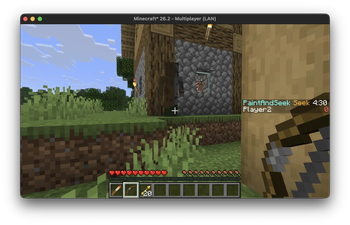
This mod was inspired by Meccha Chameleon (on Steam). I wanted to play this with my kids after seeing some of our favourite Minecraft content creators playing this game together (on Youtube), but Meccha is Windows only. So over the weekend, with the help of Claude Code, I put together this mod to play a simiar style game in Minecraft :)
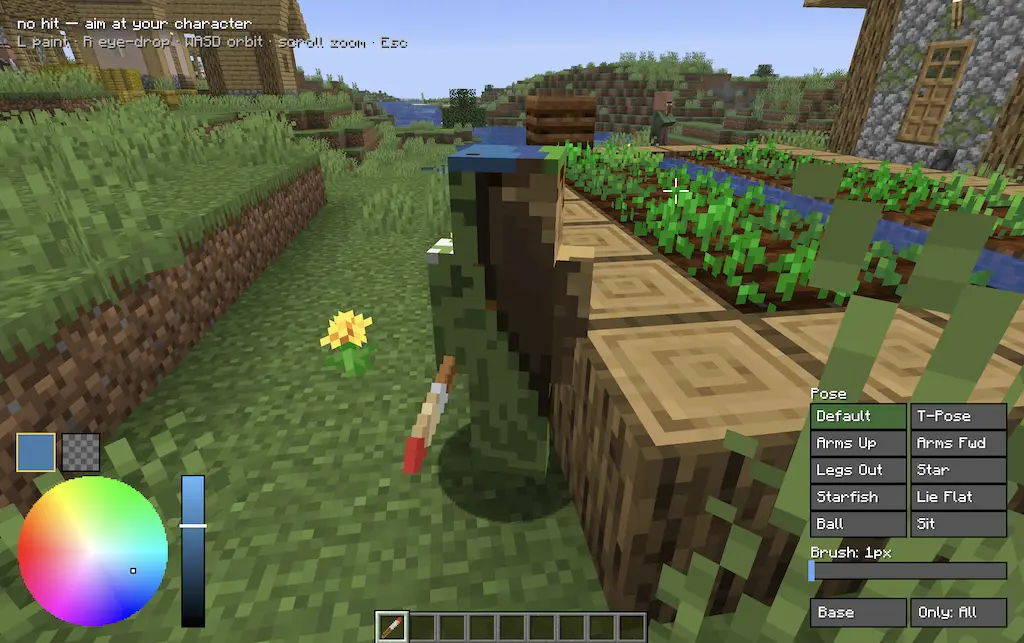
You need this mod, Fabric, Fabric Api, and Fabric Language Kotlin. Then start a multiplayer game and choose a starting location. A village is a great first start.
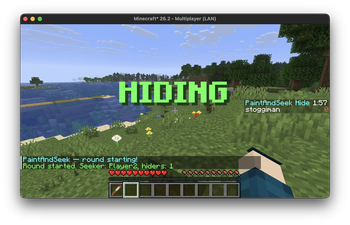
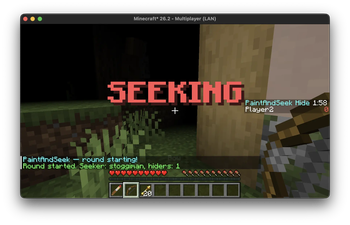
Then run /paintandseek newround to start a new round with your friends. A seeker will be automatically chosen, and given blidness, a paintbrush, and a bow with spectral arrows. The hiders have to run and hide, and are given a paintbrush.
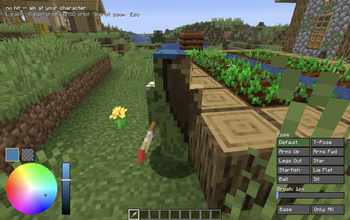
Right click with the paintbrush in your hand to bring up the paint screen. Right click to eye dropper a color from the screen, and left click to paint on your skin. W-S-A-D to orbit around, and select different poses.
The longer you are in the view of the seeker, and the closer you are while in view, the more points you get. The seeker must shoot hiders with a spectral arrow to stop their point counter. If the hiders are able to stay hidden until the seek time expires, the hiders win.
Start a new round with /paintandseek newround [playername] to select a seeker, and optionally set the hide time and seek time.
If you want to customise what happens at various stages, there is an example datapack, where you can modify the functions for each of the steps. For example, start_seek.mcfunction:
# Runs once when the seek phase begins (server context). Edit freely.
effect clear @a[tag=paintandseek.seeker] minecraft:blindness
title @a times 10 70 20
title @a[tag=paintandseek.seeker] title {"text":"SEEK!","bold":true,"color":"gold"}
title @a[tag=paintandseek.hider] title {"text":"HIDE!","bold":true,"color":"green"}
- Edition: Minecraft Java
- File type: .jar
- Minecraft version listed: 26.2
- How to install: Install the matching mod loader (Forge, Fabric or NeoForge) for your Minecraft version. → Download the .jar. → Put it in the .minecraft/mods folder and launch that loader profile.
- Where to get it: Opens on Modrinth — not every file is mirrored on our own servers.
Install steps are the general flow for this file type — How to install Minecraft Java mods & modpacks walks through it step by step.
- Ships as paintandseek-1.0.5.jar — drop this file into the mods folder
- Download size: 195 KB
- Download link checked 7 Oct 2026 — working
These come from our own check of the pack file, not from the source page.