
ModsJava
eXc Timer
A lightweight on-screen stopwatch for Minecraft. Control it with chat commands, watch the time in a turquoise to purple gradient, and keep your progress…
⬇ Download on Modrinth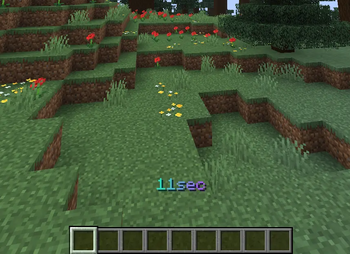
eXc Timer
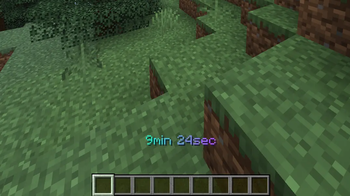
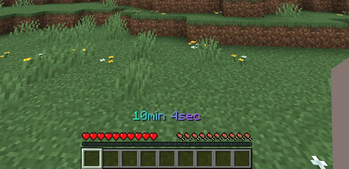
A simple, clean on-screen stopwatch for Minecraft. Track your time directly on the HUD, control it with chat commands, and pick up right where you left off — the timer is saved per world.
Features
- Clean HUD timer centered above the hotbar, with a smooth turquoise-to-purple gradient.
- Adaptive time format — only the units you need:
12sec3min 5sec2h 3min 5sec1d 2h 3min 5sec
- Chat commands to control everything:
/timer start— start counting from zero/timer pause— pause the timer/timer unpause— resume/timer reset— reset to zero/timer hide— hide the timer/timer show— show the timer
- Per-world saving — your time is stored per world (and per server) and restored automatically when you rejoin.
Quick facts
- Edition: Minecraft Java
- File type: .jar
- Minecraft version listed: 26.2
- How to install: Install the matching mod loader (Forge, Fabric or NeoForge) for your Minecraft version. → Download the .jar. → Put it in the .minecraft/mods folder and launch that loader profile.
- Where to get it: Opens on Modrinth — not every file is mirrored on our own servers.
Install steps are the general flow for this file type — How to install Minecraft Java mods & modpacks walks through it step by step.
Verified by MCModsHub
- Ships as exc_timer-1.0.0.jar — drop this file into the mods folder
- Download size: 13 KB
- Download link checked 23 Aug 2026 — working
These come from our own check of the pack file, not from the source page.