
SlotGlow
Java mod listed for Minecraft 1.21. Downloads from the MC Java Mods app on Android.
SlotGlow is a client-side Fabric mod that replaces Minecraft’s default hotbar selector with a fully customizable glowing highlight.
⬇ Download on Modrinth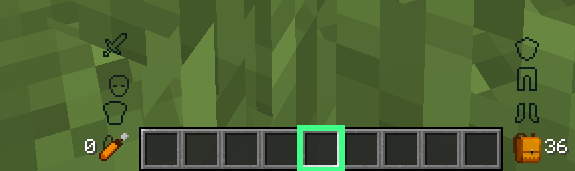

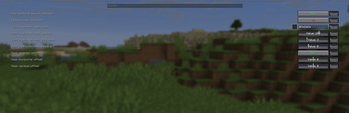
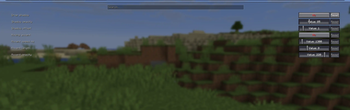
SlotGlow
SlotGlow is a client-side Fabric mod that replaces Minecraft’s default hotbar selector with a clean, customizable glowing highlight.
Instead of the normal gray selected-slot box, SlotGlow lets you create your own custom hotbar style with colors, glow effects, rainbow mode, opacity settings, outlines, animations, and more.
Features
- Custom glowing hotbar selector
- Replaces the default Minecraft selected-slot highlight
- Color presets like purple, blue, green, red, gold, pink, white, and more
- RGB color sliders for custom colors
- Rainbow mode
- Pulse animation
- Glow effect settings
- Outline thickness settings
- Inner outline and double outline options
- Corner mark effects
- Opacity controls
- Slot position offsets
- Hide highlight when the selected slot is empty
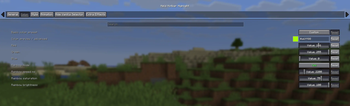
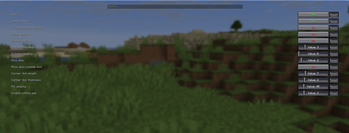
- Full Mod Menu configuration screen
- Helpful setting descriptions/tooltips
- Client-side only
Configuration
SlotGlow is configured through Mod Menu.
To change the settings, open Minecraft and go to:
Mods → SlotGlow → Configure
From there, you can customize the color, glow, rainbow mode, pulse speed, size, opacity, outline style, and more.
Requirements
- Fabric Loader
- Fabric API
- Mod Menu
- Cloth Config API
Compatibility
SlotGlow is client-side only, so it does not add blocks, items, mobs, or gameplay changes. It only changes how your hotbar looks on your screen.
Perfect for players who want a cleaner, cooler, and more personal Minecraft HUD.
- Edition: Minecraft Java
- File type: .jar
- Minecraft version listed: 1.21.11
- How to install: Install the matching mod loader (Forge, Fabric or NeoForge) for your Minecraft version. → Download the .jar. → Put it in the .minecraft/mods folder and launch that loader profile.
- Where to get it: Opens on Modrinth — not every file is mirrored on our own servers.
Install steps are the general flow for this file type — How to install Minecraft Java mods & modpacks walks through it step by step.
- Ships as held-hotbar-highlight-1.5.0-modmenu.jar — drop this file into the mods folder
- Download size: 34 KB
- Download link checked 4 Oct 2026 — working
These come from our own check of the pack file, not from the source page.