
Chest Frame+
Java mod listed for Minecraft 26.x. Downloads from the MC Java Mods app on Android.
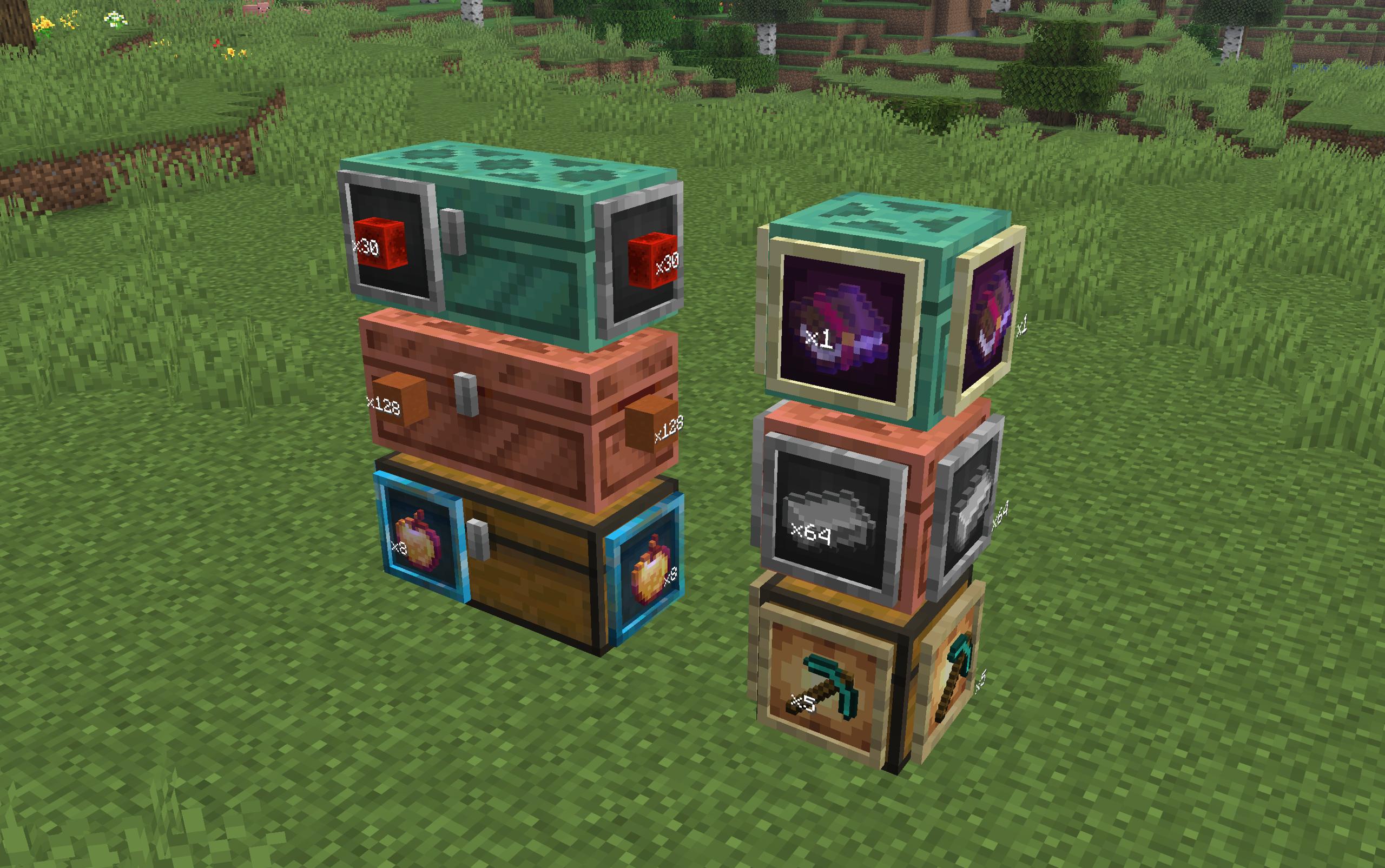
Shows chest contents on the outside using phantom item frames, so you can see what's inside without opening it.
⬇ Download on ModrinthChest Frame+
Chest Frame+ is a client mod for Fabric that shows the contents of chests directly on their faces through "phantom" frames. Without installing vanilla frames, without unnecessary blocks — just a visual hint of what lies inside.
A simple modification that makes viewing the contents of the chest much more convenient, adding new functionality to the familiar framework.
The J key in the world is the settings menu (or the button in the Mod Menu):
- turning on/off the mod
- face selection: front, back, left, right
- frame style: regular, luminous, transparent, stone, ender, hologram
- Item sorting: first slot or maximum number
- display of the number of items on the frame
- fine-tuning the frame position (offset, rotation, scale) for single and double chests
- Edition: Minecraft Java
- File type: .jar
- Minecraft version listed: 26.2
- How to install: Install the matching mod loader (Forge, Fabric or NeoForge) for your Minecraft version. → Download the .jar. → Put it in the .minecraft/mods folder and launch that loader profile.
- Where to get it: Opens on Modrinth — not every file is mirrored on our own servers.
Install steps are the general flow for this file type — How to install Minecraft Java mods & modpacks walks through it step by step.
- Ships as chest-frame-plus-1.1.0+26.2.jar — drop this file into the mods folder
- Download size: 173 KB
- Download link checked 23 Oct 2026 — working
These come from our own check of the pack file, not from the source page.