
VexClock
Java mod listed for Minecraft 1.21. Downloads from the MC Java Mods app on Android.
⬇ Download on Modrinth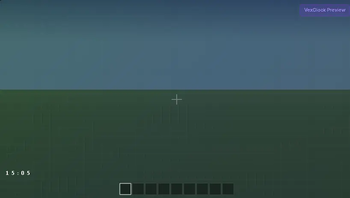
VexClock
VexClock is a lightweight Fabric HUD mod that displays the current Minecraft world time directly on your screen.
Designed with a clean and minimal style, the clock shows only the information you need without backgrounds, borders, or unnecessary interface elements.
Features
- Lightweight client-side HUD
- Displays the current in-game time
- Clean and minimal design
- Fully transparent background
- Movable HUD
- Automatic settings saving
- Optimized for maximum performance
Customization
Customize the clock to match your preferences:
- Toggle the HUD on or off
- Switch between 24-hour and 12-hour formats
- Show or hide the day/night icon
- Enable or disable text shadow
- Change the text color
- Move the clock anywhere on the screen
All settings are saved automatically.
Default Hotkeys
O — Toggle the clock
P — Open the position editor
The position editor lets you drag the clock anywhere on your screen while keeping the game world visible through a fully transparent background.
Performance
VexClock is designed to have virtually no impact on game performance.
Performance optimizations include:
- Zero object allocations during rendering
- Cached time strings that update only when the displayed minute changes
- Automatic rendering pause when the HUD is hidden
- Automatic rendering pause while the F3 debug screen is open
Compatibility
- Minecraft 1.21.11
- Fabric Loader
- Client-side
- Singleplayer
- Multiplayer
Requirements
- Fabric API
No additional libraries or configuration mods are required.
Author
Focus
Version
1.0.0
- Edition: Minecraft Java
- File type: .jar
- Minecraft version listed: 1.21.11
- How to install: Install the matching mod loader (Forge, Fabric or NeoForge) for your Minecraft version. → Download the .jar. → Put it in the .minecraft/mods folder and launch that loader profile.
- Where to get it: Opens on Modrinth — not every file is mirrored on our own servers.
Install steps are the general flow for this file type — How to install Minecraft Java mods & modpacks walks through it step by step.
- Ships as vexclock-1.0.0.jar — drop this file into the mods folder
- Download size: 33 KB
- Download link checked 24 Oct 2026 — working
These come from our own check of the pack file, not from the source page.