English Keybinds
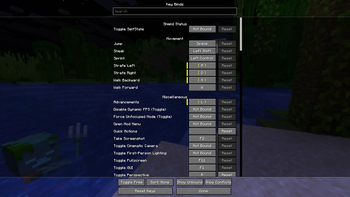
Stops Minecraft from translating keybind labels and forces standard English characters in the Controls menu, ignoring your keyboard layout.
⬇ Download on Modrinth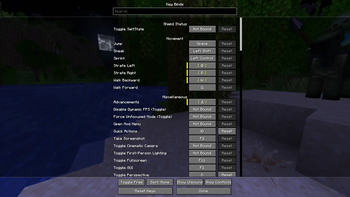
Notice
I've started doing Minecraft commissions in my Discord server!
English Keybinds
This mod prevents keybind labels from being translated based on your keyboard layout.
Why?
Minecraft determines keybind labels based on your active keyboard layout when you first open the Controls menu.
If you enter in the Controls menu with a Russian layout, your standard WASD binds will be displayed as ЦФЫВ, which is very misleading.
This mod forces the game to always display keybinds as capital English characters.
Important
This mod targets QWERTY keyboards only. If you use other keyboard types, the mod behavior is undefined.
- Edition: Minecraft Java
- File type: .jar
- Minecraft version listed: 1.21.11
- How to install: Install the matching mod loader (Forge, Fabric or NeoForge) for your Minecraft version. → Download the .jar. → Put it in the .minecraft/mods folder and launch that loader profile.
- Where to get it: Opens on Modrinth — not every file is mirrored on our own servers.
Install steps are the general flow for this file type — How to install Minecraft Java mods & modpacks walks through it step by step.
- Ships as englishkeybinds-1.0.0+mc1.21.11-fabric.jar — drop this file into the mods folder
- Download size: 4 KB
- Download link checked 14 Sept 2026 — working
These come from our own check of the pack file, not from the source page.