
Modkit
Java mod listed for Minecraft 1.21. Downloads from the MC Java Mods app on Android.
⬇ Download on Modrinth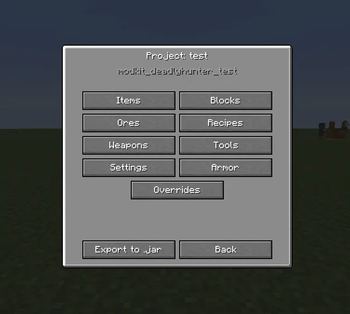
Welcome to Modkit!
(Quick disclaimer: English is not my native language, so please excuse any minor errors. Feedback is always welcome!)
Create your own Minecraft mods/content from inside the game no coding required
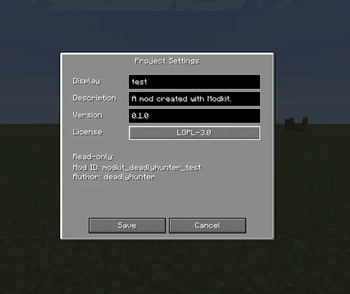
Modkit is a in game modding engine. Instead of writing Java you open a menu (/modkit), fill in a few fields an Modkit turns your ideas into a real, mod you can keep, share or drop in any modpack.
If you ever wanted to add your own items, blocks, tools, recipes but dont want wo learn Java, Modkit is built for you.
What you can create
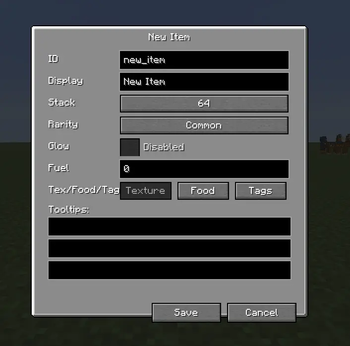
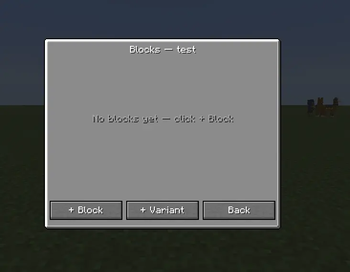
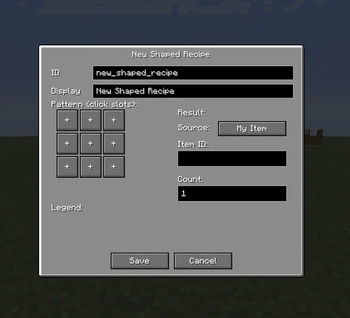
Items, Food, Blocks, Ores, Weapons, Tools, Armor, Recipes, Recipe Overrides, Tags.
How it works
Modkit splits the engine (this mod) from the content (what you make). When you design something in the menu, Modkit writes it as json and bundels it into a small .jar on export. That exported mod contains no compiled code just your content and depends on Modkit to bringt it in game.
Getting started
Install Modkit, launch the game, an open /modkit to create your workspace. Add items, blocks and recipes, then exprt your mod wenn ready to test or share.
- Edition: Minecraft Java
- File type: .jar
- Minecraft version listed: 1.21.1
- How to install: Install the matching mod loader (Forge, Fabric or NeoForge) for your Minecraft version. → Download the .jar. → Put it in the .minecraft/mods folder and launch that loader profile.
- Where to get it: Opens on Modrinth — not every file is mirrored on our own servers.
Install steps are the general flow for this file type — How to install Minecraft Java mods & modpacks walks through it step by step.
- Ships as modkit-1.1.0.jar — drop this file into the mods folder
- Download size: 381 KB
- Download link checked 23 Oct 2026 — working
These come from our own check of the pack file, not from the source page.