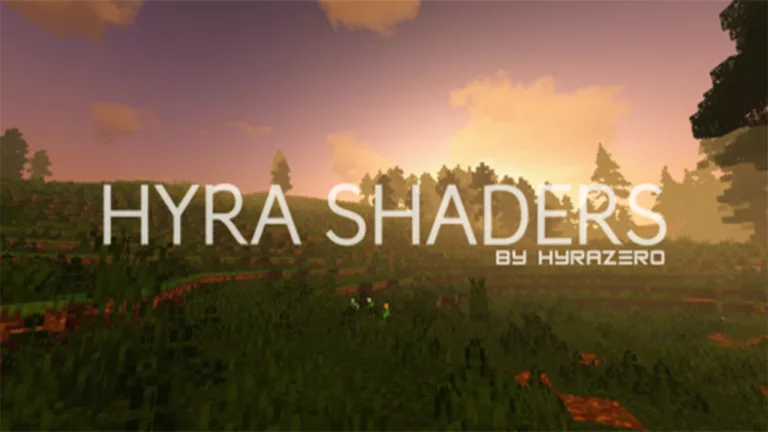


Playing Minecraft with feeling realistic graphics, get spoil your eyes by using Hyra Shaders V4 Pe! It will bring you to a new world full of beautiful coloring and lifely lighting and make the world become a reality.
Cre: Hyrazero, Youtube, Twitter, FB
Hyra Shaders v4
There are available several variants in this shader, it includes Ultra, Medium, and Lite choose from. It’s up to your the capabilities of the device you are using

Hyra Shaders v4 only supports Minecraft Mobile v1.17+
Let’s explore 3 varients of this shader and see how your world is different!
Read more: Best Minecraft RTX Shader For MCPE 1.19
ULTRA


MEDIUM


LITE


Features
- Realistic Color
- Foggy Rain
- Beautiful Night Sky & Star
- Leaves move
- Realistic Water: It’s based on Seus PE with permission from @GFPcoder
- Realistic Cloud – Sun and moon: It’s based on Bicubic High with permission from @bicubic7
More credits
@GFPcoder – @bicubic7 – @DevPrecision
If you like the roller coaster in the screenshot, you can visit here to get the download link A Large Investment Map
Changelog
| – Added new Style Coloring, Sky Color, Fog – Fixed bug litch side block on GPU PowerVR – Fake bloom Effect |
Download
📥Hyra Shaders v4 PE (3 varients)
Browse for more Minecraft shader with us!
MCPEADDONS.COM
- Edition: Minecraft Bedrock
- File type: .mcpack
- Minecraft version listed: 1.17
- How to install: Download the .mcpack. → Open it — Minecraft imports it under Resource Packs. → Activate it in Global Resources, or for one world under Resource Packs → Available.
- Where to get it: Opens on the file's original source — not every file is mirrored on our own servers.
Install steps are the general flow for this file type — How to install Minecraft Bedrock texture packs walks through it step by step.
Hyra Shaders v4 Minecraft PE is a free Minecraft Bedrock shader. Compatible with Minecraft 1.17. Download it and open it directly in the game.
