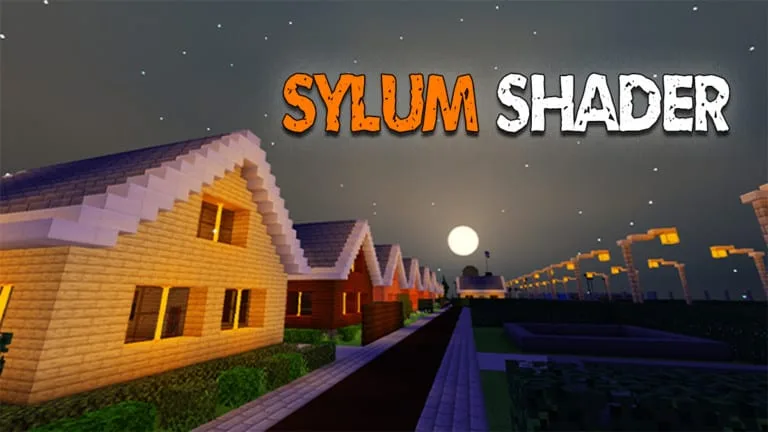


One of the shaders will change your gameplay looks – Sylum Shaders. Apply this shader pack in your game, then you will see how’s it change the tone of the blocks, the sky render, or realistic shadow, and many more interesting things are waiting for you to explore!
Cre: ZTzTopia, Youtube, Twitter
Sylum Shader
Note: This shader pack only work on Minecraft v1.14 and above
Here is some of screenshots
Colored torch lights
Leaf, plant and water move
Beautiful clouds, sun, moon, and star
Beautiful fogs
Tonemapping
Transparent Water
Real Clouds (Medium Version)
Water wave (Medium Version)
These photos are captured from Evercity creation map, you can click here to download
Changelog
| Sylum Shader v1.4.2: – Terrain Update: + Removing Fogs + Fixes a bug + Change ToneMapping + Fixes Water Wave + Improve Leaves, Leaf, Water, UnderWater Move Motion – Sky Update: |
Downloads
📥Download SylumShad (Low).mcpack
👉 If you like this shader, you can also check our Lulucraft Texture Pack, OSBES Apollyon Edition
- Edition: Minecraft Bedrock
- File type: .mcpack
- How to install: Download the .mcpack. → Open it — Minecraft imports it under Resource Packs. → Activate it in Global Resources, or for one world under Resource Packs → Available.
- Where to get it: Opens on the file's original source — not every file is mirrored on our own servers.
Install steps are the general flow for this file type — How to install Minecraft Bedrock texture packs walks through it step by step.
Sylum Shader for Minecraft v1.4.2 is a free Minecraft Bedrock shader. Download it and open it directly in the game.